> ## Documentation Index
> Fetch the complete documentation index at: https://support.nectir.io/llms.txt
> Use this file to discover all available pages before exploring further.
# Product Updates
> Keep track of changes and updates to Nectir AI.
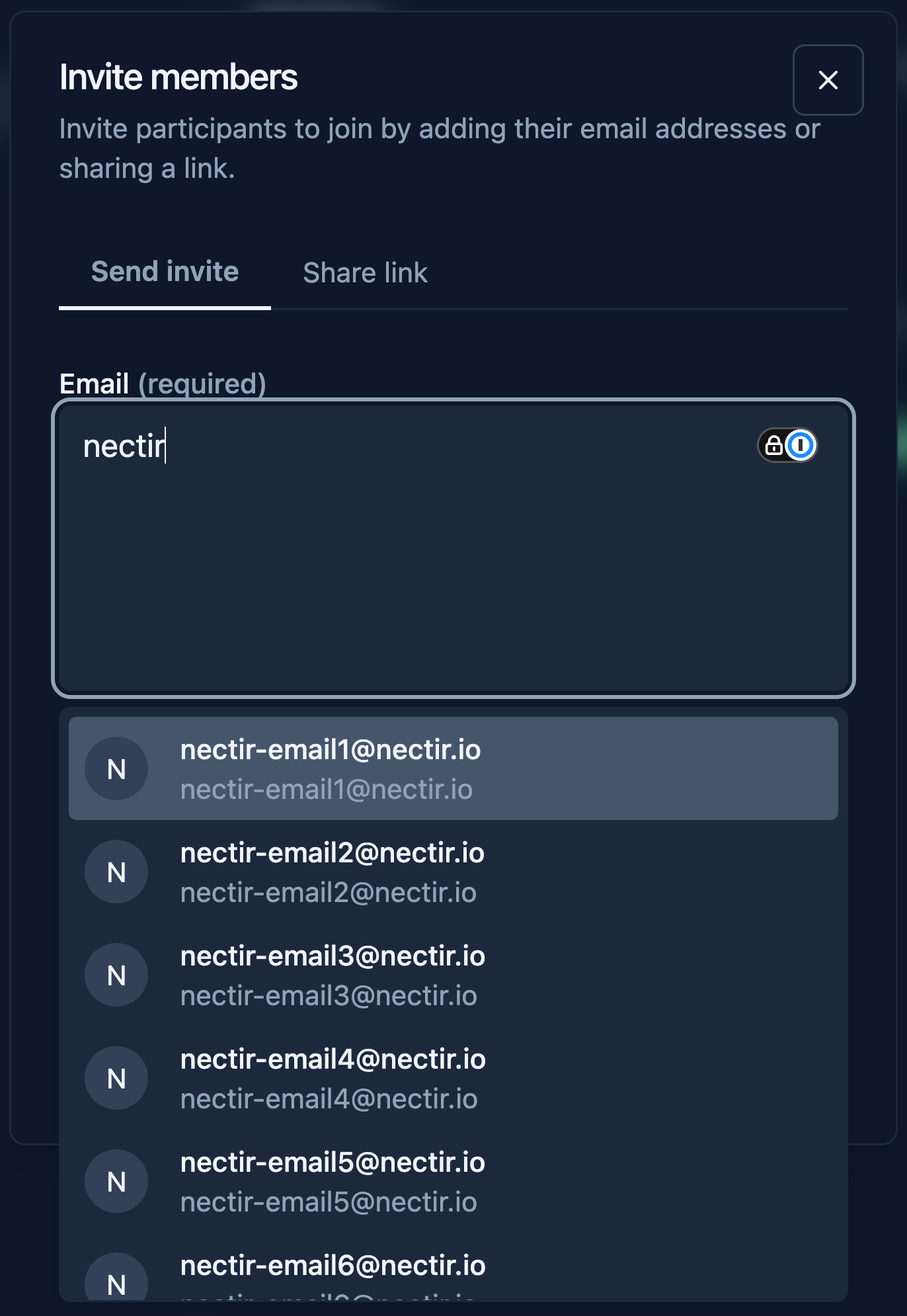
## Member Suggestions When Inviting to a Group
When inviting members to a Group, the email field now suggests existing Workspace members as you type, making it faster to add people without remembering exact email addresses.
 ## Original URLs in Website Knowledge Citations
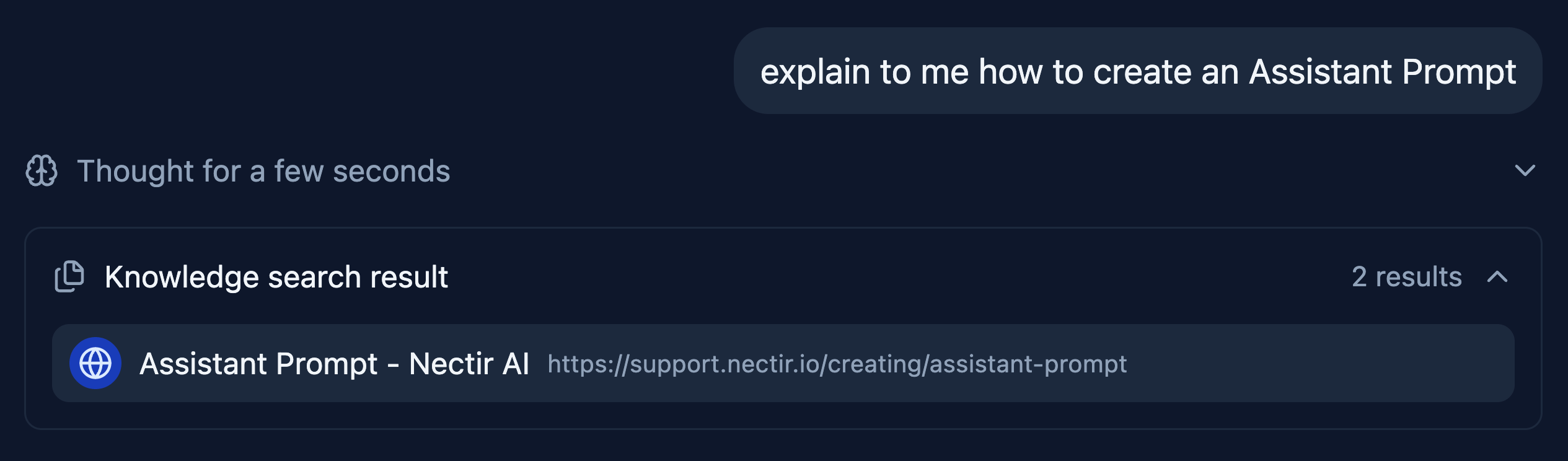
Chat citations for website knowledge sources now display the original page URL, and title instead of the internal markdown filename, making it easier to identify and verify source material.
## Original URLs in Website Knowledge Citations
Chat citations for website knowledge sources now display the original page URL, and title instead of the internal markdown filename, making it easier to identify and verify source material.
 ## LTI Waiting Screen for Students
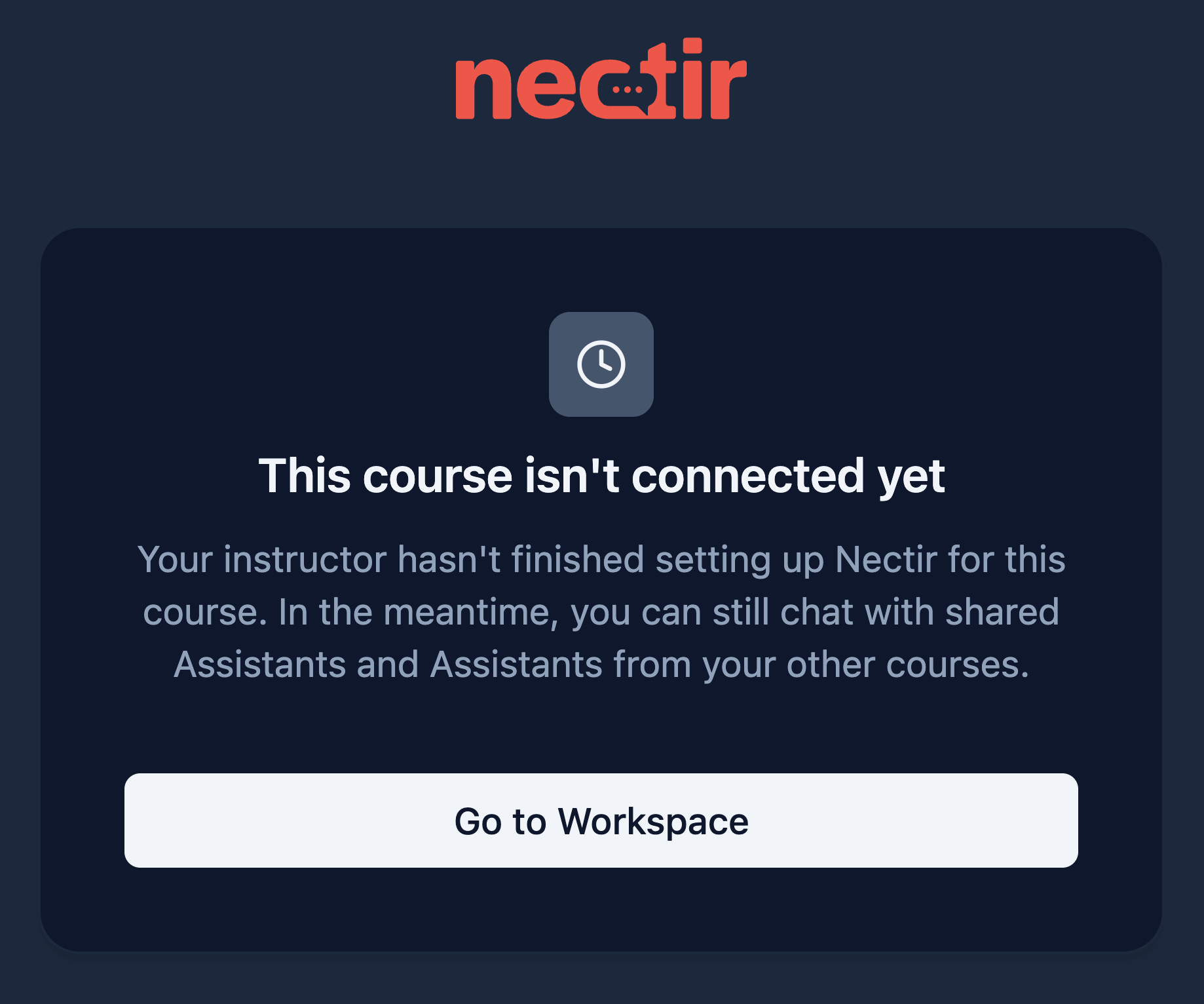
When a student launches an LTI link before the instructor has finished setting up the course integration, they now see a dedicated waiting page explaining the course isn't connected yet, instead of being redirected to an empty dashboard.
## LTI Waiting Screen for Students
When a student launches an LTI link before the instructor has finished setting up the course integration, they now see a dedicated waiting page explaining the course isn't connected yet, instead of being redirected to an empty dashboard.
 ***
* Added a "Back" button and the clickable Assistant name to the header of the "Analytics" page in embedded chats, following the navigation pattern already used on the "Settings" page
* Improved disabled-state contrast on dropdown menu items by replacing opacity-based styling with design system color tokens for better accessibility in both light and dark themes
* Fixed the Queue Manager showing "0/0" and loading indefinitely when updating a website knowledge source to fewer pages than it previously had
* Fixed a redirect loop causing 500 errors for users whose sessions lacked an email address
* Fixed scroll overscroll revealing a transparent background behind the File Drawer
* Fixed LTI-accepted members being stuck on the "No invites found" screen due to a stale workspace
* The "Documents searched" and "No results found" indicators no longer appear when an Assistant's knowledge base is empty, preventing confusing search feedback on Assistants that have no documents to search
* Fixed PDF export failing in Safari
* Fixed small images imported from Canvas failing during knowledge base processing
* Fixed older conversations intermittently showing a "Something went wrong" error when the chat history contained image attachments
* Fixed missing spacing between the icon and label on the "Refresh connection" button in the Canvas import dialog
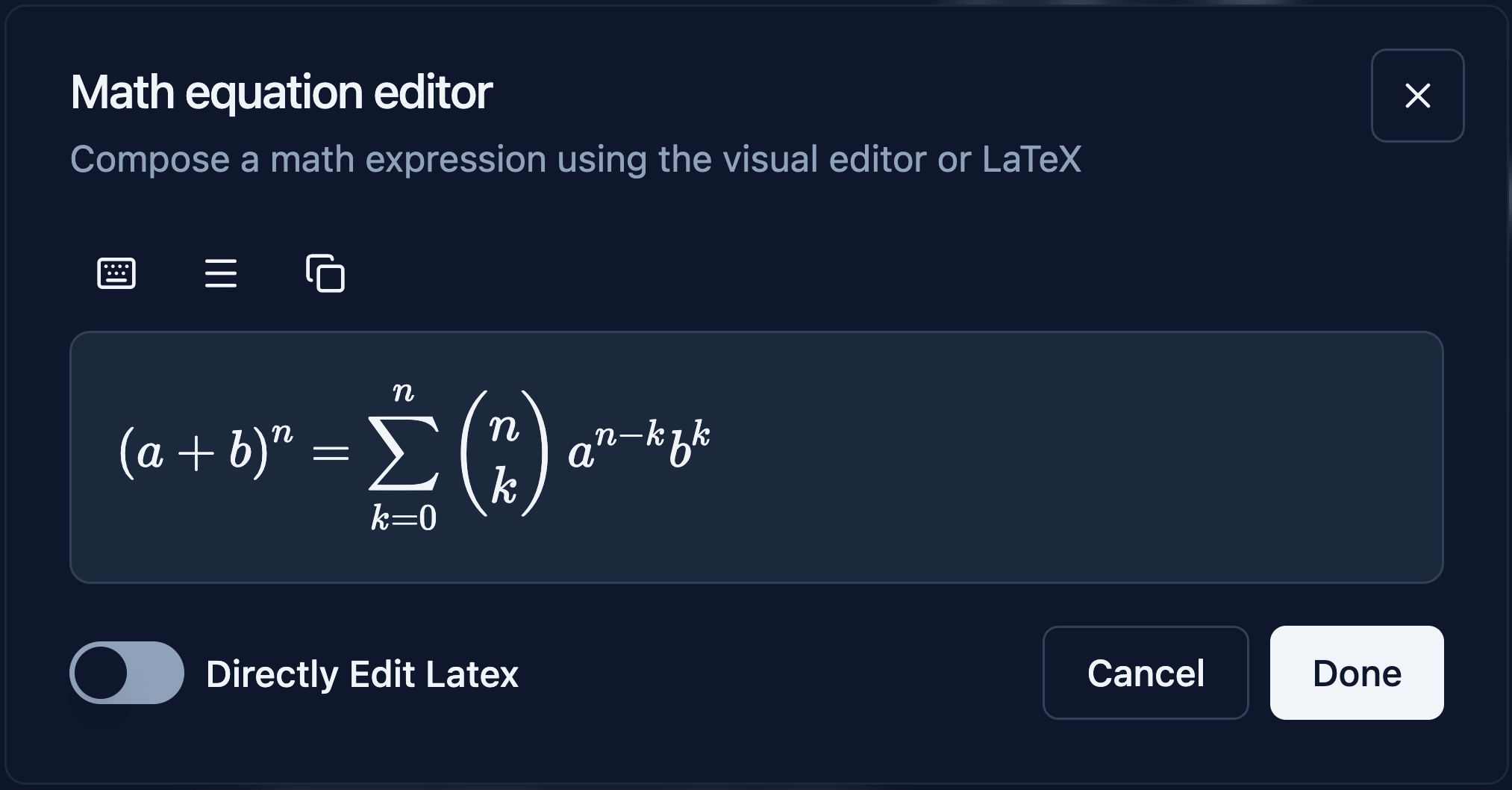
## Math Equation Editor
A new "Math equation" editor is now available in the chat input via the `+` button menu. Students and instructors can compose mathematical expressions visually using a point-and-click editor or toggle to direct LaTeX input for advanced use. The composed expression is previewed in real time and inserted into the chat as rendered LaTeX, making it easier to communicate math notation without knowing LaTeX syntax.
***
* Added a "Back" button and the clickable Assistant name to the header of the "Analytics" page in embedded chats, following the navigation pattern already used on the "Settings" page
* Improved disabled-state contrast on dropdown menu items by replacing opacity-based styling with design system color tokens for better accessibility in both light and dark themes
* Fixed the Queue Manager showing "0/0" and loading indefinitely when updating a website knowledge source to fewer pages than it previously had
* Fixed a redirect loop causing 500 errors for users whose sessions lacked an email address
* Fixed scroll overscroll revealing a transparent background behind the File Drawer
* Fixed LTI-accepted members being stuck on the "No invites found" screen due to a stale workspace
* The "Documents searched" and "No results found" indicators no longer appear when an Assistant's knowledge base is empty, preventing confusing search feedback on Assistants that have no documents to search
* Fixed PDF export failing in Safari
* Fixed small images imported from Canvas failing during knowledge base processing
* Fixed older conversations intermittently showing a "Something went wrong" error when the chat history contained image attachments
* Fixed missing spacing between the icon and label on the "Refresh connection" button in the Canvas import dialog
## Math Equation Editor
A new "Math equation" editor is now available in the chat input via the `+` button menu. Students and instructors can compose mathematical expressions visually using a point-and-click editor or toggle to direct LaTeX input for advanced use. The composed expression is previewed in real time and inserted into the chat as rendered LaTeX, making it easier to communicate math notation without knowing LaTeX syntax.
 ***
* Standardized the Queue Manager component to behave consistently across all knowledge sources (manual uploads, Canvas imports, and IMSCC files), with unified progress tracking, collapsible course sections, and automatic error surfacing
* IMSCC file imports now group extracted files by course name in the Queue Manager, matching the collapsible course section pattern used for Canvas imports
* Restored the copyable LTI configuration JSON in the Canvas guided setup flow, pre-populated with the customer's Workspace ID and updated to include deep-linking placements
* Fixed tables appearing broken and unformatted in PDF chat exports
* Fixed Mermaid diagrams briefly flashing a "Mermaid Error" during streaming before rendering correctly
* Fixed non-math quiz content being unnecessarily wrapped in LaTeX formatting
## Accessibility Improvements
Shipped a round of accessibility improvements across the UI, focused on three areas:
* **Keyboard and assistive navigation:** Added descriptive text and new-tab indicators to external links, made truncated content available through keyboard-accessible tooltips, and added programmatic names to Help submenu links.
* **Screen reader support:** Added accessible names to avatar zoom sliders and conversation history links, associated labels with the rows-per-page dropdown, and replaced static aria-labels on the Analytics date range picker with context-aware labels.
* **Visual contrast:** Improved border and icon contrast on buttons and input components for better readability.
See the full list below.
***
* Updated prompt library audience categories, replacing "Content creator" with "Staff" to better align with how institutions describe their roles
* Fixed user theme preference reverting to the previous value on navigation or when multiple browser tabs are open
* Added programmatic names to Help submenu links
* Added descriptive external link text and new-tab indicators on external links
* Replaced static aria-labels on the Analytics date range picker with context-aware labels
* Associated labels with the rows-per-page dropdown
* Added accessible names to avatar zoom sliders
* Added accessible text to conversation history links
* Made truncated text available through keyboard-accessible tooltips
* Improved border and icon contrast on buttons and input components
* Fixed sporadic "We Couldn't Connect to Nectir" errors during LTI launches caused by transient HTTP/2 connection resets when fetching platform keys
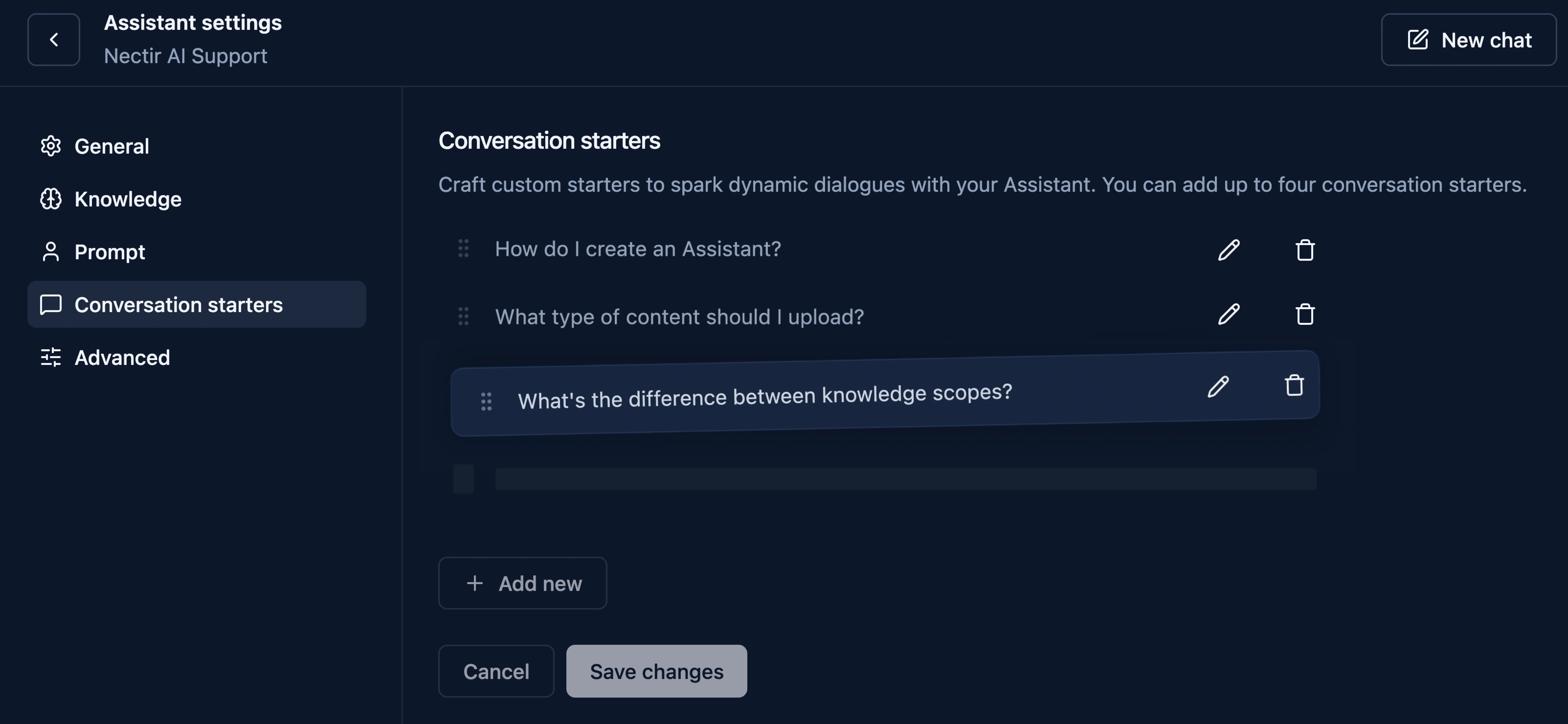
## Reorder Conversation Starters
Conversation starters can now be reordered using drag-and-drop in Assistant Settings, giving owners full control over the order prompts appear to students.
***
* Standardized the Queue Manager component to behave consistently across all knowledge sources (manual uploads, Canvas imports, and IMSCC files), with unified progress tracking, collapsible course sections, and automatic error surfacing
* IMSCC file imports now group extracted files by course name in the Queue Manager, matching the collapsible course section pattern used for Canvas imports
* Restored the copyable LTI configuration JSON in the Canvas guided setup flow, pre-populated with the customer's Workspace ID and updated to include deep-linking placements
* Fixed tables appearing broken and unformatted in PDF chat exports
* Fixed Mermaid diagrams briefly flashing a "Mermaid Error" during streaming before rendering correctly
* Fixed non-math quiz content being unnecessarily wrapped in LaTeX formatting
## Accessibility Improvements
Shipped a round of accessibility improvements across the UI, focused on three areas:
* **Keyboard and assistive navigation:** Added descriptive text and new-tab indicators to external links, made truncated content available through keyboard-accessible tooltips, and added programmatic names to Help submenu links.
* **Screen reader support:** Added accessible names to avatar zoom sliders and conversation history links, associated labels with the rows-per-page dropdown, and replaced static aria-labels on the Analytics date range picker with context-aware labels.
* **Visual contrast:** Improved border and icon contrast on buttons and input components for better readability.
See the full list below.
***
* Updated prompt library audience categories, replacing "Content creator" with "Staff" to better align with how institutions describe their roles
* Fixed user theme preference reverting to the previous value on navigation or when multiple browser tabs are open
* Added programmatic names to Help submenu links
* Added descriptive external link text and new-tab indicators on external links
* Replaced static aria-labels on the Analytics date range picker with context-aware labels
* Associated labels with the rows-per-page dropdown
* Added accessible names to avatar zoom sliders
* Added accessible text to conversation history links
* Made truncated text available through keyboard-accessible tooltips
* Improved border and icon contrast on buttons and input components
* Fixed sporadic "We Couldn't Connect to Nectir" errors during LTI launches caused by transient HTTP/2 connection resets when fetching platform keys
## Reorder Conversation Starters
Conversation starters can now be reordered using drag-and-drop in Assistant Settings, giving owners full control over the order prompts appear to students.
 ***
* Fixed root-level static assets, causing broken images in Canvas and browser console errors
* Fixed PWA manifest not loading correctly, and resolved a Chrome deprecation warning for the mobile-web-app-capable meta tag
* Fixed LaTeX expressions not rendering in interactive quiz questions and answer choices, displaying raw syntax instead of formatted math
* Accessibility fixes: resolved multiple accessibility issues across the UI, including insufficient contrast on dropdown trigger chevrons that failed WCAG 2.2 non-text contrast requirements in both light and dark themes
* Fixed website URL imports showing a successful page count in the UI even when the backend crawl workflow failed, leaving the knowledge base empty with no error surfaced to the user
* Fixed PDF export failing for conversations containing inline code wrapped in backticks
* Fixed support text not being centered in the Add Website dialog, matching the alignment used in other import modals
* Accessibility fixes: resolved multiple accessibility issues across the UI, including insufficient focus indicator visibility on checkboxes and sidebar links, incorrect focus order after bulk selection actions, content truncation in role dropdowns at 200% zoom, incorrect heading hierarchy on LMS integration and import pages, missing focus management after adding LMS roles, incorrect focus landing position when navigating to Account Settings, missing ARIA value text and insufficient disabled-state contrast on the temperature slider, text spacing truncation in the History dialog and Analytics filters, and missing heading tags on Analytics stat cards
* LTI integrations can now be renamed directly from the integrations table using a new actions menu, making it easier to differentiate between multiple integrations
* Standardized back button labels, icons, and tooltips across the app for a more consistent navigation experience
* Canvas "Student View" now displays a dedicated informational page explaining why it is not supported, instead of showing a generic error
* Toggle badge labels across the platform now display "On" and "Off" instead of "Enabled" and "Disabled" for a cleaner, more compact UI
* Website URL imports are now limited to 1,000 pages
* Fixed drag-and-drop file icon appearing stacked and illegible when the "Disable Animations" preference is enabled
* Fixed long URLs overflowing and getting cut off in the delete website source confirmation modal
* Fixed "something went wrong" error when sending messages in certain older Assistant conversation histories
* Accessibility fixes: resolved multiple accessibility issues across the UI, including incorrect tab focus on non-interactive elements, focus not returning to the triggering control when closing dialogs, and the Copy LaTeX button not being reachable via keyboard navigation
## Reorder Assistants
You can now reorder Assistants using Move Up and Move Down options in the actions menu. The custom order persists across sessions, giving owners full control over how Assistants are arranged within a Group or Workspace.
***
* Fixed root-level static assets, causing broken images in Canvas and browser console errors
* Fixed PWA manifest not loading correctly, and resolved a Chrome deprecation warning for the mobile-web-app-capable meta tag
* Fixed LaTeX expressions not rendering in interactive quiz questions and answer choices, displaying raw syntax instead of formatted math
* Accessibility fixes: resolved multiple accessibility issues across the UI, including insufficient contrast on dropdown trigger chevrons that failed WCAG 2.2 non-text contrast requirements in both light and dark themes
* Fixed website URL imports showing a successful page count in the UI even when the backend crawl workflow failed, leaving the knowledge base empty with no error surfaced to the user
* Fixed PDF export failing for conversations containing inline code wrapped in backticks
* Fixed support text not being centered in the Add Website dialog, matching the alignment used in other import modals
* Accessibility fixes: resolved multiple accessibility issues across the UI, including insufficient focus indicator visibility on checkboxes and sidebar links, incorrect focus order after bulk selection actions, content truncation in role dropdowns at 200% zoom, incorrect heading hierarchy on LMS integration and import pages, missing focus management after adding LMS roles, incorrect focus landing position when navigating to Account Settings, missing ARIA value text and insufficient disabled-state contrast on the temperature slider, text spacing truncation in the History dialog and Analytics filters, and missing heading tags on Analytics stat cards
* LTI integrations can now be renamed directly from the integrations table using a new actions menu, making it easier to differentiate between multiple integrations
* Standardized back button labels, icons, and tooltips across the app for a more consistent navigation experience
* Canvas "Student View" now displays a dedicated informational page explaining why it is not supported, instead of showing a generic error
* Toggle badge labels across the platform now display "On" and "Off" instead of "Enabled" and "Disabled" for a cleaner, more compact UI
* Website URL imports are now limited to 1,000 pages
* Fixed drag-and-drop file icon appearing stacked and illegible when the "Disable Animations" preference is enabled
* Fixed long URLs overflowing and getting cut off in the delete website source confirmation modal
* Fixed "something went wrong" error when sending messages in certain older Assistant conversation histories
* Accessibility fixes: resolved multiple accessibility issues across the UI, including incorrect tab focus on non-interactive elements, focus not returning to the triggering control when closing dialogs, and the Copy LaTeX button not being reachable via keyboard navigation
## Reorder Assistants
You can now reorder Assistants using Move Up and Move Down options in the actions menu. The custom order persists across sessions, giving owners full control over how Assistants are arranged within a Group or Workspace.
 ## Refresh Canvas Connection
A new "Refresh connection" button in the Canvas import dialog allows instructors to re-authorize their Canvas connection and pick up newly supported content types without manual reconnection.
## Refresh Canvas Connection
A new "Refresh connection" button in the Canvas import dialog allows instructors to re-authorize their Canvas connection and pick up newly supported content types without manual reconnection.
 ***
* The Quiz tool is now a default Assistant tool, ensuring reliable activation and consistent interactive rendering across all sessions
* Canvas file imports now automatically retry after transient API failures, reducing the need to manually re-import
* Optimized the Workspace analytics page to batch-load data in a single request, eliminating rate limiting for Workspaces with many private Assistants
* Improved platform reliability by separating infrastructure health checks from AI model availability, preventing transient LLM provider outages from affecting non-AI features
* Fixed Assistant tools being silently removed when saving Assistant or Workspace AI settings
* Fixed "something went wrong" error when sending messages in older Assistant conversations
* Fixed rate limit error appearing when navigating to conversation histories older than 30 days
* Accessibility fixes: resolved multiple accessibility issues across the UI, including incorrect ARIA roles on tabs, comboboxes, and filter dropdowns, missing screen reader announcements for search results and status changes, broken keyboard navigation in listboxes and chart components, and layout reflow issues at 400% zoom
* Fixed large image uploads in chat failing when the file exceeded the AI provider's size limit by adding progressive compression that automatically reduces quality and dimensions
* Accessibility fixes Resolved multiple accessibility issues across the UI, including incorrect ARIA patterns, missing labels, keyboard navigation gaps, and a button in the emoji picker search
* Changed the default auto-sync frequency for Canvas course imports from daily to weekly
## Add from Website URL
You can now add website content directly to your Assistant's knowledge base by entering a URL. Nectir scans the site for a sitemap, displays the discovered pages, and lets you select which ones to import. Imported websites appear as a single entry in the Knowledge table, grouped by root domain. Once added, website sources can be fully managed from the Knowledge table. To keep content up to date, enable Auto-sync weekly when adding a website or from the configuration panel. Nectir checks for changes on a weekly cadence and refreshes affected pages in the background. Manual sync remains available at any time.
***
* The Quiz tool is now a default Assistant tool, ensuring reliable activation and consistent interactive rendering across all sessions
* Canvas file imports now automatically retry after transient API failures, reducing the need to manually re-import
* Optimized the Workspace analytics page to batch-load data in a single request, eliminating rate limiting for Workspaces with many private Assistants
* Improved platform reliability by separating infrastructure health checks from AI model availability, preventing transient LLM provider outages from affecting non-AI features
* Fixed Assistant tools being silently removed when saving Assistant or Workspace AI settings
* Fixed "something went wrong" error when sending messages in older Assistant conversations
* Fixed rate limit error appearing when navigating to conversation histories older than 30 days
* Accessibility fixes: resolved multiple accessibility issues across the UI, including incorrect ARIA roles on tabs, comboboxes, and filter dropdowns, missing screen reader announcements for search results and status changes, broken keyboard navigation in listboxes and chart components, and layout reflow issues at 400% zoom
* Fixed large image uploads in chat failing when the file exceeded the AI provider's size limit by adding progressive compression that automatically reduces quality and dimensions
* Accessibility fixes Resolved multiple accessibility issues across the UI, including incorrect ARIA patterns, missing labels, keyboard navigation gaps, and a button in the emoji picker search
* Changed the default auto-sync frequency for Canvas course imports from daily to weekly
## Add from Website URL
You can now add website content directly to your Assistant's knowledge base by entering a URL. Nectir scans the site for a sitemap, displays the discovered pages, and lets you select which ones to import. Imported websites appear as a single entry in the Knowledge table, grouped by root domain. Once added, website sources can be fully managed from the Knowledge table. To keep content up to date, enable Auto-sync weekly when adding a website or from the configuration panel. Nectir checks for changes on a weekly cadence and refreshes affected pages in the background. Manual sync remains available at any time.
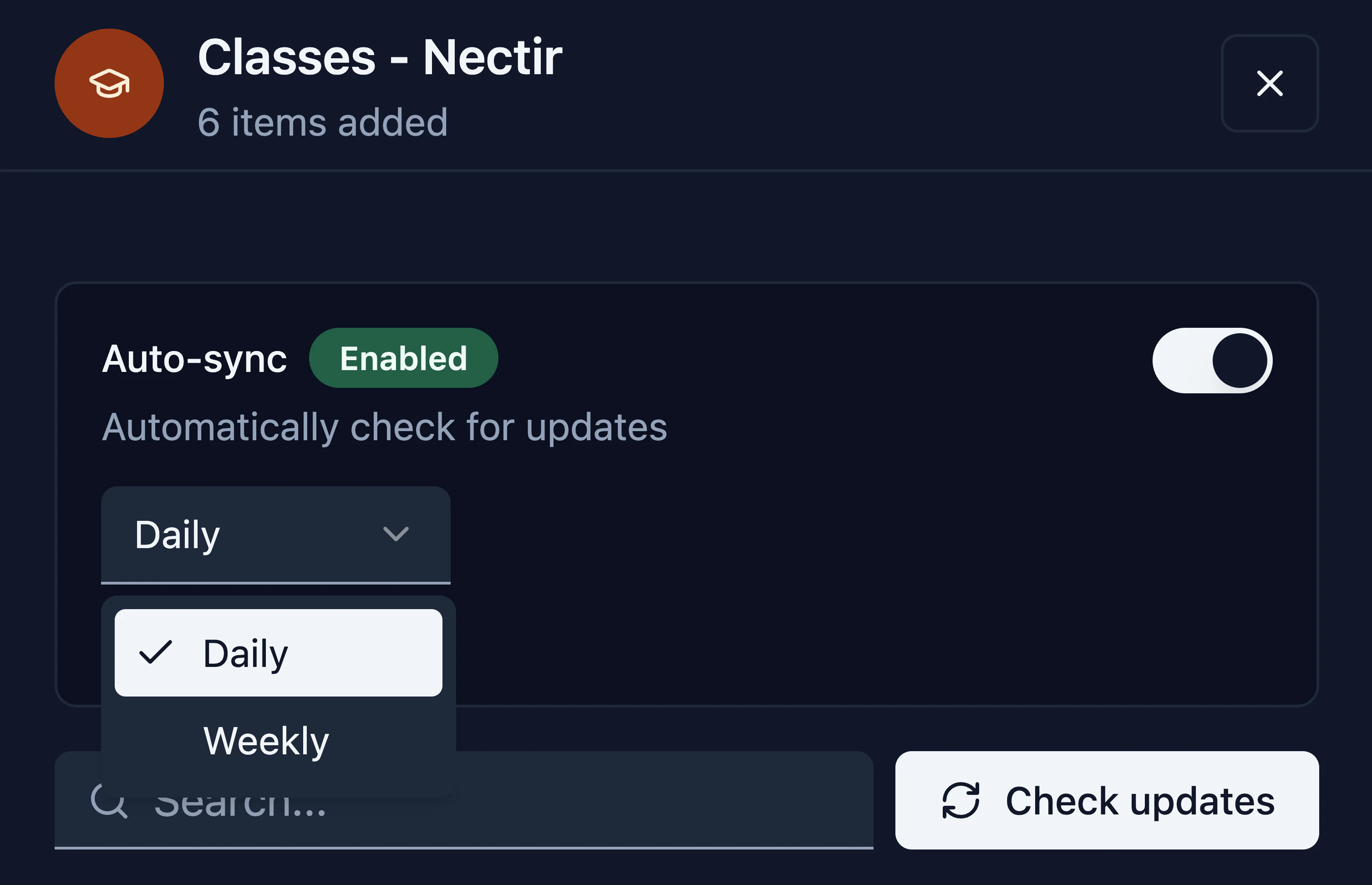
 ## Automatic Sync for Canvas Course Content
Canvas course content imported into your Assistant's knowledge base can now stay up to date automatically. Toggle auto-sync per course and choose a sync frequency — daily or weekly. Nectir checks for changes on schedule, adding new content, updating modified items, and removing deleted ones to keep your knowledge base in sync with Canvas.
## Automatic Sync for Canvas Course Content
Canvas course content imported into your Assistant's knowledge base can now stay up to date automatically. Toggle auto-sync per course and choose a sync frequency — daily or weekly. Nectir checks for changes on schedule, adding new content, updating modified items, and removing deleted ones to keep your knowledge base in sync with Canvas.
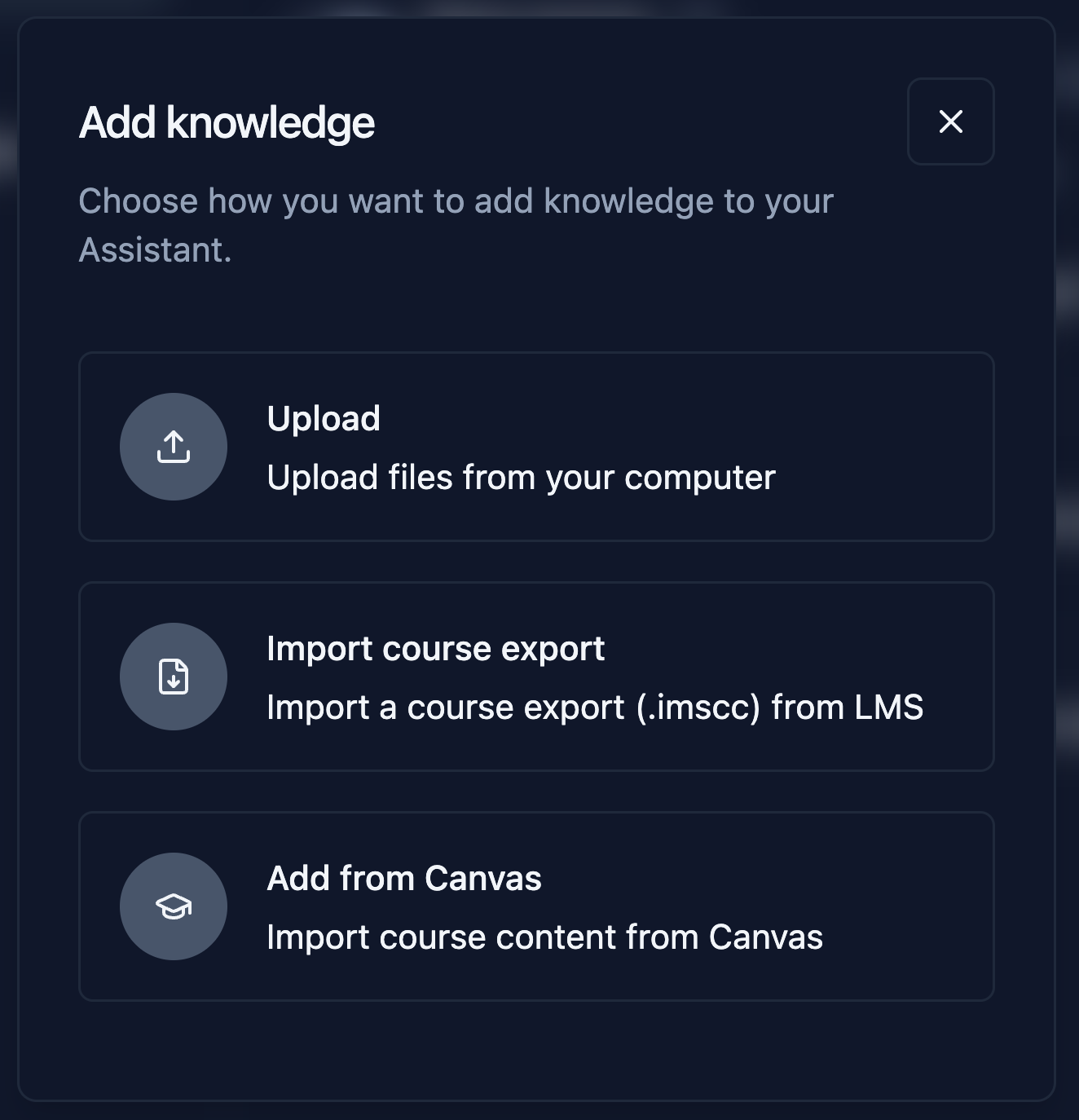
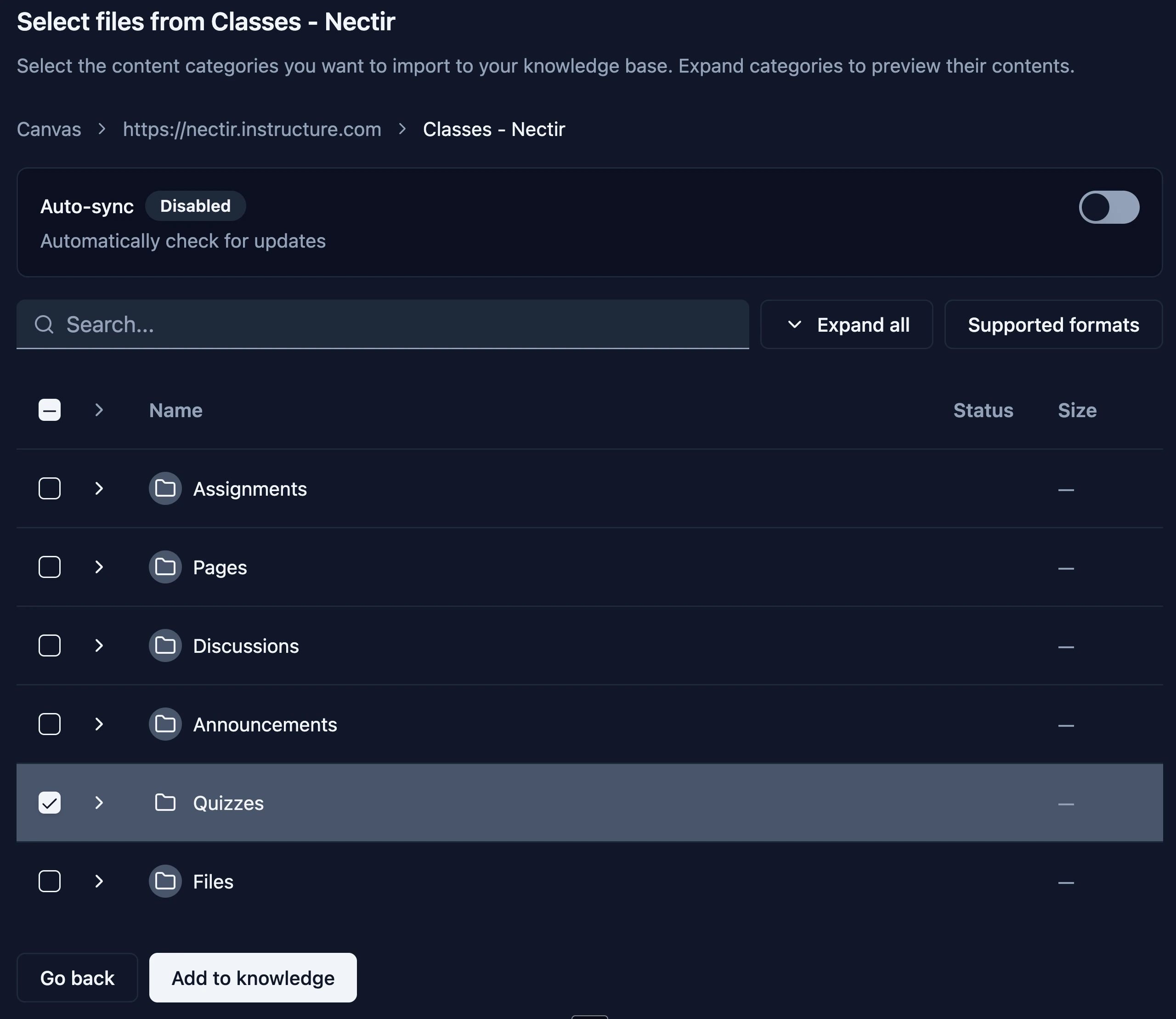
 ## Add from Canvas
You can now import course content from Canvas directly into your Assistant's knowledge base — no file exports or downloads needed. When you connect for the first time, a security modal confirms that Nectir uses read-only access, stores your data securely, and gives you full control over what gets imported. Once authorized, browse your courses, select which content to import — files, pages, assignments, discussions, announcements, and quizzes — and it all appears in the Knowledge table grouped by course, ready to manage.
## Add from Canvas
You can now import course content from Canvas directly into your Assistant's knowledge base — no file exports or downloads needed. When you connect for the first time, a security modal confirms that Nectir uses read-only access, stores your data securely, and gives you full control over what gets imported. Once authorized, browse your courses, select which content to import — files, pages, assignments, discussions, announcements, and quizzes — and it all appears in the Knowledge table grouped by course, ready to manage.
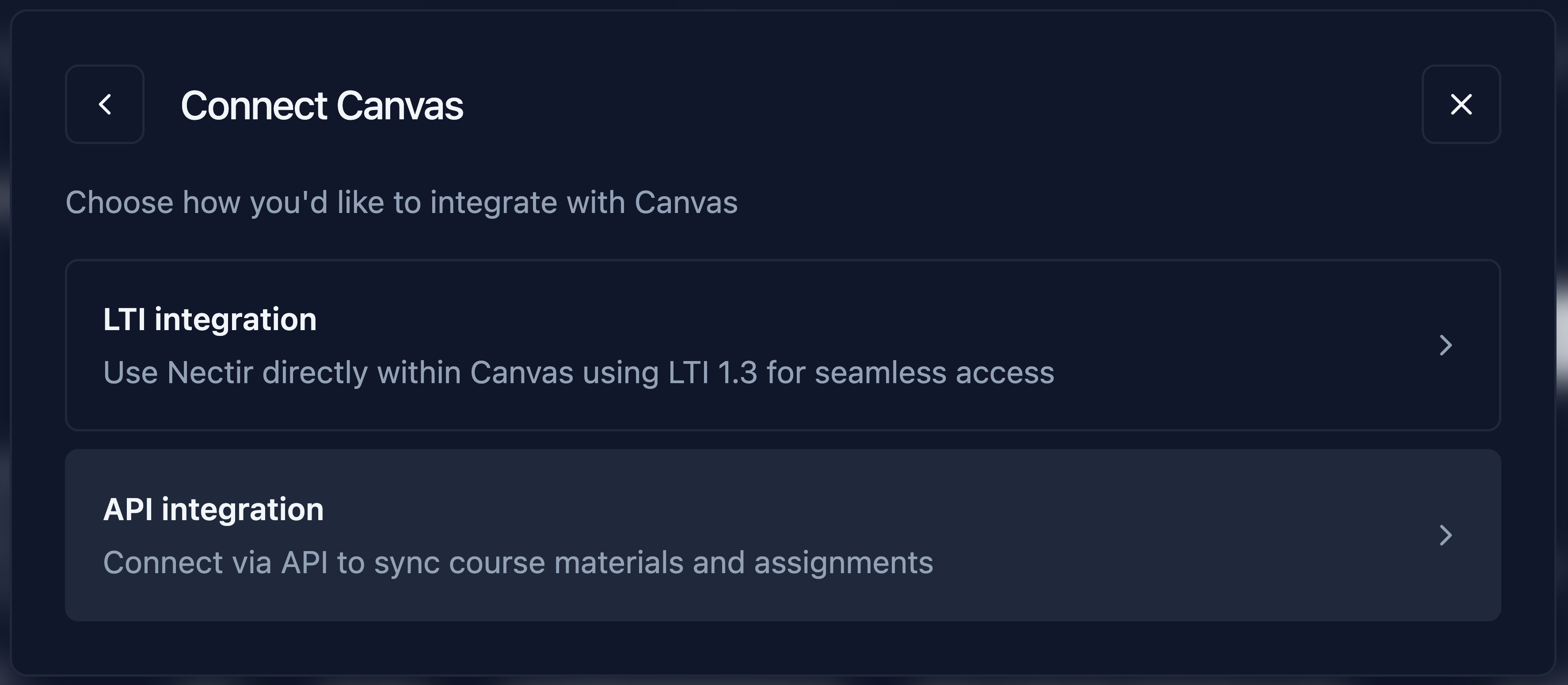
 ## Canvas API Integration
Workspace owners can now connect their Canvas instance to Nectir AI via the API. Create a Developer Key in Canvas, enter your credentials in Workspace Settings, and instructors in your Workspace can start importing course content directly into their Assistants.
## Canvas API Integration
Workspace owners can now connect their Canvas instance to Nectir AI via the API. Create a Developer Key in Canvas, enter your credentials in Workspace Settings, and instructors in your Workspace can start importing course content directly into their Assistants.
 ## Copy as LaTeX
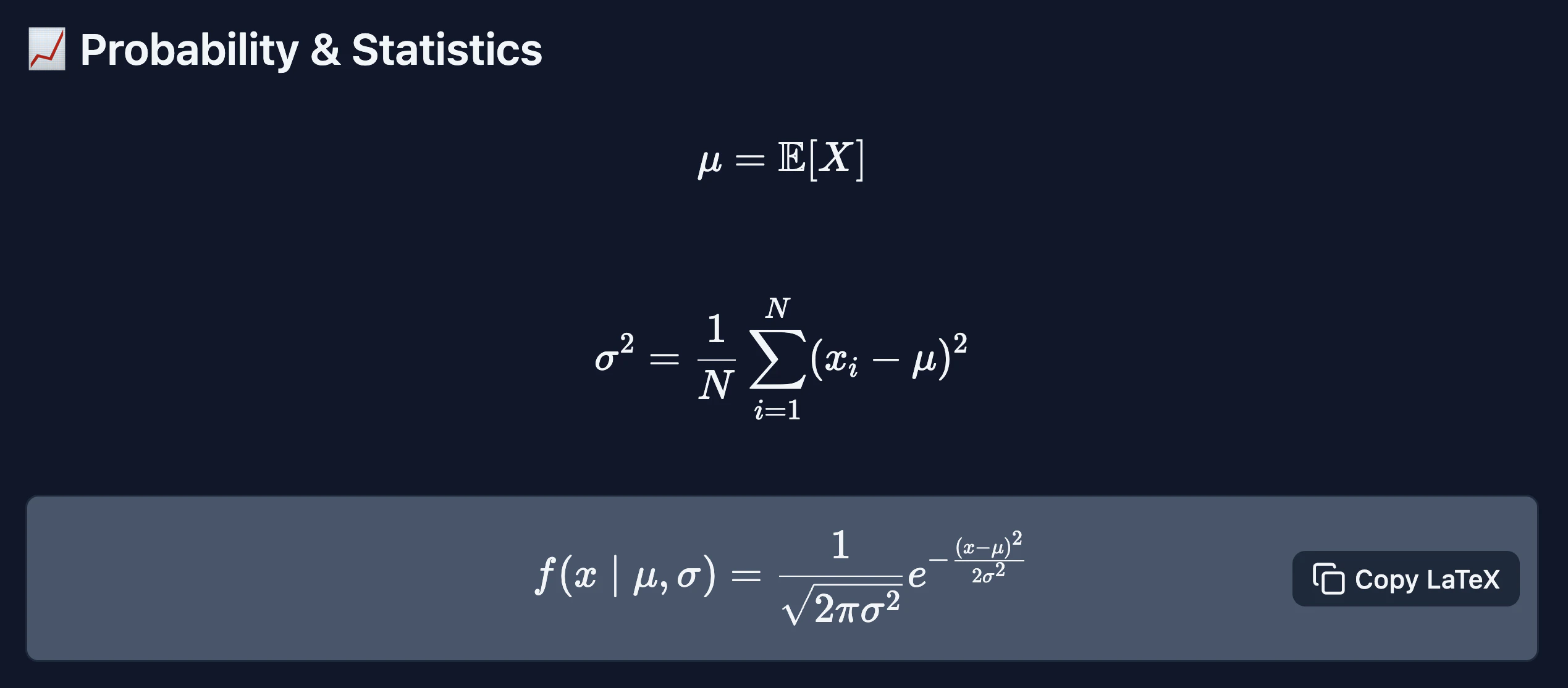
A new "Copy LaTeX" button now appears when hovering over rendered math expressions in AI responses. Clicking it copies the original LaTeX source to the clipboard, preserving structural formatting like fractions, exponents, and roots. This makes it easy to paste equations into Canvas Equation Editor, LaTeX documents, or other tools that support LaTeX input.
## Copy as LaTeX
A new "Copy LaTeX" button now appears when hovering over rendered math expressions in AI responses. Clicking it copies the original LaTeX source to the clipboard, preserving structural formatting like fractions, exponents, and roots. This makes it easy to paste equations into Canvas Equation Editor, LaTeX documents, or other tools that support LaTeX input.
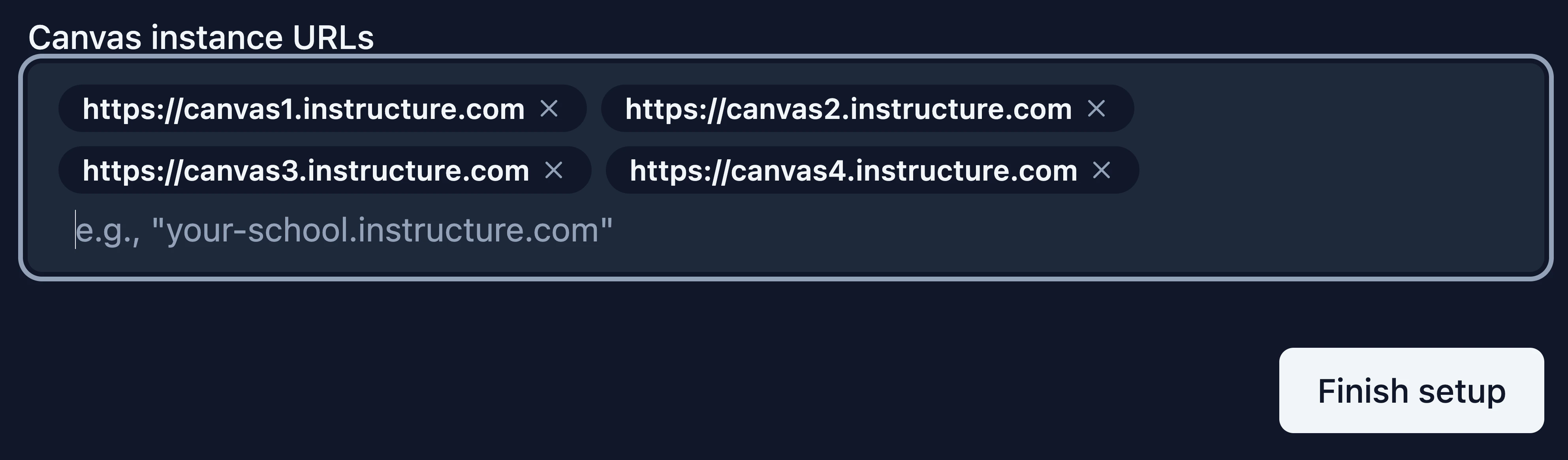
 ## Multi-URL LTI Integration Support
The Canvas LTI setup now supports multiple instance URLs per integration, allowing institutions with multiple Canvas instances (e.g., main campus and satellite campuses) to register all URLs in a single integration. The integrations table displays all connected URLs with a badge, and admins can edit existing LTI integrations directly from the table — adding or removing instance URLs without re-creating the integration.
## Multi-URL LTI Integration Support
The Canvas LTI setup now supports multiple instance URLs per integration, allowing institutions with multiple Canvas instances (e.g., main campus and satellite campuses) to register all URLs in a single integration. The integrations table displays all connected URLs with a badge, and admins can edit existing LTI integrations directly from the table — adding or removing instance URLs without re-creating the integration.
 ***
* Assistants now have access to a built-in code interpreter that verifies calculations before presenting answers. This addresses a known limitation of LLMs making arithmetic errors — particularly in generated practice questions where incorrect answers, duplicate options, or unsolvable equations could undermine trust. The tool validates math for algebra through pre-calculus level, ensuring generated problems produce correct, verifiable answers
* User theme preference (light/dark mode) is now persisted across sessions and devices — the app loads with your last selected theme on subsequent visits
* Fixed Assistant responses showing "something went wrong" error after completing a valid response, caused by a streaming timeout in the AI pipeline
* Simplified the "Unlink LMS integration" confirmation modal with clearer copy and consistent checkbox font styling
* Polished Canvas LTI setup dialog with simplified configuration steps, automatic URL normalization, and embedded Workspace ID
* Updated the JSON configuration for Canvas LTI manual setup to use the correct format and automatically embed the Workspace ID
* Fixed LTI launch failing for students when Group ownership was determined by role mapping, causing certain users to be incorrectly blocked
* Strengthened Content Security Policy
* Improved protection against common browser-based attacks
* Enhanced access controls across protected endpoints
* Improved session timeout and session invalidation policies
* Implementation of additional HTTP security headers
* Implementation of rate limiting on authentication and resource creation endpoints
* When unlinking an LTI integration, you can now opt to also remove course members — members only in that Group are removed from the Workspace, while members in other Groups are removed from the Group only
* Improved dark mode text contrast across multiple UI components to meet WCAG AA accessibility standards
* Invite email placeholder message now dynamically shows the Group or Workspace name based on invite context
* PDF chat exports now display "user" instead of "student" as the role label and include the user ID
* Improved success notification for better contrast with green background in dark mode
* Fixed analytics dashboard chart y-axis not displaying values above 999 correctly
* Fixed LTI integration setup screen not appearing for non-Instructor LMS roles (e.g., Designer) that are mapped to Group Owner in Workspace role settings
* Fixed visual delay when closing source attribution results in chat
* Canvas LTI setup with fewer manual steps — the Workspace ID is now embedded in the JSON configuration, and the flow is reduced to two clear steps
* Added HEIC image format support, fixing image uploads from iPad Safari when using the Photos app
* The unsaved changes confirmation modal now triggers when navigating away via sidebar items such as Assistant, Workspace, and Group Settings
* PDF chat exports now display the model name when "Auto" is selected (e.g., Auto (GPT-5.2))
* Updated "Free trial expired" messaging for improved clarity
* Fixed file type icons not being vertically centered with multi-line filenames in the Assistant Knowledge table
* Fixed selected model text color being difficult to read in the model selector, especially in light mode
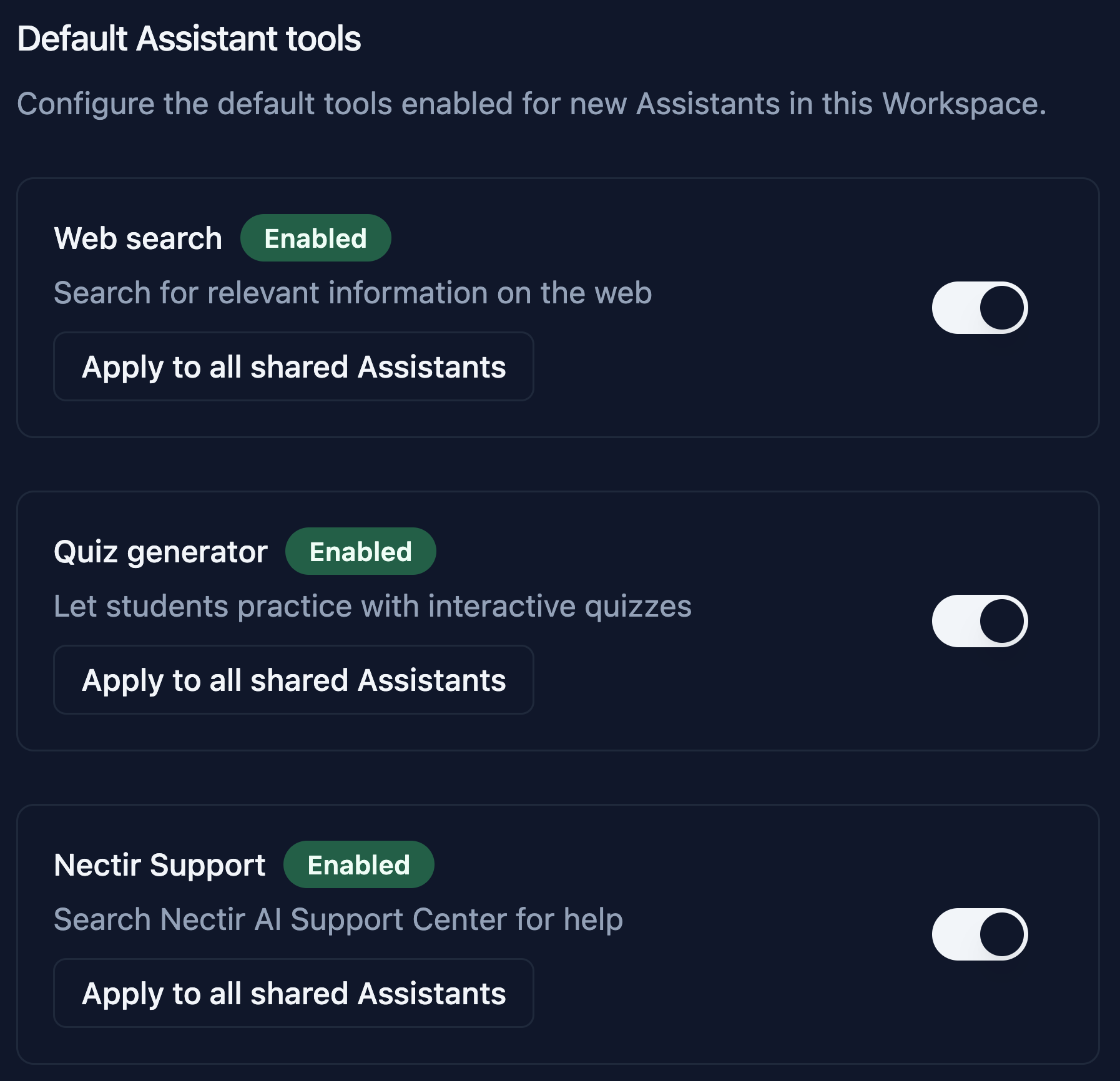
## Workspace-Level Assistant Tool Settings
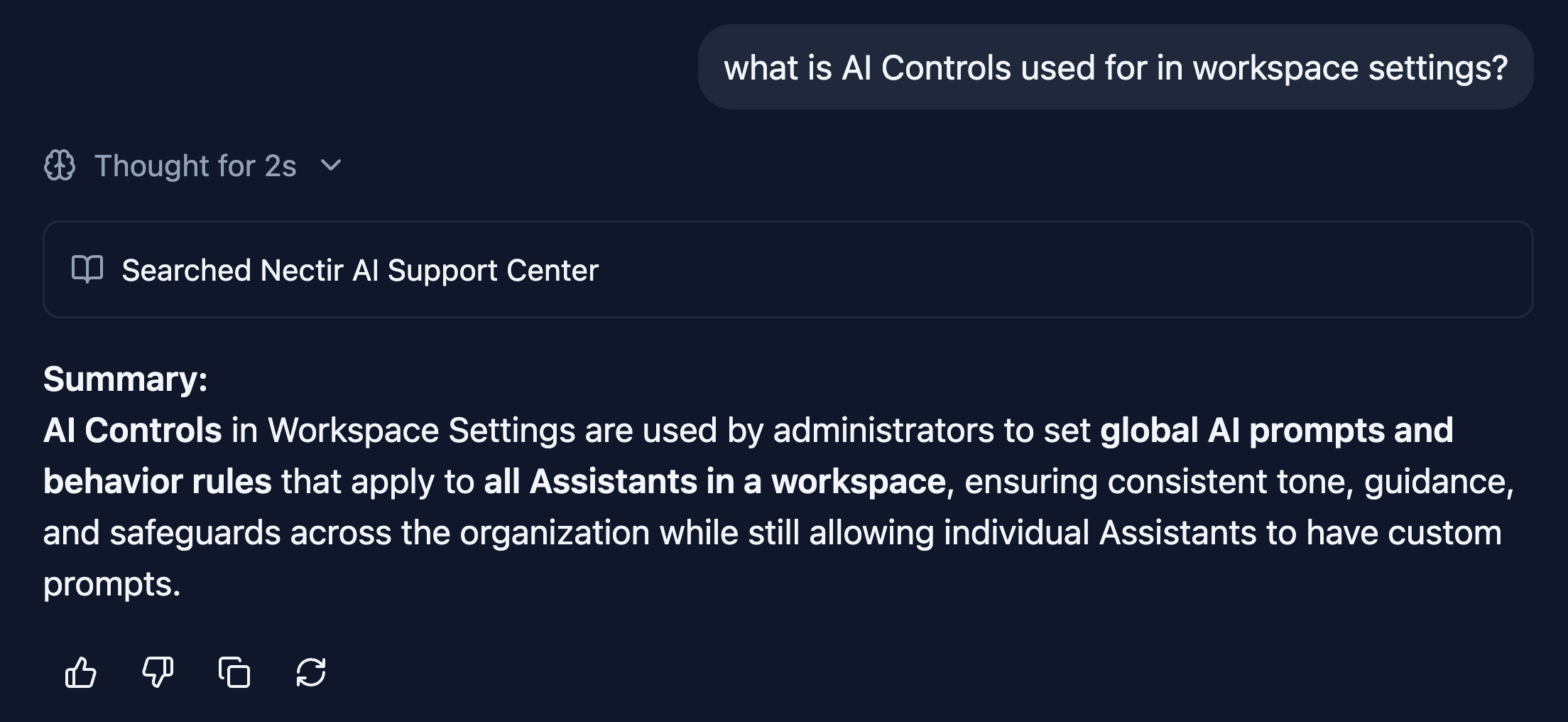
Workspace owners can now manage Assistant tool settings at the Workspace level. Tools like the Web Search, Quiz Generator, and Nectir Support can be enabled or disabled for all Assistants across the entire Workspace, making it easy to roll out tools without configuring each Assistant individually. All new assistants are created with the previously defined tools enabled. Manage the tools in Workspace Settings → AI controls.
***
* Assistants now have access to a built-in code interpreter that verifies calculations before presenting answers. This addresses a known limitation of LLMs making arithmetic errors — particularly in generated practice questions where incorrect answers, duplicate options, or unsolvable equations could undermine trust. The tool validates math for algebra through pre-calculus level, ensuring generated problems produce correct, verifiable answers
* User theme preference (light/dark mode) is now persisted across sessions and devices — the app loads with your last selected theme on subsequent visits
* Fixed Assistant responses showing "something went wrong" error after completing a valid response, caused by a streaming timeout in the AI pipeline
* Simplified the "Unlink LMS integration" confirmation modal with clearer copy and consistent checkbox font styling
* Polished Canvas LTI setup dialog with simplified configuration steps, automatic URL normalization, and embedded Workspace ID
* Updated the JSON configuration for Canvas LTI manual setup to use the correct format and automatically embed the Workspace ID
* Fixed LTI launch failing for students when Group ownership was determined by role mapping, causing certain users to be incorrectly blocked
* Strengthened Content Security Policy
* Improved protection against common browser-based attacks
* Enhanced access controls across protected endpoints
* Improved session timeout and session invalidation policies
* Implementation of additional HTTP security headers
* Implementation of rate limiting on authentication and resource creation endpoints
* When unlinking an LTI integration, you can now opt to also remove course members — members only in that Group are removed from the Workspace, while members in other Groups are removed from the Group only
* Improved dark mode text contrast across multiple UI components to meet WCAG AA accessibility standards
* Invite email placeholder message now dynamically shows the Group or Workspace name based on invite context
* PDF chat exports now display "user" instead of "student" as the role label and include the user ID
* Improved success notification for better contrast with green background in dark mode
* Fixed analytics dashboard chart y-axis not displaying values above 999 correctly
* Fixed LTI integration setup screen not appearing for non-Instructor LMS roles (e.g., Designer) that are mapped to Group Owner in Workspace role settings
* Fixed visual delay when closing source attribution results in chat
* Canvas LTI setup with fewer manual steps — the Workspace ID is now embedded in the JSON configuration, and the flow is reduced to two clear steps
* Added HEIC image format support, fixing image uploads from iPad Safari when using the Photos app
* The unsaved changes confirmation modal now triggers when navigating away via sidebar items such as Assistant, Workspace, and Group Settings
* PDF chat exports now display the model name when "Auto" is selected (e.g., Auto (GPT-5.2))
* Updated "Free trial expired" messaging for improved clarity
* Fixed file type icons not being vertically centered with multi-line filenames in the Assistant Knowledge table
* Fixed selected model text color being difficult to read in the model selector, especially in light mode
## Workspace-Level Assistant Tool Settings
Workspace owners can now manage Assistant tool settings at the Workspace level. Tools like the Web Search, Quiz Generator, and Nectir Support can be enabled or disabled for all Assistants across the entire Workspace, making it easy to roll out tools without configuring each Assistant individually. All new assistants are created with the previously defined tools enabled. Manage the tools in Workspace Settings → AI controls.
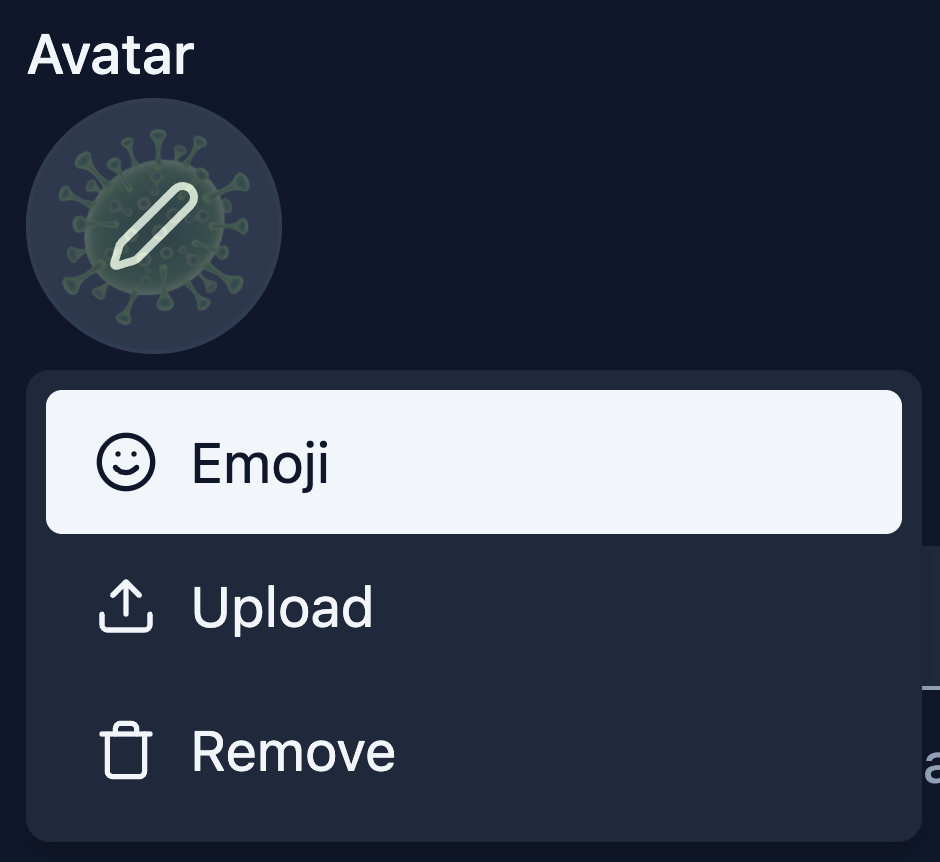
 ## Emoji Picker for Assistant Avatars
You can now choose an emoji as your Assistant's avatar. A new emoji picker is available in Assistant Settings, giving you a fun and expressive way to personalize your Assistants.
## Emoji Picker for Assistant Avatars
You can now choose an emoji as your Assistant's avatar. A new emoji picker is available in Assistant Settings, giving you a fun and expressive way to personalize your Assistants.
 ***
* "Show sources" is now enabled by default for new Assistants
* The unsaved changes confirmation modal now appears consistently across all navigation scenarios in Assistant, Workspace, and Group Settings — including browser back, sidebar clicks, tab switches, and page refresh
* PDF chat exports now include additional metadata such as chat title, Assistant name, Group name, Workspace name, AI model, and student email
* Increased minimum icon size across the platform from 12x12px to 16x16px for improved visual clarity
* Updated Quiz Generator description to "Let students practice with interactive quizzes"
* Renamed "Workspace" to "Workspace invitations" in personal settings for clearer navigation
* Fixed "Cancel" and "Save changes" buttons being active without any changes on the Workspace Settings General page
* Fixed "Theme" label using incorrect font size in user preferences
* Fixed LTI connection failing with "Learning Platform not Recognized" error when the LMS enforces HTTP/2 only mode
* Fixed LTI 1.3 integration failing when the same deployment key is installed across multiple Canvas sub-accounts
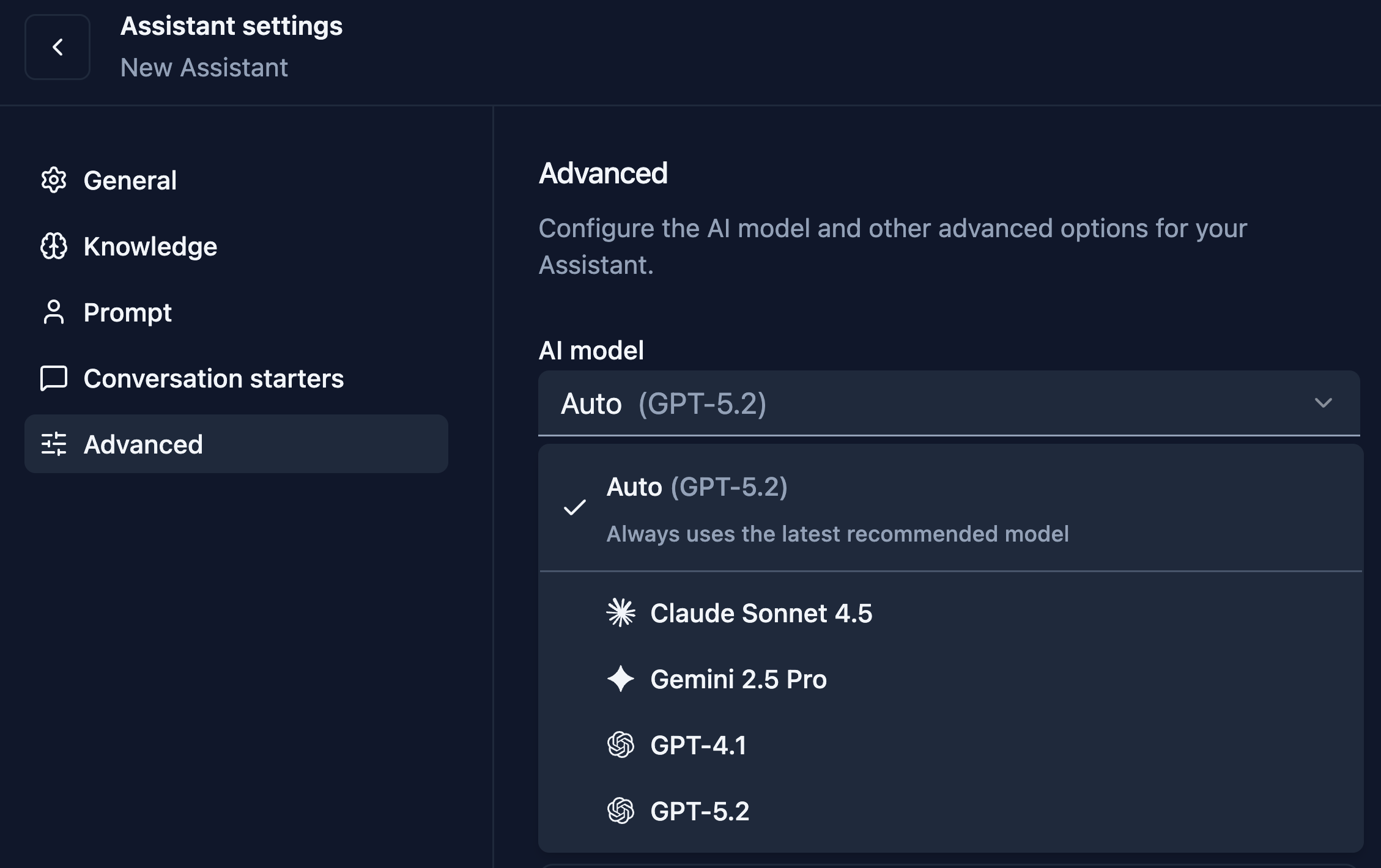
## Auto Model Selection
A new "Auto" model option has been added that always points to the latest recommended model. New Assistants use "Auto" by default, so they automatically get model upgrades. Existing Assistants keep their currently assigned model, and users who manually select a specific model stay on it until that model is deprecated.
***
* "Show sources" is now enabled by default for new Assistants
* The unsaved changes confirmation modal now appears consistently across all navigation scenarios in Assistant, Workspace, and Group Settings — including browser back, sidebar clicks, tab switches, and page refresh
* PDF chat exports now include additional metadata such as chat title, Assistant name, Group name, Workspace name, AI model, and student email
* Increased minimum icon size across the platform from 12x12px to 16x16px for improved visual clarity
* Updated Quiz Generator description to "Let students practice with interactive quizzes"
* Renamed "Workspace" to "Workspace invitations" in personal settings for clearer navigation
* Fixed "Cancel" and "Save changes" buttons being active without any changes on the Workspace Settings General page
* Fixed "Theme" label using incorrect font size in user preferences
* Fixed LTI connection failing with "Learning Platform not Recognized" error when the LMS enforces HTTP/2 only mode
* Fixed LTI 1.3 integration failing when the same deployment key is installed across multiple Canvas sub-accounts
## Auto Model Selection
A new "Auto" model option has been added that always points to the latest recommended model. New Assistants use "Auto" by default, so they automatically get model upgrades. Existing Assistants keep their currently assigned model, and users who manually select a specific model stay on it until that model is deprecated.
 ***
* Updated the Nectir platform description displayed to LMS administrators during LTI integration setup to accurately reflect Nectir AI's capabilities
* Improved Canvas manual integration setup with auto-scrolling between configuration steps and consistent UI components
* Standardized "Cancel" button label across all settings pages for a more consistent experience
* Fixed table scrolling not working at certain screen resolutions, causing an infinite loading spinner
* Fixed issue where removing an LMS integration and re-adding it with the same client ID would not display in the integrations table
* Fixed subgroups breaking out of their Group hierarchy when duplicating a Group
* Fixed middle dot character breaking LaTeX rendering in chat messages
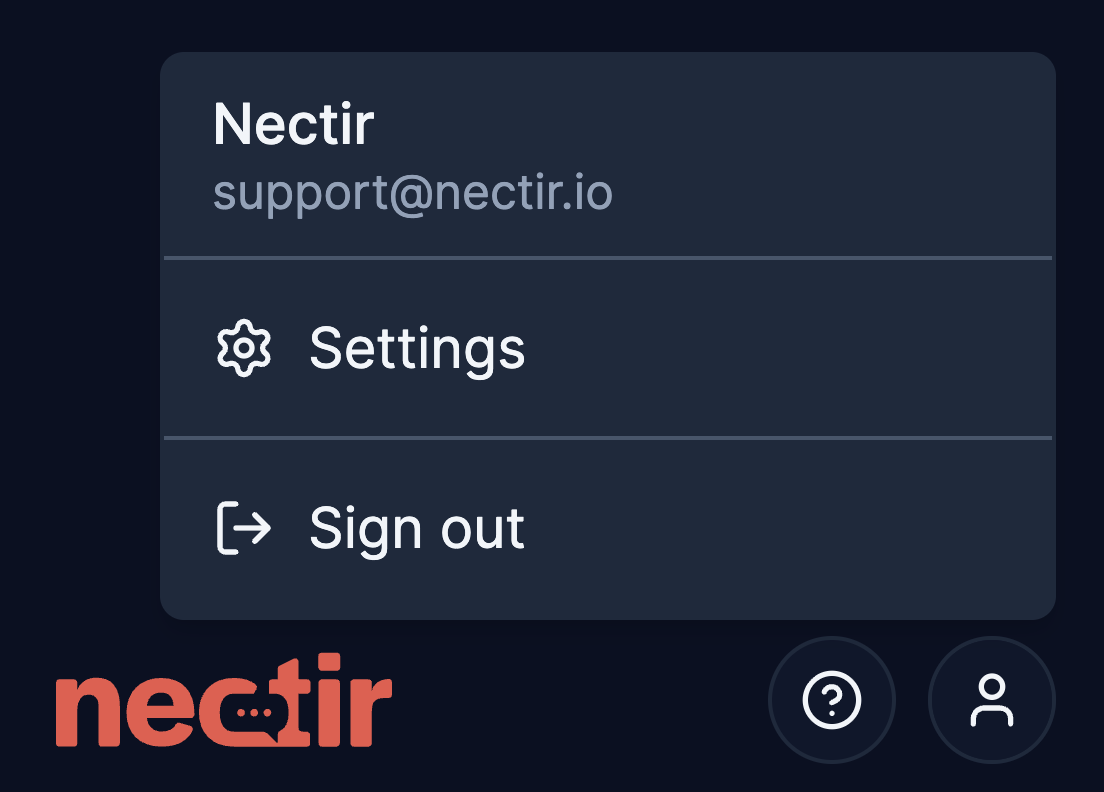
## Account Settings Redesign
We've redesigned the account settings experience with a new full-page layout. Settings are now organized into three tabs — Profile, Preferences, and Beta features. The profile dropdown has been simplified to show only Settings and Sign out, with all configuration options moved to the dedicated settings page.
***
* Updated the Nectir platform description displayed to LMS administrators during LTI integration setup to accurately reflect Nectir AI's capabilities
* Improved Canvas manual integration setup with auto-scrolling between configuration steps and consistent UI components
* Standardized "Cancel" button label across all settings pages for a more consistent experience
* Fixed table scrolling not working at certain screen resolutions, causing an infinite loading spinner
* Fixed issue where removing an LMS integration and re-adding it with the same client ID would not display in the integrations table
* Fixed subgroups breaking out of their Group hierarchy when duplicating a Group
* Fixed middle dot character breaking LaTeX rendering in chat messages
## Account Settings Redesign
We've redesigned the account settings experience with a new full-page layout. Settings are now organized into three tabs — Profile, Preferences, and Beta features. The profile dropdown has been simplified to show only Settings and Sign out, with all configuration options moved to the dedicated settings page.
 ***
* Improved word wrapping behavior in the chat text input area
* Fixed sidebar auto-scrolling issue
* Fixed subgroups being visible to parent Group members even when "Sync parent Group members" was turned off
* Fixed text alignment in the cookie preferences modal
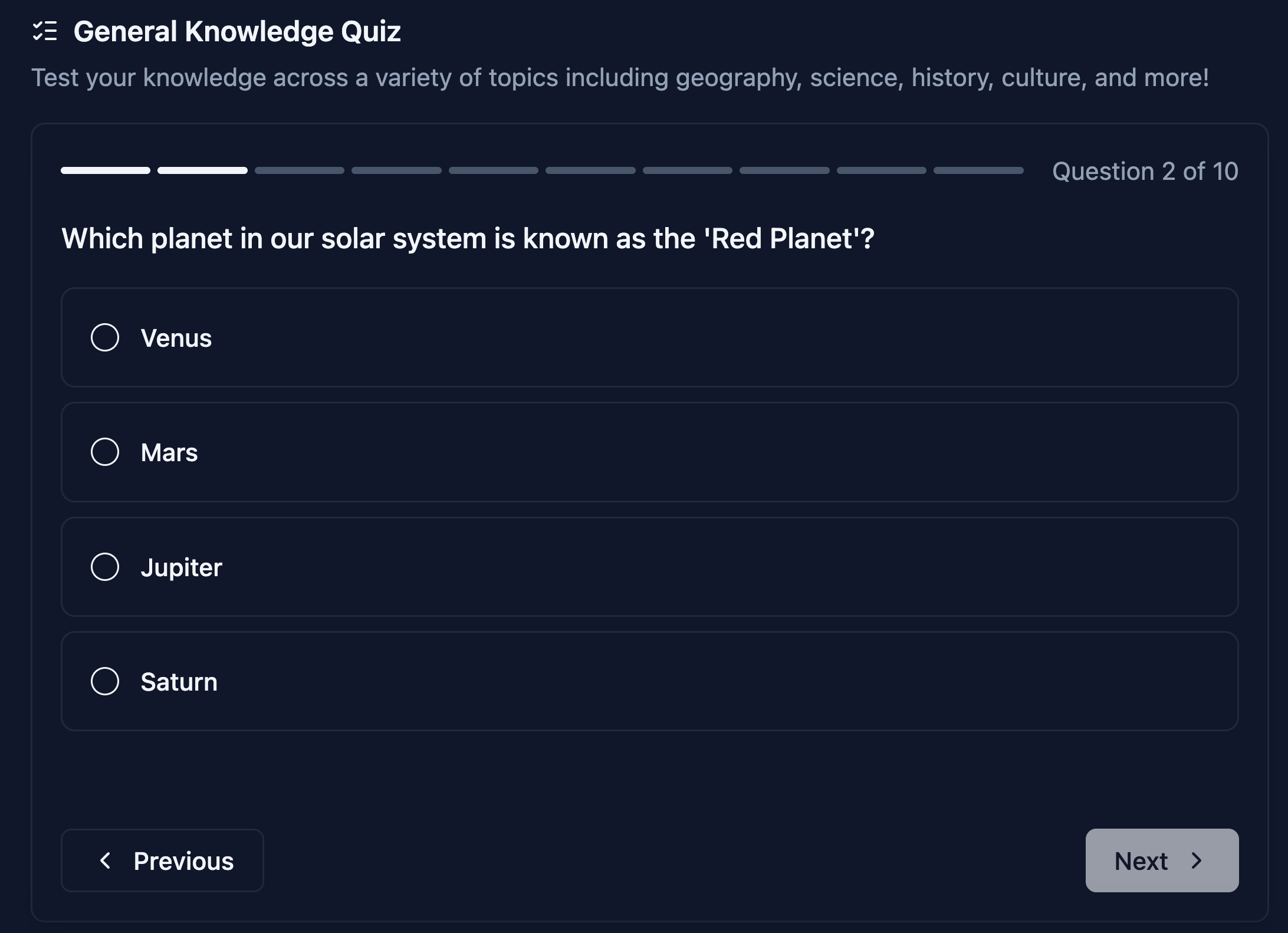
## Interactive Quiz Feature
Assistants can now generate and grade interactive quizzes directly in chat. Students can request quizzes on topics they're learning, answer questions step-by-step, and receive AI-powered grading with feedback. Supported question types include multiple choice, true/false, multiple select, fill-in-the-blank, and short answer. Enable this feature in Assistant Settings → Advanced → Tools.
***
* Improved word wrapping behavior in the chat text input area
* Fixed sidebar auto-scrolling issue
* Fixed subgroups being visible to parent Group members even when "Sync parent Group members" was turned off
* Fixed text alignment in the cookie preferences modal
## Interactive Quiz Feature
Assistants can now generate and grade interactive quizzes directly in chat. Students can request quizzes on topics they're learning, answer questions step-by-step, and receive AI-powered grading with feedback. Supported question types include multiple choice, true/false, multiple select, fill-in-the-blank, and short answer. Enable this feature in Assistant Settings → Advanced → Tools.
 ## Nectir Support Center Tool
A new "Nectir Support" tool is now available for Assistants. When enabled, the Assistant can search Nectir's official support documentation to answer platform questions without users leaving their conversation. Enable this feature in Assistant Settings → Advanced → Tools.
## Nectir Support Center Tool
A new "Nectir Support" tool is now available for Assistants. When enabled, the Assistant can search Nectir's official support documentation to answer platform questions without users leaving their conversation. Enable this feature in Assistant Settings → Advanced → Tools.
 ## Redesigned LMS Integration Setup
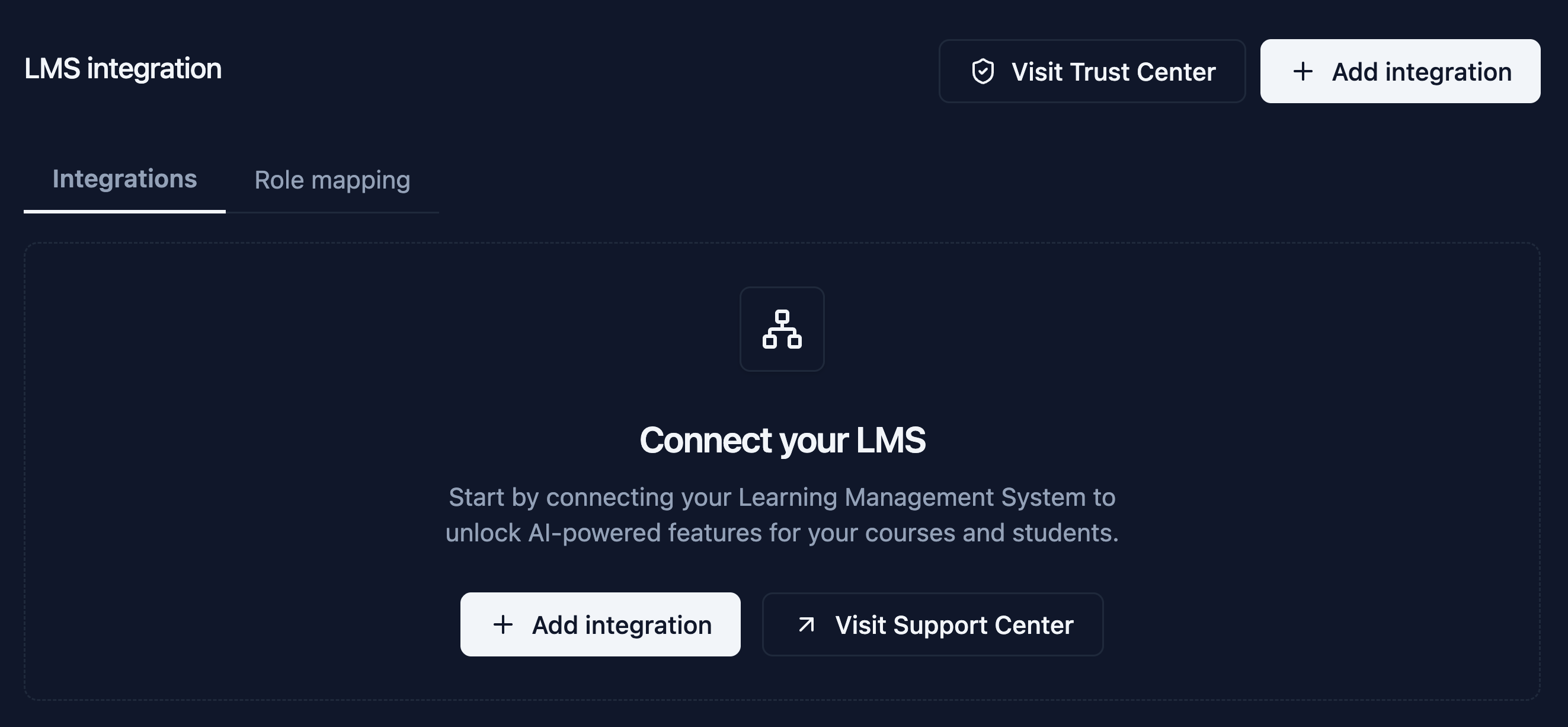
We've redesigned the LMS integration experience in Workspace Settings. The new LMS Integrations table displays all connected integrations with details including instance name, type, platform, client ID, and URL. Workspace owners can now add new integrations through a guided setup flow and remove existing integrations directly from the table. The Canvas manual integration setup now includes a step-by-step wizard with progress indicators. Quick access links to the Support Center and Trust Center are also available for security and compliance information.
## Redesigned LMS Integration Setup
We've redesigned the LMS integration experience in Workspace Settings. The new LMS Integrations table displays all connected integrations with details including instance name, type, platform, client ID, and URL. Workspace owners can now add new integrations through a guided setup flow and remove existing integrations directly from the table. The Canvas manual integration setup now includes a step-by-step wizard with progress indicators. Quick access links to the Support Center and Trust Center are also available for security and compliance information.
 ***
* Chat now displays personalized greetings with the user's name, and the AI can address users by name in responses
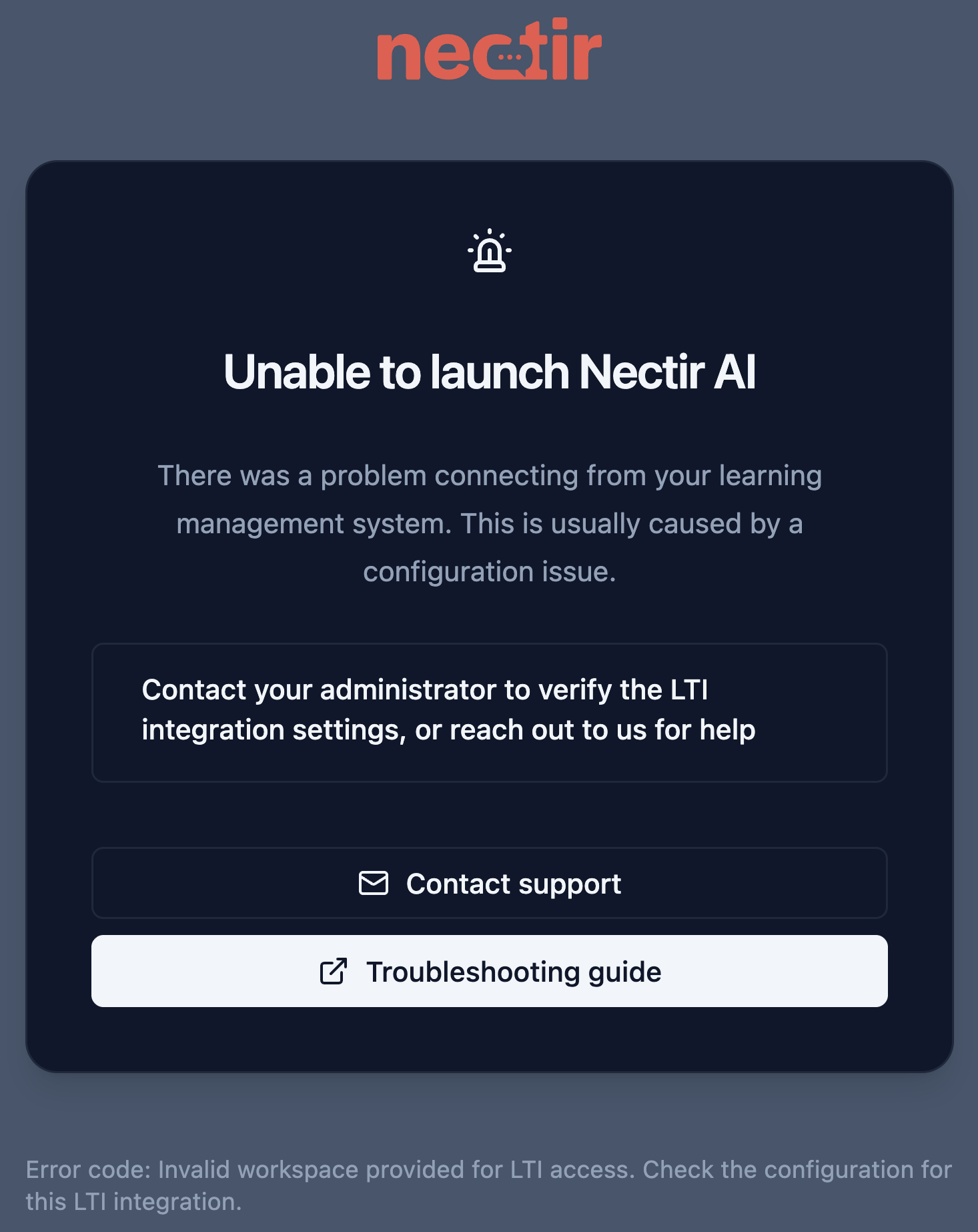
* Improved LTI error page with friendlier messaging, clearer error descriptions, and actionable guidance
* Added confirmation dialog when clicking external links in AI responses for improved security
* Fixed date range picker in analytics dashboard
* We added a 'Show More' option for Assistant descriptions. This option opens in a modal window, making it easier to read and improving the experience with very long descriptions
* We improved document ingestion in the Assistant Knowledge
* AI prompts now enforce proper LaTeX wrapping for consistent mathematical rendering across all models, as well as improved rendering for complex expressions (matrices, equations, etc.)
* Fixed math equations in PDFs being misread (e.g., fractions displaying incorrectly)
* Fixed sidebar auto-scrolling not working when accessing Assistants via LTI integration
## Assistant Identity Badge
The chat interface now displays the Assistant's name and avatar prominently above the greeting message, making it easier for students to confirm they're using the correct Assistant.
***
* Chat now displays personalized greetings with the user's name, and the AI can address users by name in responses
* Improved LTI error page with friendlier messaging, clearer error descriptions, and actionable guidance
* Added confirmation dialog when clicking external links in AI responses for improved security
* Fixed date range picker in analytics dashboard
* We added a 'Show More' option for Assistant descriptions. This option opens in a modal window, making it easier to read and improving the experience with very long descriptions
* We improved document ingestion in the Assistant Knowledge
* AI prompts now enforce proper LaTeX wrapping for consistent mathematical rendering across all models, as well as improved rendering for complex expressions (matrices, equations, etc.)
* Fixed math equations in PDFs being misread (e.g., fractions displaying incorrectly)
* Fixed sidebar auto-scrolling not working when accessing Assistants via LTI integration
## Assistant Identity Badge
The chat interface now displays the Assistant's name and avatar prominently above the greeting message, making it easier for students to confirm they're using the correct Assistant.
 ## LTI Error Page
When LTI launches fail, users now see a dedicated error page with user-friendly messages and error codes, making it easier to troubleshoot issues.
## LTI Error Page
When LTI launches fail, users now see a dedicated error page with user-friendly messages and error codes, making it easier to troubleshoot issues.
 ***
* Line breaks in Assistant descriptions are now preserved when displayed in the Assistant information modal
* Fixed infinite loop that could occur when uploading documents to Assistant knowledge for the first time
* Fixed file size displaying as "NaN undefined" for certain uploaded files
* Fixed image uploads failing in chat conversations - Gemini and Claude
* Fixed reasoning UI not displaying when using GPT-5.2 model
* Fixed issue where certain AI models could generate garbled or unexpected text responses
## GPT-5.2 Model Support
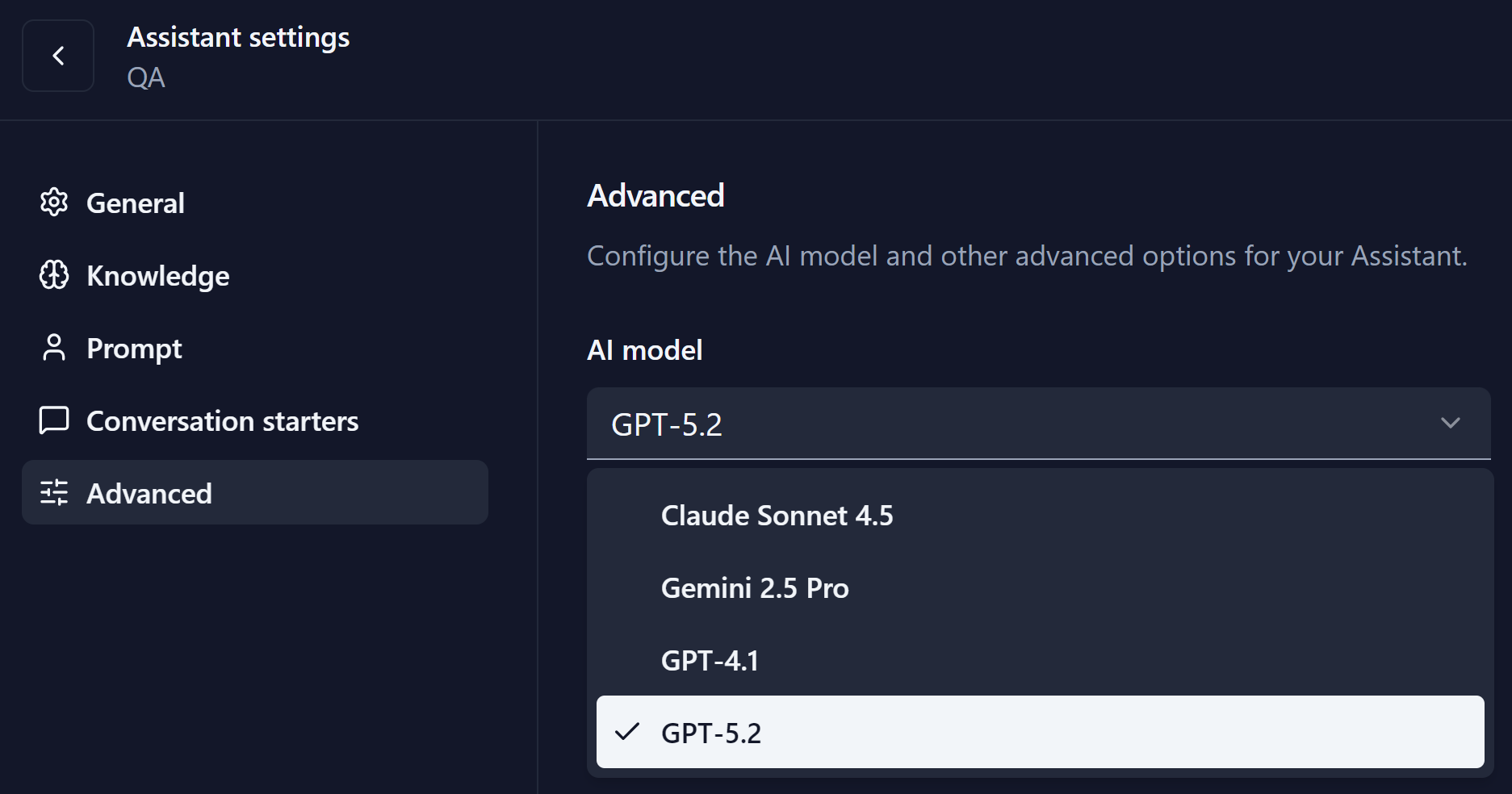
We've added support for OpenAI's GPT-5.2-chat model, giving you another powerful AI option for your Assistants. New Assistants are now created with GPT-5.2 by default, and the new model is available in Assistant Settings → Advanced alongside GPT-4.1, Claude Sonnet 4.5, and Gemini 2.5 Pro.
***
* Line breaks in Assistant descriptions are now preserved when displayed in the Assistant information modal
* Fixed infinite loop that could occur when uploading documents to Assistant knowledge for the first time
* Fixed file size displaying as "NaN undefined" for certain uploaded files
* Fixed image uploads failing in chat conversations - Gemini and Claude
* Fixed reasoning UI not displaying when using GPT-5.2 model
* Fixed issue where certain AI models could generate garbled or unexpected text responses
## GPT-5.2 Model Support
We've added support for OpenAI's GPT-5.2-chat model, giving you another powerful AI option for your Assistants. New Assistants are now created with GPT-5.2 by default, and the new model is available in Assistant Settings → Advanced alongside GPT-4.1, Claude Sonnet 4.5, and Gemini 2.5 Pro.
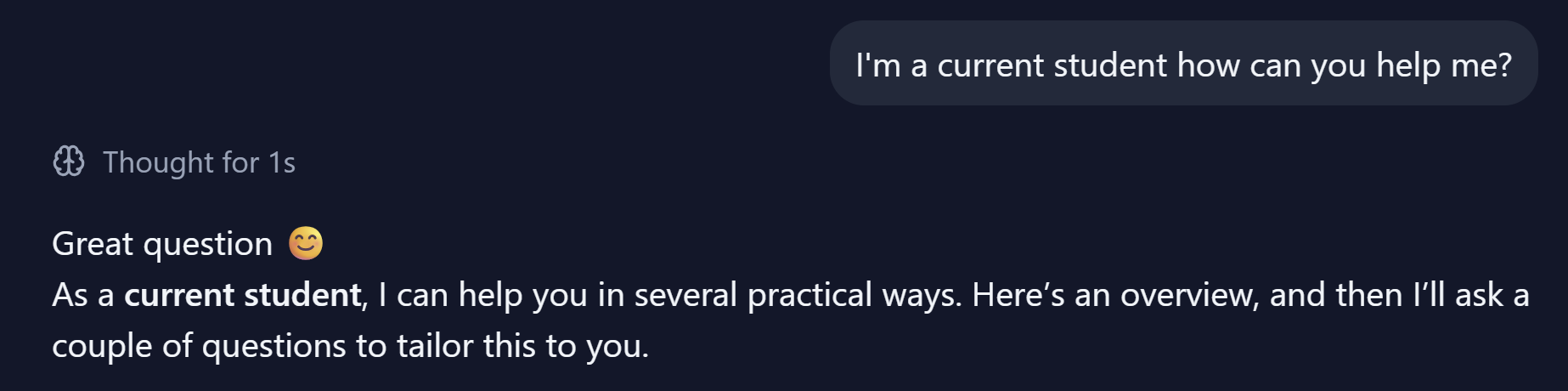
 ## Reasoning UI
We've also introduced a new reasoning UI that displays the AI's thinking process when using models that support it.
## Reasoning UI
We've also introduced a new reasoning UI that displays the AI's thinking process when using models that support it.
 ***
* Updated cookie consent modal to use "Product usage data" instead of "analytics" to avoid confusion with the Analytics feature
* Added proper spacing between buttons in the cookie consent modal on mobile
* AI SDK update to version 6 to improve performance and reliability
* Fixed training failures when uploading very large images to Assistant knowledge
* Fixed chat input border misalignment when uploading documents
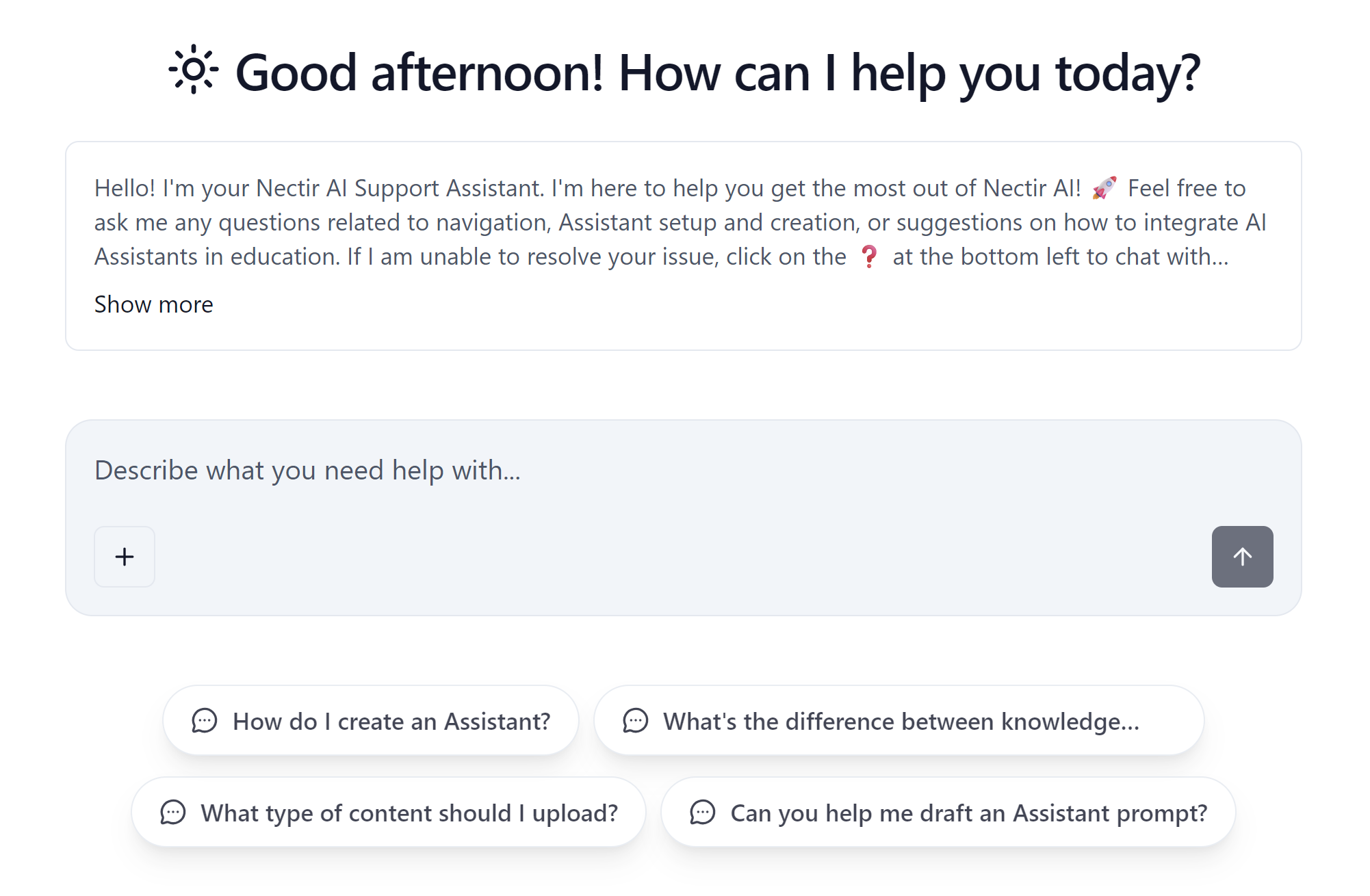
## Redesigned Chat Experience
We've made significant improvements to the chat interface with new animations and micro-interactions throughout the experience. The update includes redesigned file attachments, a typewriter effect for AI-generated conversation titles, improved drag-and-drop styling, and a new visual design for tool calls. Files are now automatically uploaded before message submission for a smoother workflow.
***
* Updated cookie consent modal to use "Product usage data" instead of "analytics" to avoid confusion with the Analytics feature
* Added proper spacing between buttons in the cookie consent modal on mobile
* AI SDK update to version 6 to improve performance and reliability
* Fixed training failures when uploading very large images to Assistant knowledge
* Fixed chat input border misalignment when uploading documents
## Redesigned Chat Experience
We've made significant improvements to the chat interface with new animations and micro-interactions throughout the experience. The update includes redesigned file attachments, a typewriter effect for AI-generated conversation titles, improved drag-and-drop styling, and a new visual design for tool calls. Files are now automatically uploaded before message submission for a smoother workflow.
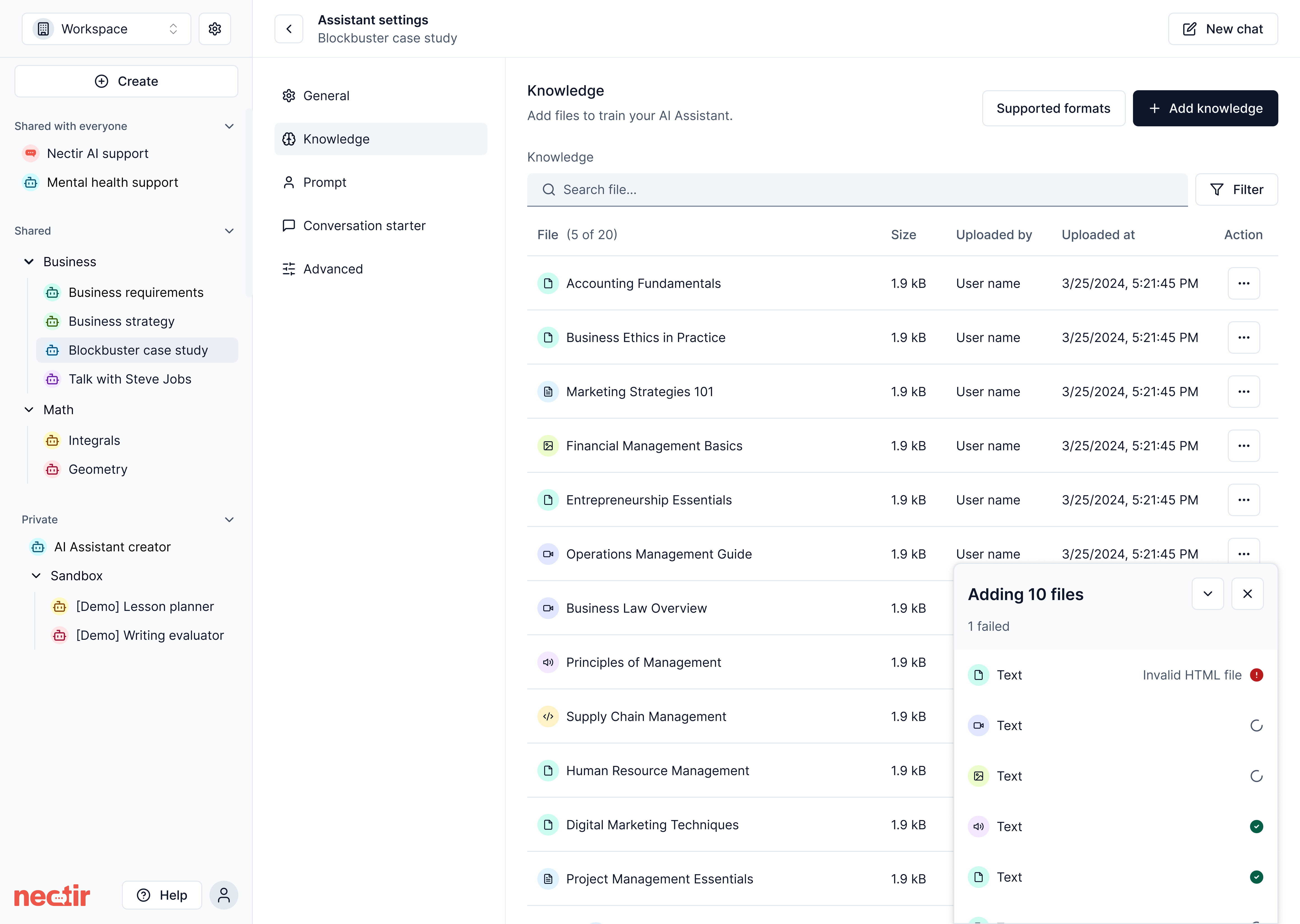
 ## File Upload Queue Manager
We've introduced a new Queue Manager component for file uploads in Assistant Knowledge. Instead of individual toast notifications for each file, uploads are now consolidated into a single view showing real-time status for all files—in progress, completed, or failed. The queue runs in the background even when minimized, and if you attempt to close it while uploads are still processing, a confirmation modal appears. Failed uploads display clear error reasons, and clicking on completed files navigates directly to their entry in the Knowledge table.
## File Upload Queue Manager
We've introduced a new Queue Manager component for file uploads in Assistant Knowledge. Instead of individual toast notifications for each file, uploads are now consolidated into a single view showing real-time status for all files—in progress, completed, or failed. The queue runs in the background even when minimized, and if you attempt to close it while uploads are still processing, a confirmation modal appears. Failed uploads display clear error reasons, and clicking on completed files navigates directly to their entry in the Knowledge table.
 ***
* Knowledge table now displays only successfully processed files, with status tracking moved to the Queue Manager
* Added browser confirmation dialog when navigating away while file uploads are in progress
* Workspace Analytics and Web Search features are now available to all users
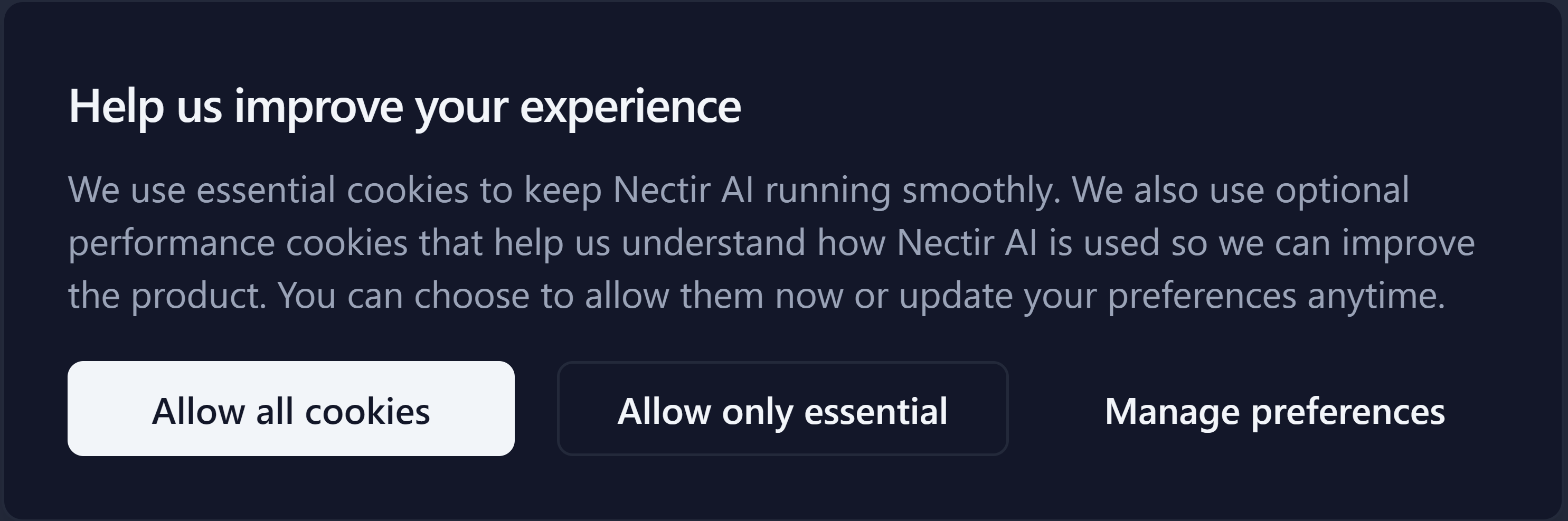
## Cookie Consent Management
We've added cookie consent controls to provide transparency and control over which cookies are used on Nectir AI. On your first visit, a banner will ask for your consent to use cookies. You can change your preference anytime through the new **Cookie Preferences** page, accessible via the link in the footer: Account settings > Cookie preferences
***
* Knowledge table now displays only successfully processed files, with status tracking moved to the Queue Manager
* Added browser confirmation dialog when navigating away while file uploads are in progress
* Workspace Analytics and Web Search features are now available to all users
## Cookie Consent Management
We've added cookie consent controls to provide transparency and control over which cookies are used on Nectir AI. On your first visit, a banner will ask for your consent to use cookies. You can change your preference anytime through the new **Cookie Preferences** page, accessible via the link in the footer: Account settings > Cookie preferences
 * Renamed "Invite Members" to "Members" in Group dropdown menu for clearer navigation
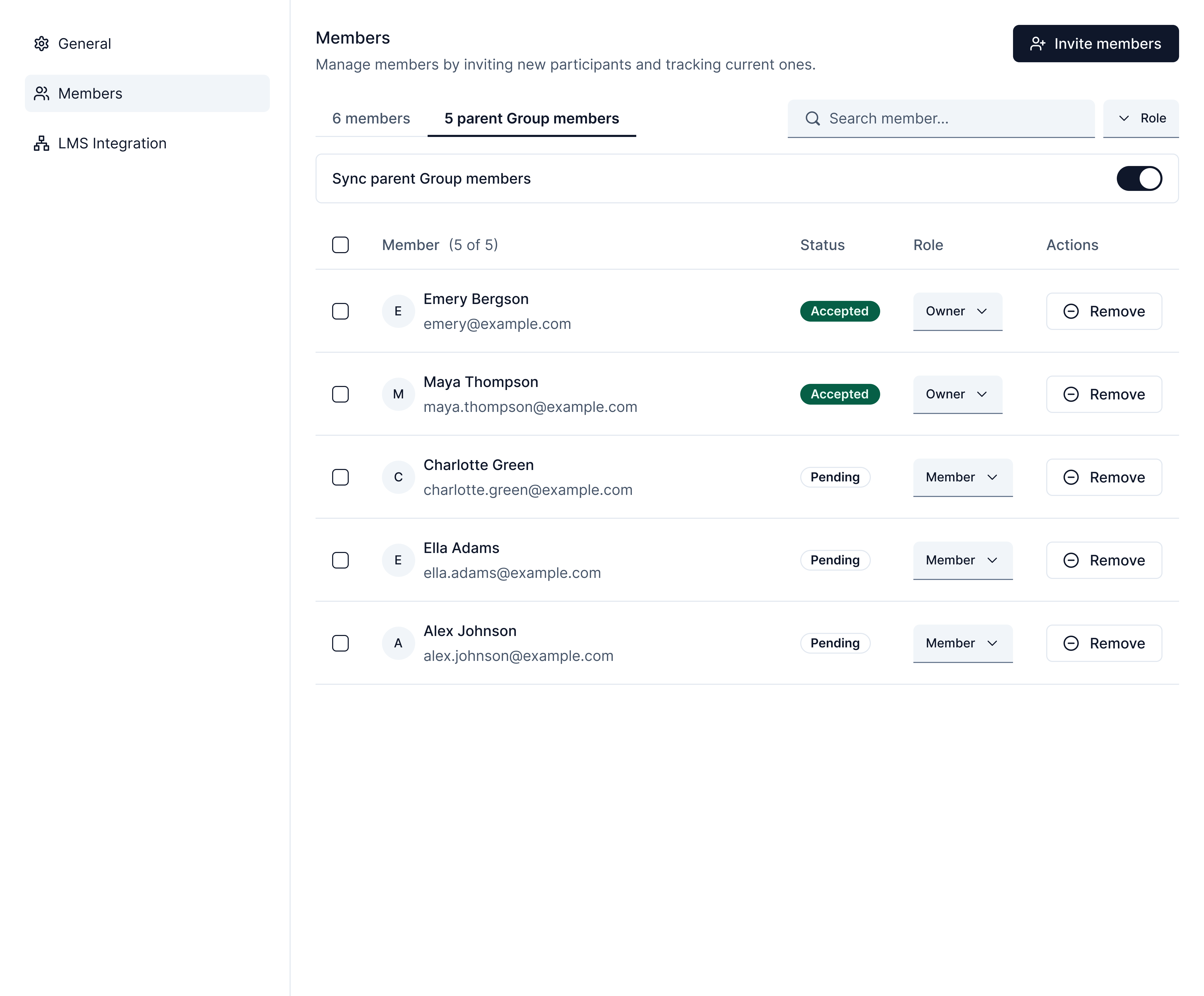
## Parent Group Member Inheritance
Subgroups can now automatically inherit members from their parent Group. When enabled, members added to a parent Group are automatically synced to all subgroups. You can view inherited members in a dedicated "Parent group members" tab, toggle inheritance on or off, and manage membership at the parent level. Inherited members' roles can only be changed from the parent Group, ensuring consistent permissions across your Group hierarchy.
* Renamed "Invite Members" to "Members" in Group dropdown menu for clearer navigation
## Parent Group Member Inheritance
Subgroups can now automatically inherit members from their parent Group. When enabled, members added to a parent Group are automatically synced to all subgroups. You can view inherited members in a dedicated "Parent group members" tab, toggle inheritance on or off, and manage membership at the parent level. Inherited members' roles can only be changed from the parent Group, ensuring consistent permissions across your Group hierarchy.
 ***
* Fixed "Show Sources" and "Web Search" settings not being preserved when duplicating a Group
* Fixed error when sending very large messages to Assistants
* Fixed AI responses being cut off prematurely when generating long answers
* Fixed issue preventing Group creation in certain cases
* Fixed Workspace avatar not displaying correctly after removing an uploaded image
* Fixed issue preventing bulk duplication of Groups and Assistants
* Simplified Help menu by consolidating support options into a single "Support Center" link
* Added "Submit feedback" option to the Help menu for easy bug reports and feature requests
* "Unlink from LMS" option is now hidden in member role dropdown when no LMS integrations are configured
* Fixed source preview not loading for certain file formats (audio, video, `.tiff` images, `.eml`, `.md` files)
## LMS Role Management Improvements
We've made significant improvements to how user roles are managed with LMS integrations:
* **Unlink roles from LMS**: Instructors can now unlink a user's role from LMS sync, preventing automatic role changes during future syncs. Unlinked roles display an "Unlinked" badge and can be re-linked at any time.
***
* Fixed "Show Sources" and "Web Search" settings not being preserved when duplicating a Group
* Fixed error when sending very large messages to Assistants
* Fixed AI responses being cut off prematurely when generating long answers
* Fixed issue preventing Group creation in certain cases
* Fixed Workspace avatar not displaying correctly after removing an uploaded image
* Fixed issue preventing bulk duplication of Groups and Assistants
* Simplified Help menu by consolidating support options into a single "Support Center" link
* Added "Submit feedback" option to the Help menu for easy bug reports and feature requests
* "Unlink from LMS" option is now hidden in member role dropdown when no LMS integrations are configured
* Fixed source preview not loading for certain file formats (audio, video, `.tiff` images, `.eml`, `.md` files)
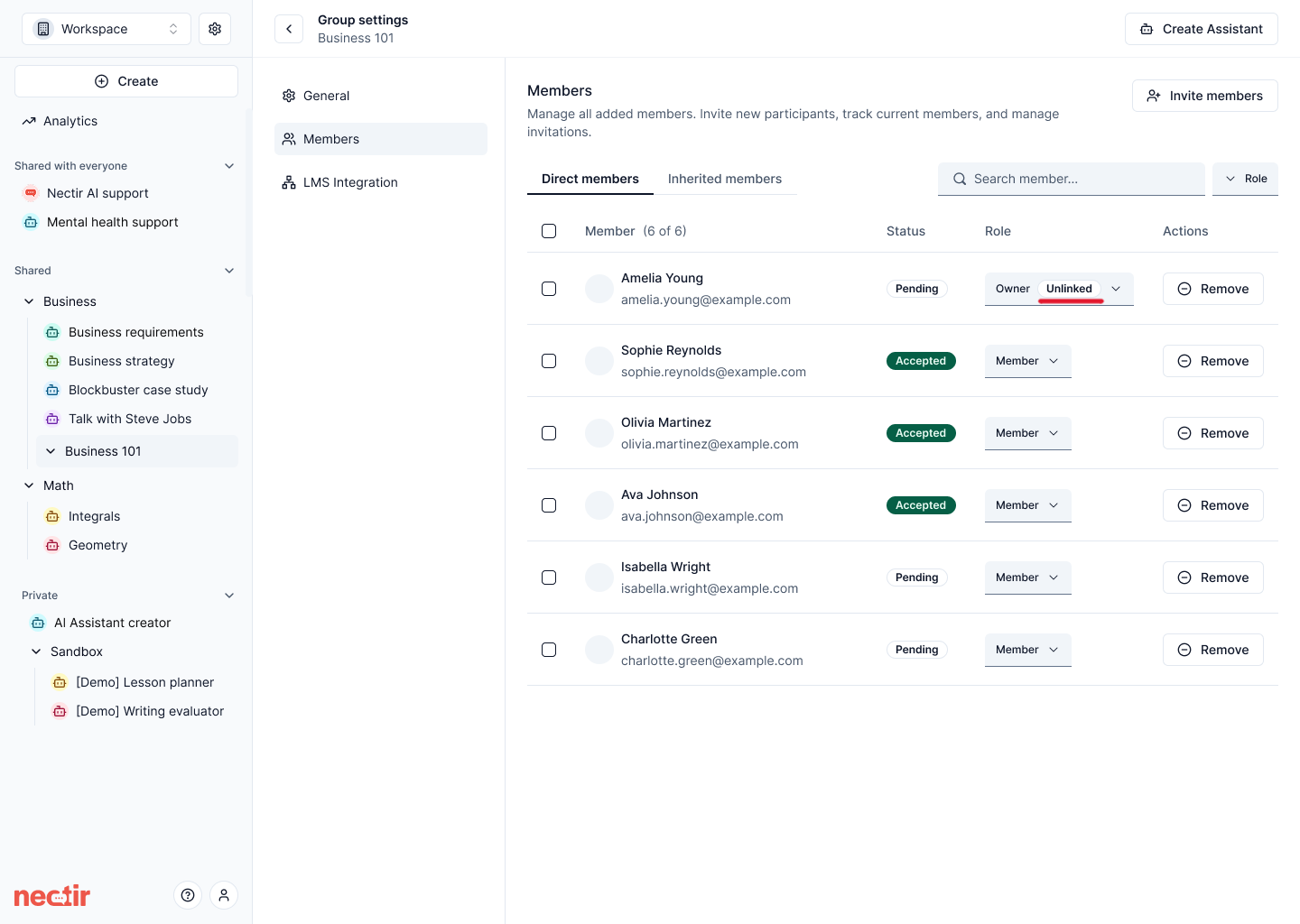
## LMS Role Management Improvements
We've made significant improvements to how user roles are managed with LMS integrations:
* **Unlink roles from LMS**: Instructors can now unlink a user's role from LMS sync, preventing automatic role changes during future syncs. Unlinked roles display an "Unlinked" badge and can be re-linked at any time.
 * **Automatic member removal**: Users removed from the LMS course roster are now automatically removed from the corresponding Nectir AI Group during roster sync.
* **Role sync during roster sync**: LMS roster sync now updates user roles in addition to membership, ensuring roles stay consistent between Canvas and Nectir AI.
***
* Conversation starter prompts now place the cursor at the end of the text
* Updated invite email copy with improved subject line and support for line breaks in custom messages
* Improved mobile layout on the "No invites found" screen
* LTI ID copy fields now include the parameter prefix (e.g., `workspaceId=`) for easier setup
* Invite links no longer override existing member roles
* Fixed deleted chat history still appearing until page refresh
* Fixed LTI role changes in Canvas not updating user roles in Nectir AI
* Users already in a Workspace can no longer accidentally create free trial Workspaces; the option is now only shown during initial onboarding
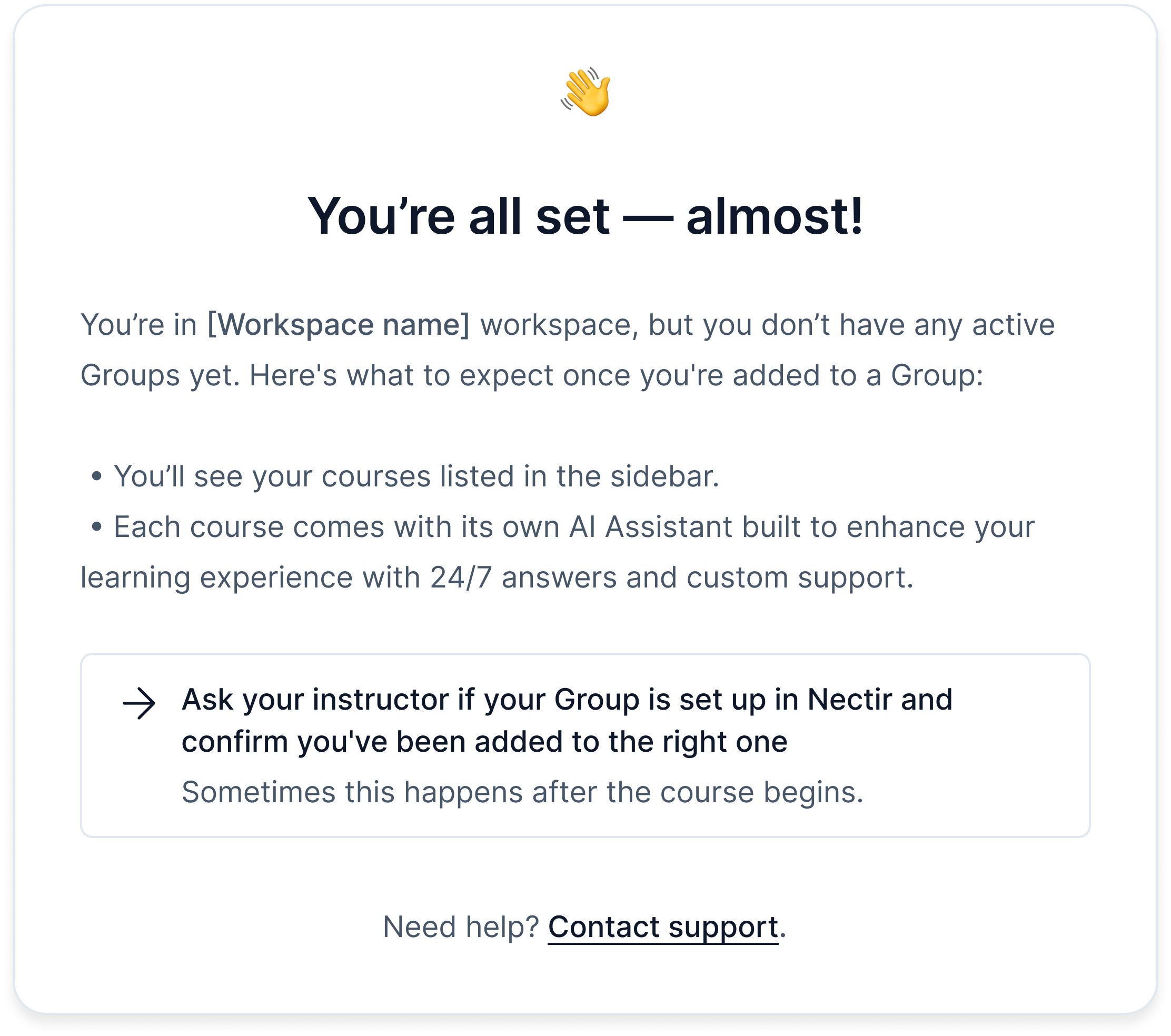
## Improved Empty State for New Members
Workspace members who haven't been added to any Groups yet now see a helpful empty state screen instead of a blank page. The new screen explains what to expect, provides visual examples of what a populated Workspace looks like, and guides users on next steps.
* **Automatic member removal**: Users removed from the LMS course roster are now automatically removed from the corresponding Nectir AI Group during roster sync.
* **Role sync during roster sync**: LMS roster sync now updates user roles in addition to membership, ensuring roles stay consistent between Canvas and Nectir AI.
***
* Conversation starter prompts now place the cursor at the end of the text
* Updated invite email copy with improved subject line and support for line breaks in custom messages
* Improved mobile layout on the "No invites found" screen
* LTI ID copy fields now include the parameter prefix (e.g., `workspaceId=`) for easier setup
* Invite links no longer override existing member roles
* Fixed deleted chat history still appearing until page refresh
* Fixed LTI role changes in Canvas not updating user roles in Nectir AI
* Users already in a Workspace can no longer accidentally create free trial Workspaces; the option is now only shown during initial onboarding
## Improved Empty State for New Members
Workspace members who haven't been added to any Groups yet now see a helpful empty state screen instead of a blank page. The new screen explains what to expect, provides visual examples of what a populated Workspace looks like, and guides users on next steps.
 ***
* Large markdown tables in chat messages can now be scrolled horizontally
* Simplified Assistant settings by removing the Semantic search toggle
* We've optimized database operations for chat conversations, resulting in faster response times when interacting with Assistants
* Improved LTI role mapping to correctly assign Teaching Assistant permissions instead of Instructor permissions
* Fixed roster sync failing when users with non-allowed email domains are present (invalid emails are now skipped)
* Fixed source attribution not displaying when web search is enabled
* Fixed LMS roster sync member count incorrectly including deleted members
* Fixed session timeout causing users to be signed out prematurely in Canvas
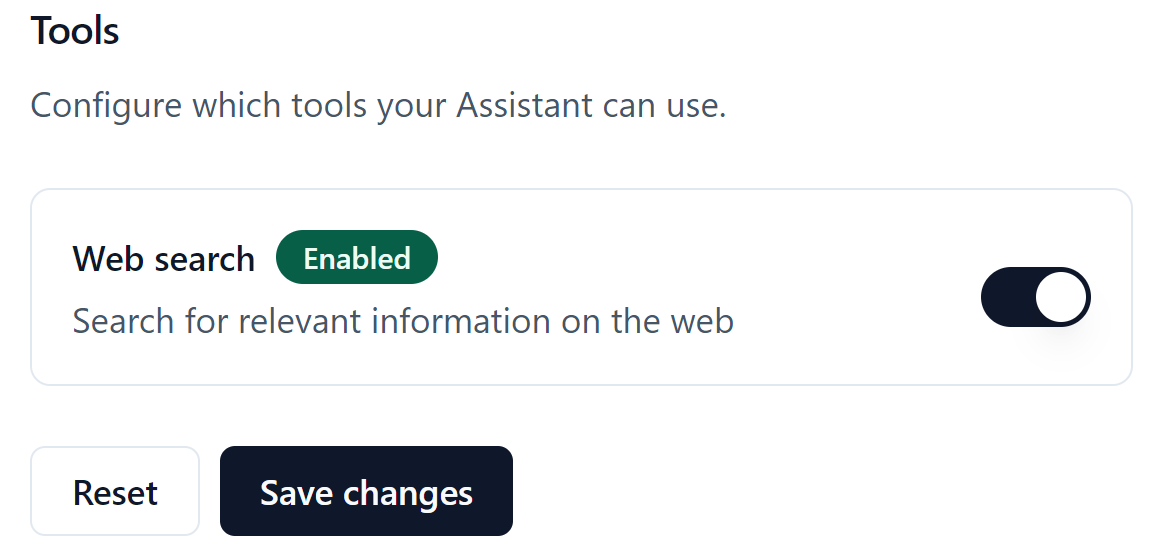
## AI Web Search
Assistants can now search the web to find up-to-date information when answering questions. Enable this feature through the **Web search** toggle in Assistant Settings → Advanced → Tools. When web search is used, the sources (URLs) are displayed alongside training data sources, allowing users to verify the information.
***
* Large markdown tables in chat messages can now be scrolled horizontally
* Simplified Assistant settings by removing the Semantic search toggle
* We've optimized database operations for chat conversations, resulting in faster response times when interacting with Assistants
* Improved LTI role mapping to correctly assign Teaching Assistant permissions instead of Instructor permissions
* Fixed roster sync failing when users with non-allowed email domains are present (invalid emails are now skipped)
* Fixed source attribution not displaying when web search is enabled
* Fixed LMS roster sync member count incorrectly including deleted members
* Fixed session timeout causing users to be signed out prematurely in Canvas
## AI Web Search
Assistants can now search the web to find up-to-date information when answering questions. Enable this feature through the **Web search** toggle in Assistant Settings → Advanced → Tools. When web search is used, the sources (URLs) are displayed alongside training data sources, allowing users to verify the information.
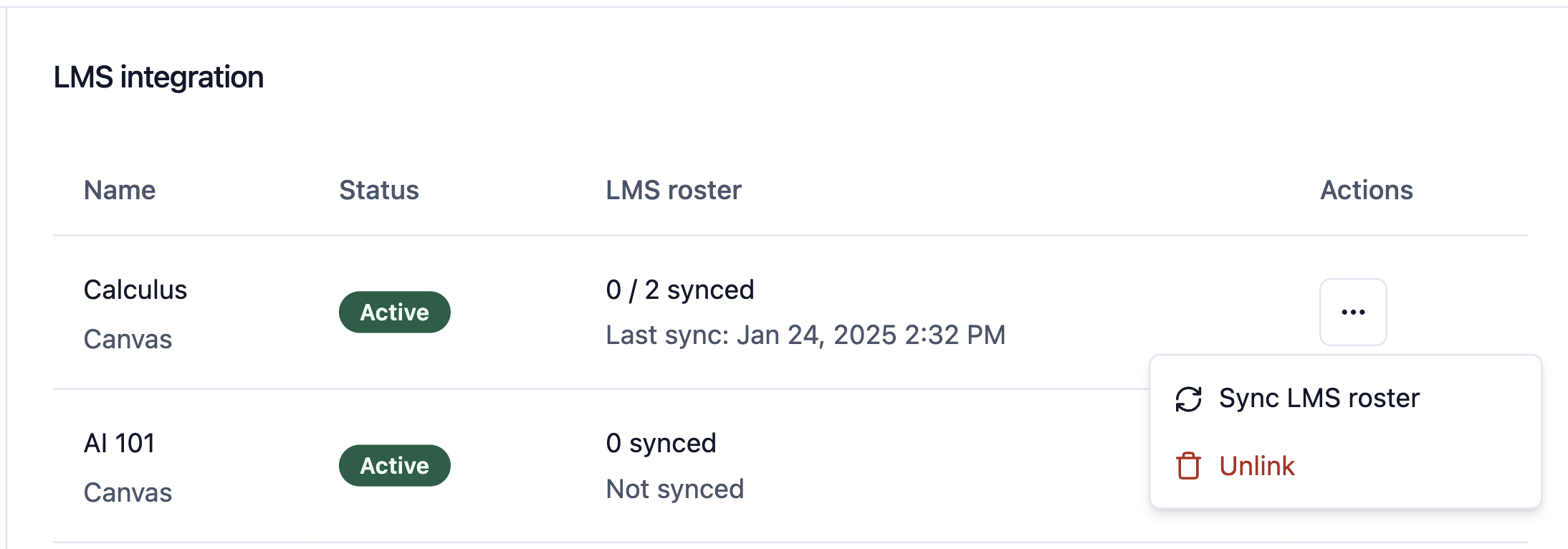
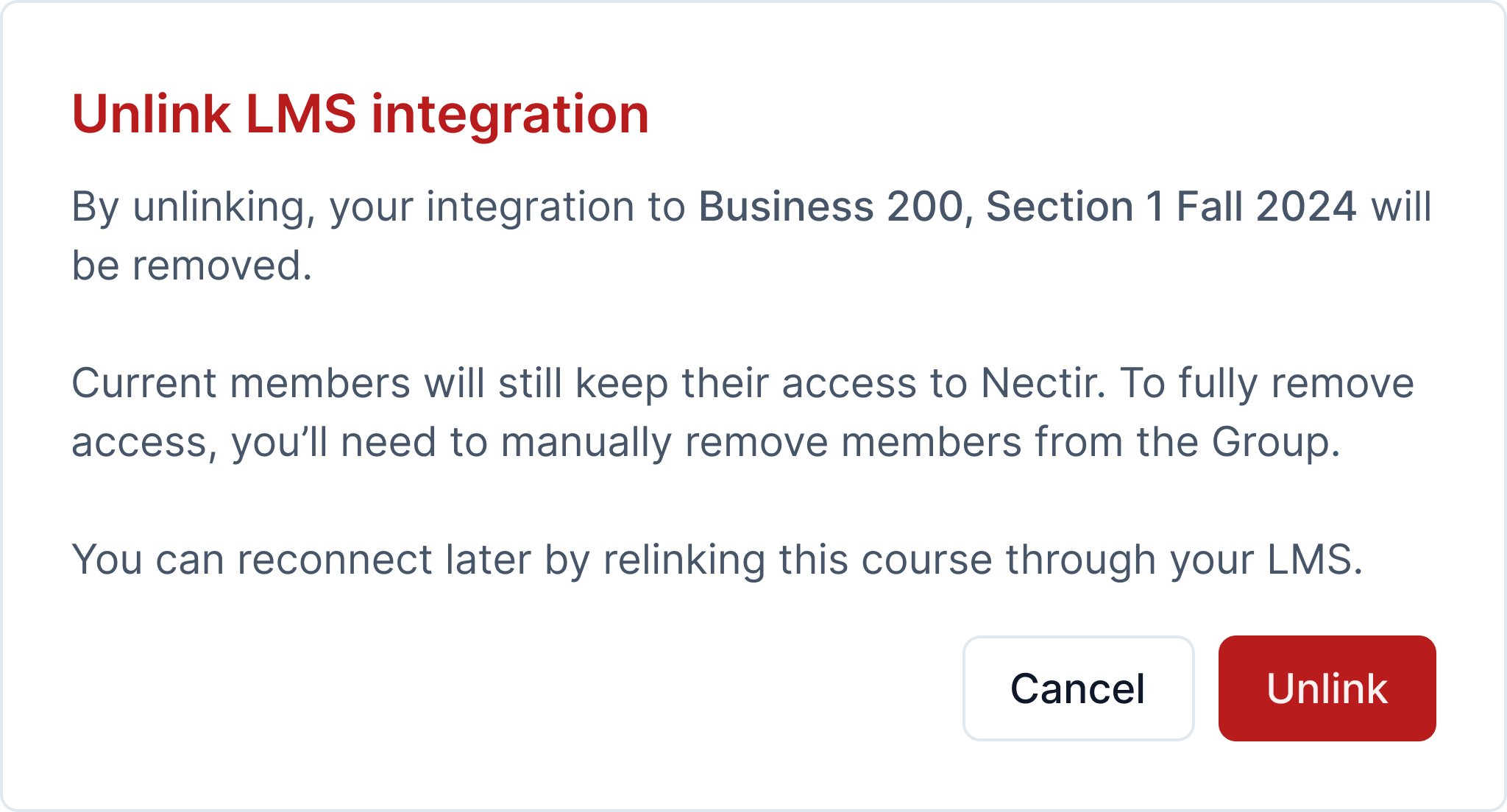
 ## Unlink LMS Integration
You can now unlink LMS integrations from Groups when they're no longer needed. In Group Settings → LMS Integration, click **Unlink** on any connected course to permanently disconnect it from Nectir. Group members remain unchanged after unlinking.
## Unlink LMS Integration
You can now unlink LMS integrations from Groups when they're no longer needed. In Group Settings → LMS Integration, click **Unlink** on any connected course to permanently disconnect it from Nectir. Group members remain unchanged after unlinking.
 ***
* Improved AI response performance and reduced costs through prompt caching optimizations
* Improved email delivery reliability during large roster syncs
* Fixed Workspace analytics showing 0 uploaded documents
## Source Attribution Now Available for All Users
The "Show Sources" feature is now available to all users. When enabled, Assistants display the training data sources used when generating responses, providing transparency and allowing students to verify the materials supporting AI-generated content. Enable this feature through the **Show sources** toggle in Assistant settings.
***
* Improved AI response performance and reduced costs through prompt caching optimizations
* Improved email delivery reliability during large roster syncs
* Fixed Workspace analytics showing 0 uploaded documents
## Source Attribution Now Available for All Users
The "Show Sources" feature is now available to all users. When enabled, Assistants display the training data sources used when generating responses, providing transparency and allowing students to verify the materials supporting AI-generated content. Enable this feature through the **Show sources** toggle in Assistant settings.
 ## Roster Sync Email Controls
You can now control invite email notifications during LMS roster sync. When syncing a roster, a modal allows you to include a custom message in invite emails or skip sending emails entirely. The user performing the sync no longer receives redundant invite notifications.
## Roster Sync Email Controls
You can now control invite email notifications during LMS roster sync. When syncing a roster, a modal allows you to include a custom message in invite emails or skip sending emails entirely. The user performing the sync no longer receives redundant invite notifications.
 ***
* Improved LTI role mapping to correctly distinguish between institution-level and course-level roles from Canvas
* Fixed issue where member join date was not being recorded for users joining through invite links
* Fixed issue where IMSCC files exported from Brightspace (D2L) were not being recognized during LMS import
* Fixed LTI integration issue for Workspaces configured with legacy slug format
* We've made significant performance improvements through extensive caching optimizations. These changes reduce database queries and improve page load times across the platform
* Fixed issue saving URLs in message metadata
* Fixed early access feature toggle for Workspace analytics not working correctly
* Students completing onboarding are no longer shown the "Create free trial Workspace" option, directing them to join existing Workspaces first
* Fixed Assistant history not updating in real time after starting a new conversation
* Fixed PDF export failing for certain Assistants due to missing italic font
* Fixed "Nectir" spelling typo in modal
* Improved email delivery reliability with upgraded email infrastructure
* Fixed issue where the send button was disabled when only files were attached to a message
* Fixed cache issue causing users to be logged out after completing onboarding
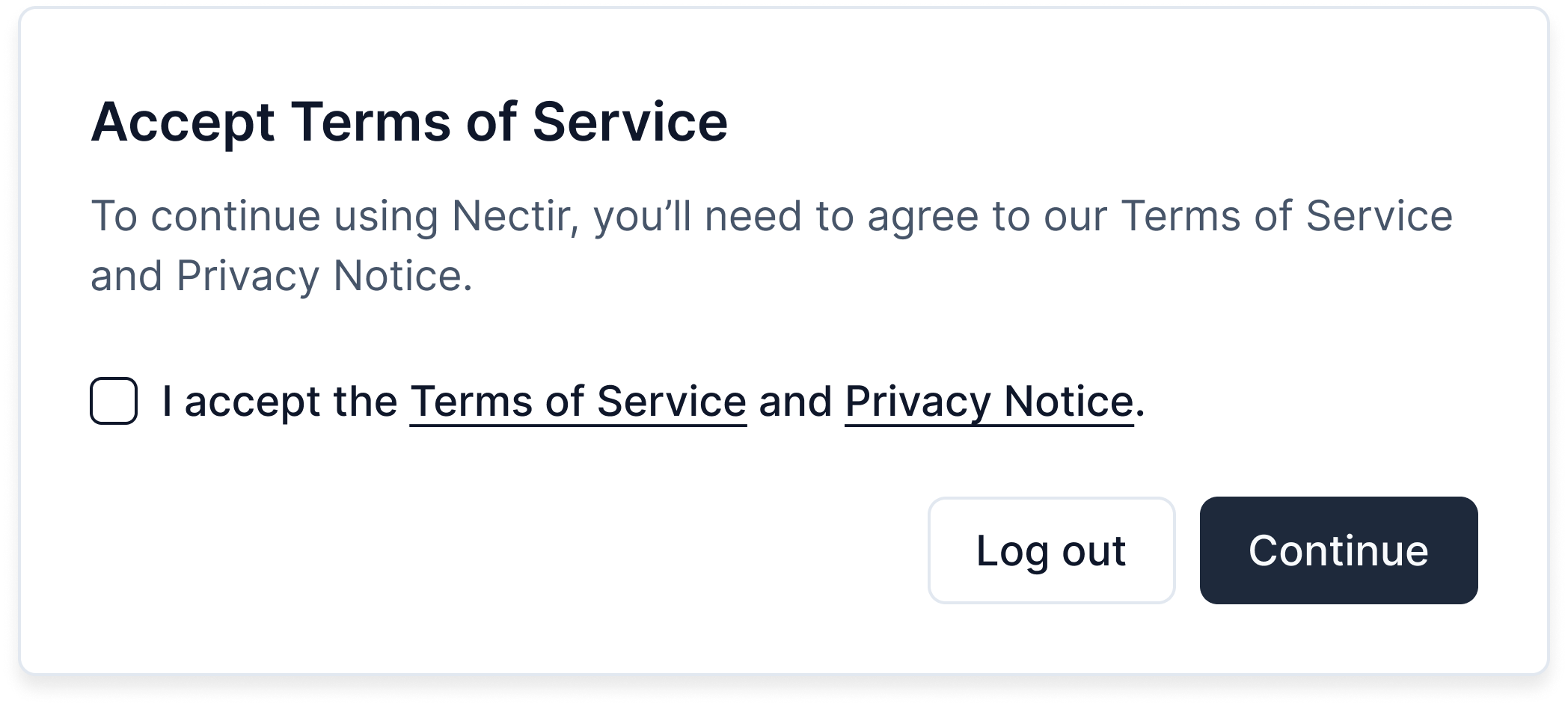
## Terms of Service Acceptance Modal
Existing users who haven't accepted the Terms of Service will now see a blocking modal requiring acceptance before continuing to use the platform. This ensures compliance and keeps all users up to date with our terms.
***
* Improved LTI role mapping to correctly distinguish between institution-level and course-level roles from Canvas
* Fixed issue where member join date was not being recorded for users joining through invite links
* Fixed issue where IMSCC files exported from Brightspace (D2L) were not being recognized during LMS import
* Fixed LTI integration issue for Workspaces configured with legacy slug format
* We've made significant performance improvements through extensive caching optimizations. These changes reduce database queries and improve page load times across the platform
* Fixed issue saving URLs in message metadata
* Fixed early access feature toggle for Workspace analytics not working correctly
* Students completing onboarding are no longer shown the "Create free trial Workspace" option, directing them to join existing Workspaces first
* Fixed Assistant history not updating in real time after starting a new conversation
* Fixed PDF export failing for certain Assistants due to missing italic font
* Fixed "Nectir" spelling typo in modal
* Improved email delivery reliability with upgraded email infrastructure
* Fixed issue where the send button was disabled when only files were attached to a message
* Fixed cache issue causing users to be logged out after completing onboarding
## Terms of Service Acceptance Modal
Existing users who haven't accepted the Terms of Service will now see a blocking modal requiring acceptance before continuing to use the platform. This ensures compliance and keeps all users up to date with our terms.
 ***
* New users are now directed to complete the onboarding form before accessing the platform
* Added role-based flow customization for personalized user experiences
* Redesigned the "No Invite Found" screen for better clarity
* Fixed issue where Group invites did not redirect users to the correct Workspace and Group after accepting
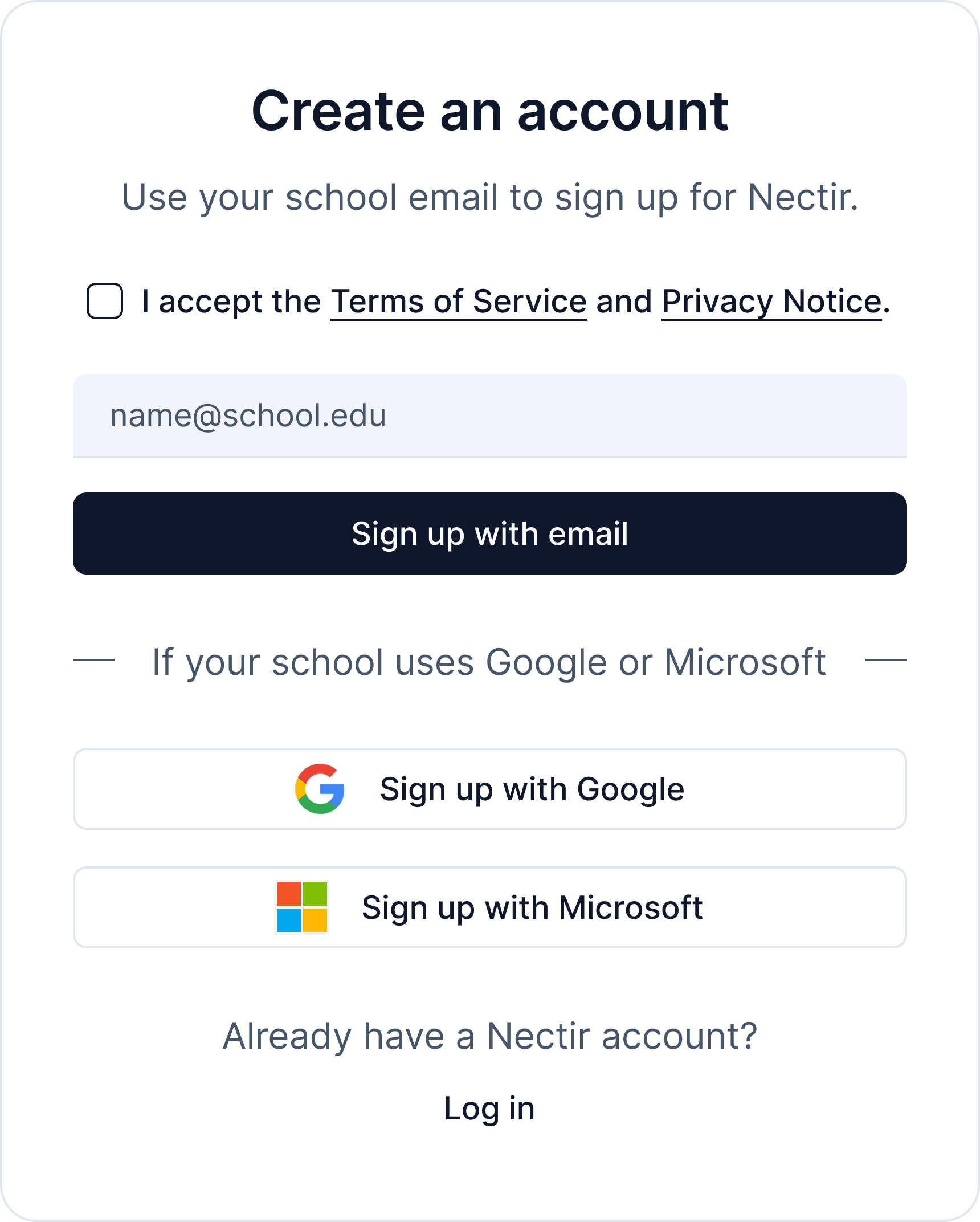
## Terms of Service Acceptance Checkbox
New users must now accept our Terms of Service and Privacy Notice before creating an account. A required checkbox has been added above the email field. If a user tries to sign up with email, Google, or Microsoft without checking the box, an inline error message appears and account creation is blocked until acceptance.
***
* New users are now directed to complete the onboarding form before accessing the platform
* Added role-based flow customization for personalized user experiences
* Redesigned the "No Invite Found" screen for better clarity
* Fixed issue where Group invites did not redirect users to the correct Workspace and Group after accepting
## Terms of Service Acceptance Checkbox
New users must now accept our Terms of Service and Privacy Notice before creating an account. A required checkbox has been added above the email field. If a user tries to sign up with email, Google, or Microsoft without checking the box, an inline error message appears and account creation is blocked until acceptance.
 ***
* Updated login and account creation page text for improved clarity
## Custom Messages in Invite Emails
You can now add personalized messages when inviting members to a Group. When inviting members via email, a confirmation modal allows you to choose who receives the invite email and include a custom message that appears in the invitation.
***
* Updated login and account creation page text for improved clarity
## Custom Messages in Invite Emails
You can now add personalized messages when inviting members to a Group. When inviting members via email, a confirmation modal allows you to choose who receives the invite email and include a custom message that appears in the invitation.
 ***
* Added confirmation modal when manually inviting members, allowing you to control who receives email notifications
* Added message timestamps to PDF chat exports for better conversation tracking
* Fixed analytics dashboard header display on mobile devices
* Fixed issue where some `.docx` files were not being accepted in chat uploads
* Fixed training pipeline failures for certain `.html` and `.xlsx` files
* Fixed table rendering in PDF exports
## Code File Uploads in Chat
You can now upload code and text files directly in your chat conversations with Assistants. This includes `.html`, `.txt`, `.sql`, and other code files, allowing for more dynamic interactions where you can ask questions about specific code snippets or have the Assistant analyze text content.
***
* Added admin options menu with quick access to prompts library and other administrative features
* Improved client-side caching for faster page loads and reduced unnecessary API requests
* Fixed file downloads to properly preserve file extensions and download directly instead of opening in browser
* Fixed performance issue causing 500 errors when accessing large Workspaces
* Fixed actions menu not appearing for private Assistants created by Workspace editors
* Fixed compatibility issue with older browsers that don't support the `.at()` method
* Fixed error when the prompt library API returns unexpected data
* Fixed code block rendering errors in chat messages
* Fixed file preview button not appearing for `.sql` files uploaded in chat
* Fixed code file preview display issues
* Fixed issue where some IMSCC files from Canvas could not be extracted during LMS import due to invalid or corrupted media files
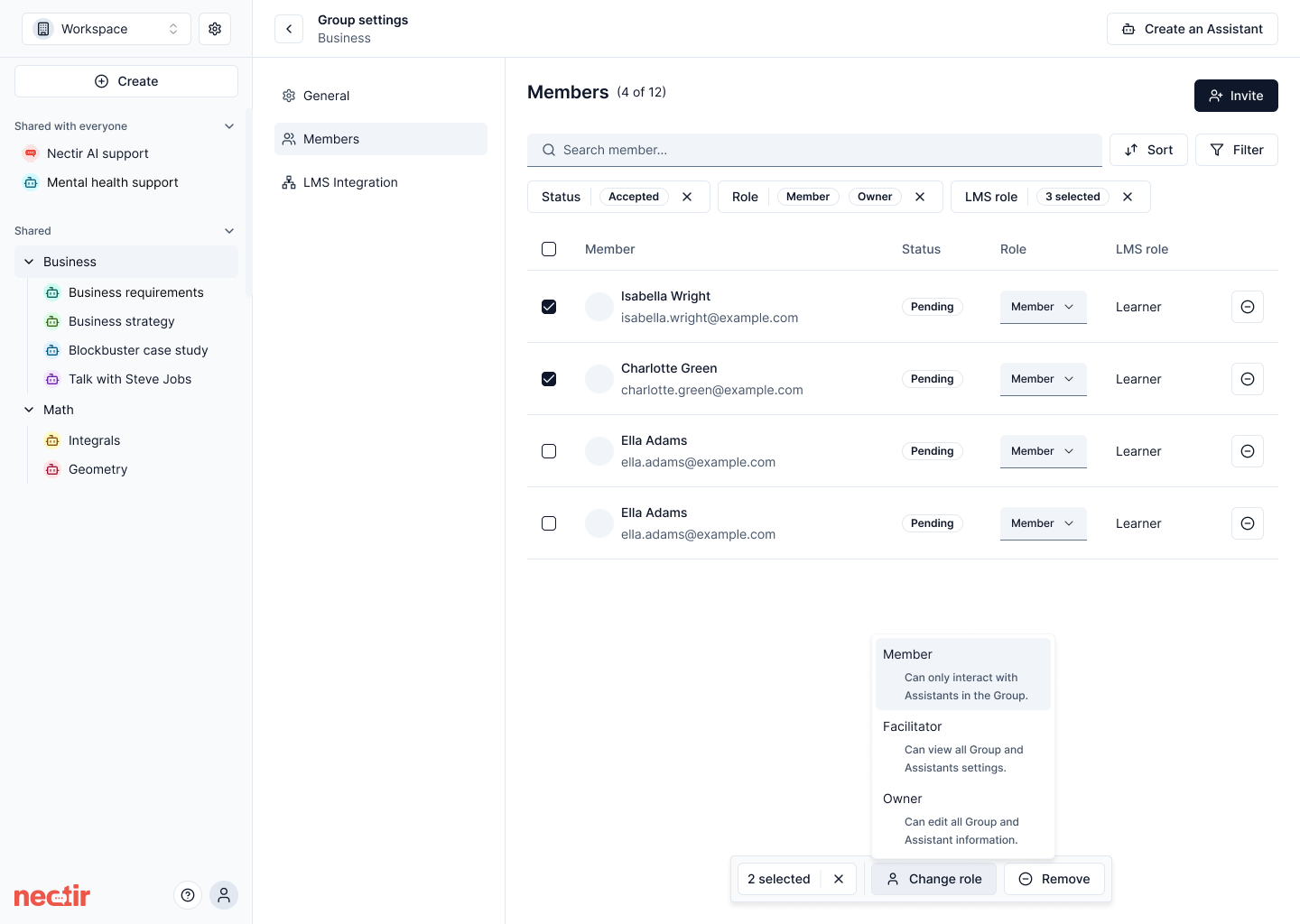
## Bulk Member Actions
We've implemented improvements to the Members table interface, allowing multiple rows to be selected using checkboxes. This enables bulk actions including removing multiple members at once and changing roles for multiple users simultaneously, improving usability when managing large groups.
***
* Added confirmation modal when manually inviting members, allowing you to control who receives email notifications
* Added message timestamps to PDF chat exports for better conversation tracking
* Fixed analytics dashboard header display on mobile devices
* Fixed issue where some `.docx` files were not being accepted in chat uploads
* Fixed training pipeline failures for certain `.html` and `.xlsx` files
* Fixed table rendering in PDF exports
## Code File Uploads in Chat
You can now upload code and text files directly in your chat conversations with Assistants. This includes `.html`, `.txt`, `.sql`, and other code files, allowing for more dynamic interactions where you can ask questions about specific code snippets or have the Assistant analyze text content.
***
* Added admin options menu with quick access to prompts library and other administrative features
* Improved client-side caching for faster page loads and reduced unnecessary API requests
* Fixed file downloads to properly preserve file extensions and download directly instead of opening in browser
* Fixed performance issue causing 500 errors when accessing large Workspaces
* Fixed actions menu not appearing for private Assistants created by Workspace editors
* Fixed compatibility issue with older browsers that don't support the `.at()` method
* Fixed error when the prompt library API returns unexpected data
* Fixed code block rendering errors in chat messages
* Fixed file preview button not appearing for `.sql` files uploaded in chat
* Fixed code file preview display issues
* Fixed issue where some IMSCC files from Canvas could not be extracted during LMS import due to invalid or corrupted media files
## Bulk Member Actions
We've implemented improvements to the Members table interface, allowing multiple rows to be selected using checkboxes. This enables bulk actions including removing multiple members at once and changing roles for multiple users simultaneously, improving usability when managing large groups.
 ## New File Pipeline
We've launched a new pipeline for uploading files. This update optimizes our document ingestion process for improved reliability and performance.
***
* Standardized colors for bot avatars and file type icons across the platform
* Updated the sender name of emails to display as "Nectir" instead of "mail" for improved clarity and recipient recognition across all email clients
* Implemented AI-generated conversation titles that automatically create concise, descriptive titles based on the first user message and AI response, helping students easily identify and revisit past discussions
* Updated the onboarding role selection terminology by replacing "Teacher" with "Instructor" to better align with higher education contexts
* Fixed issue of repeatedly requesting to connect to Nectir AI when navigating within Canvas iframe integration
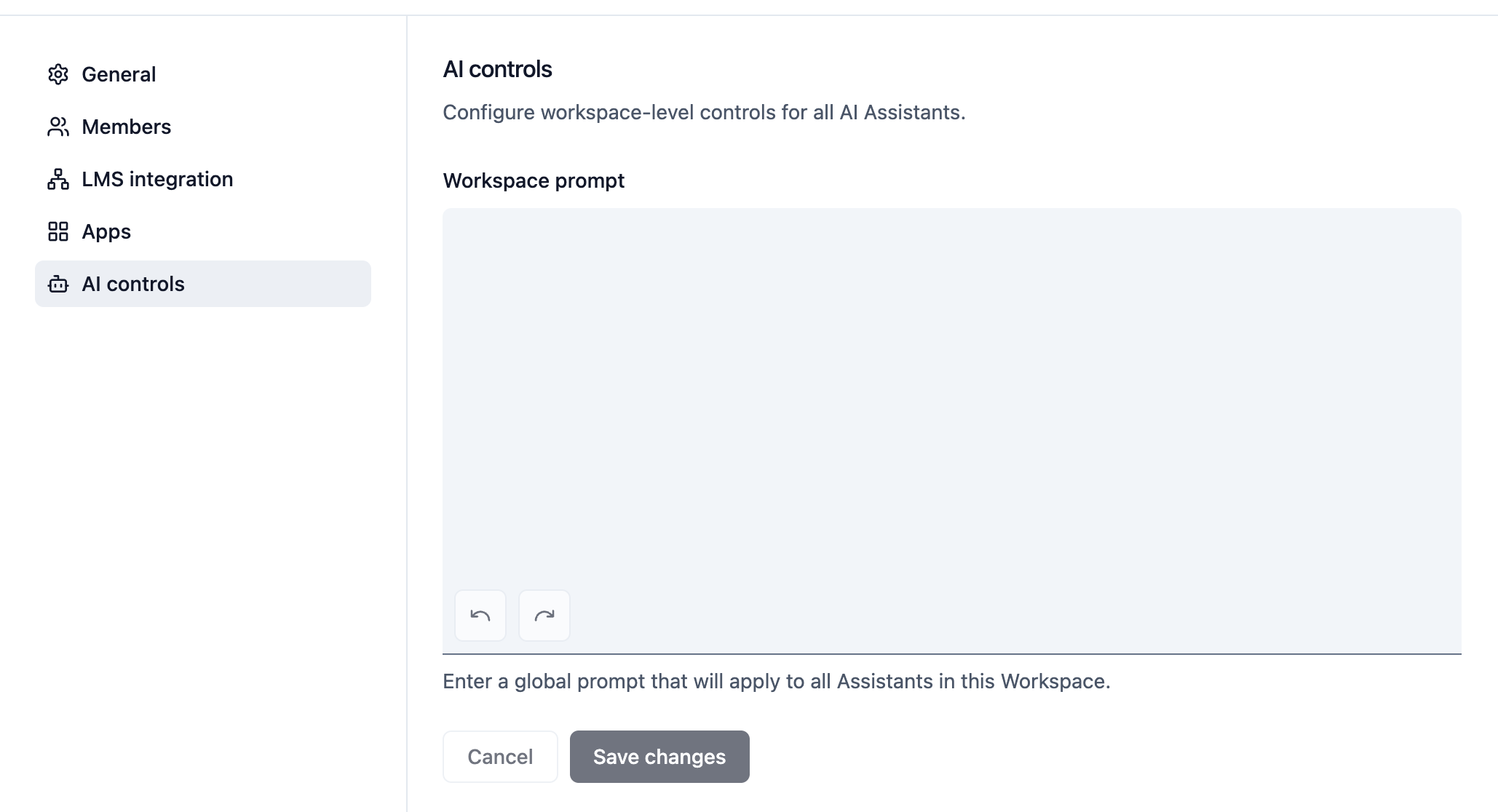
## Workspace-level AI Controls
We've introduced a new workspace-level AI controls page that allows administrators to set global prompts that apply to all Assistants across the entire Workspace. This powerful feature provides centralized control over AI behavior while still allowing individual Assistant customization.
## New File Pipeline
We've launched a new pipeline for uploading files. This update optimizes our document ingestion process for improved reliability and performance.
***
* Standardized colors for bot avatars and file type icons across the platform
* Updated the sender name of emails to display as "Nectir" instead of "mail" for improved clarity and recipient recognition across all email clients
* Implemented AI-generated conversation titles that automatically create concise, descriptive titles based on the first user message and AI response, helping students easily identify and revisit past discussions
* Updated the onboarding role selection terminology by replacing "Teacher" with "Instructor" to better align with higher education contexts
* Fixed issue of repeatedly requesting to connect to Nectir AI when navigating within Canvas iframe integration
## Workspace-level AI Controls
We've introduced a new workspace-level AI controls page that allows administrators to set global prompts that apply to all Assistants across the entire Workspace. This powerful feature provides centralized control over AI behavior while still allowing individual Assistant customization.
 ***
* Enhanced prompt library with improved UI including auto-growing text fields, better spacing, and accessibility improvements
* Unified help icon component across the platform for consistent user experience
* Streamlined first-time user access flow with improved workspace selection and invitation management
* Added post-login access to "Choose your workspace" page through workspace dropdown menu
* Fixed access flow issues for new users who were getting stuck without workspace creation options
* Resolved double @ symbol display in allowed email domains section and fixed domain validation
* Fixed issue where some users received an error when interacting with their own Assistant
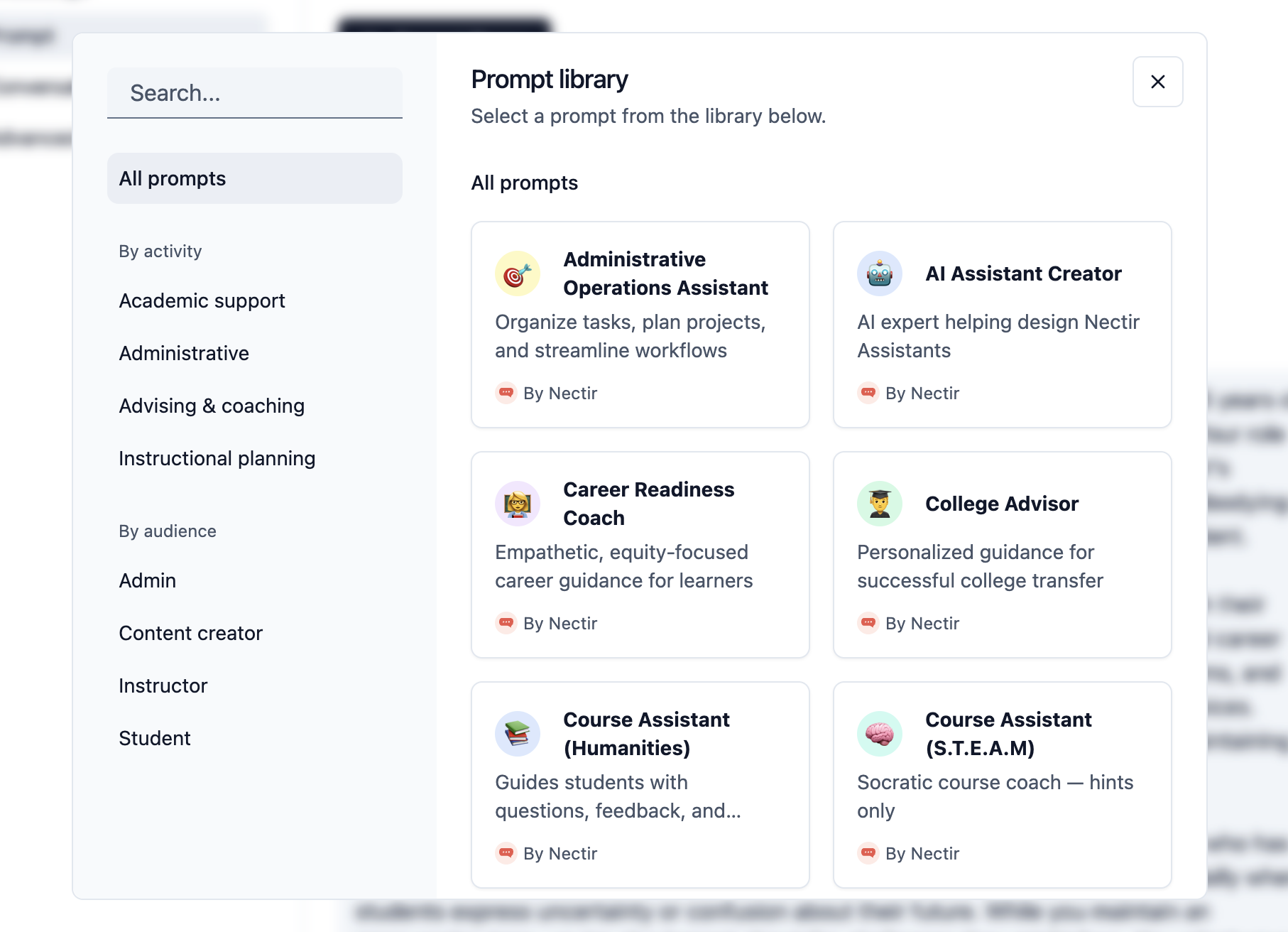
## Prompt Library and Editing Enhancements
We've launched a comprehensive prompt library alongside significant improvements to the prompt editing experience. Browse, search, and apply pre-built prompts filtered by activity and role, with the ability to preview and customize them before applying. The enhanced editor now includes undo/redo functionality, making it easier than ever to create and refine your Assistant prompts.
***
* Enhanced prompt library with improved UI including auto-growing text fields, better spacing, and accessibility improvements
* Unified help icon component across the platform for consistent user experience
* Streamlined first-time user access flow with improved workspace selection and invitation management
* Added post-login access to "Choose your workspace" page through workspace dropdown menu
* Fixed access flow issues for new users who were getting stuck without workspace creation options
* Resolved double @ symbol display in allowed email domains section and fixed domain validation
* Fixed issue where some users received an error when interacting with their own Assistant
## Prompt Library and Editing Enhancements
We've launched a comprehensive prompt library alongside significant improvements to the prompt editing experience. Browse, search, and apply pre-built prompts filtered by activity and role, with the ability to preview and customize them before applying. The enhanced editor now includes undo/redo functionality, making it easier than ever to create and refine your Assistant prompts.
 ***
* Improved dialog scroll behavior to allow scrolling on the entire screen instead of just the content container
* Fixed markdown list formatting issues in Assistant responses for better readability
* Implemented infinite scroll for tables, replacing pagination for improved performance with large datasets
* Fixed broken "LMS export guide" link on the import page to properly direct to help documentation
* Disabled interaction with private and deleted Assistants in Workspace analytics dashboard
* Added database performance optimizations with new indexes for improved chat query speed
* Enhanced analytics export to include identifiable data when workspace settings permit
* Added workspace-level flag to control visibility of personal data in analytics
* Improved CSV export compatibility with UTF-8 byte order mark support
* Fixed onboarding survey styles not switching correctly in light theme mode
* Resolved workspace lock issue when trial period expires, allowing users to switch workspaces
* Improved PDF text extraction and error handling for better document readability
## IMSCC File Import General Availability
The IMSCC file import feature is now available to all users. You can import course content directly from your learning management system without needing early access.
***
* Improved dialog scroll behavior to allow scrolling on the entire screen instead of just the content container
* Fixed markdown list formatting issues in Assistant responses for better readability
* Implemented infinite scroll for tables, replacing pagination for improved performance with large datasets
* Fixed broken "LMS export guide" link on the import page to properly direct to help documentation
* Disabled interaction with private and deleted Assistants in Workspace analytics dashboard
* Added database performance optimizations with new indexes for improved chat query speed
* Enhanced analytics export to include identifiable data when workspace settings permit
* Added workspace-level flag to control visibility of personal data in analytics
* Improved CSV export compatibility with UTF-8 byte order mark support
* Fixed onboarding survey styles not switching correctly in light theme mode
* Resolved workspace lock issue when trial period expires, allowing users to switch workspaces
* Improved PDF text extraction and error handling for better document readability
## IMSCC File Import General Availability
The IMSCC file import feature is now available to all users. You can import course content directly from your learning management system without needing early access.
 ***
* Reorganized analytics components for better code structure and maintainability
* Added workspace-level control for showing identifiable data in analytics and exports
* Fixed LaTeX notation rendering in Assistant responses for mathematical content
* Resolved file icon and format consistency issues across different components
* Removed .html from plaintext file extensions list for proper categorization
## Source Attribution for AI Responses (Beta)
Assistants can now display the sources used when generating responses from instructor-uploaded training data. This feature provides transparency and allows students to verify the materials supporting AI-generated content. Control source visibility through the new "Show sources" toggle in Assistant settings.
***
* Reorganized analytics components for better code structure and maintainability
* Added workspace-level control for showing identifiable data in analytics and exports
* Fixed LaTeX notation rendering in Assistant responses for mathematical content
* Resolved file icon and format consistency issues across different components
* Removed .html from plaintext file extensions list for proper categorization
## Source Attribution for AI Responses (Beta)
Assistants can now display the sources used when generating responses from instructor-uploaded training data. This feature provides transparency and allows students to verify the materials supporting AI-generated content. Control source visibility through the new "Show sources" toggle in Assistant settings.
 ***
* Enhanced tool call display in chat UI for better transparency of AI operations
* Improved color scale for active user percentage badges in analytics dashboard
## Workspace Analytics Dashboard
We've launched a comprehensive analytics dashboard at the Workspace level, providing administrators with valuable insights into how Nectir AI is being used across their entire organization. This powerful new feature complements the existing Group-level analytics by offering a broader view of usage patterns, engagement metrics, and trends across all Courses and Assistants within your Workspace.
***
* Enhanced tool call display in chat UI for better transparency of AI operations
* Improved color scale for active user percentage badges in analytics dashboard
## Workspace Analytics Dashboard
We've launched a comprehensive analytics dashboard at the Workspace level, providing administrators with valuable insights into how Nectir AI is being used across their entire organization. This powerful new feature complements the existing Group-level analytics by offering a broader view of usage patterns, engagement metrics, and trends across all Courses and Assistants within your Workspace.
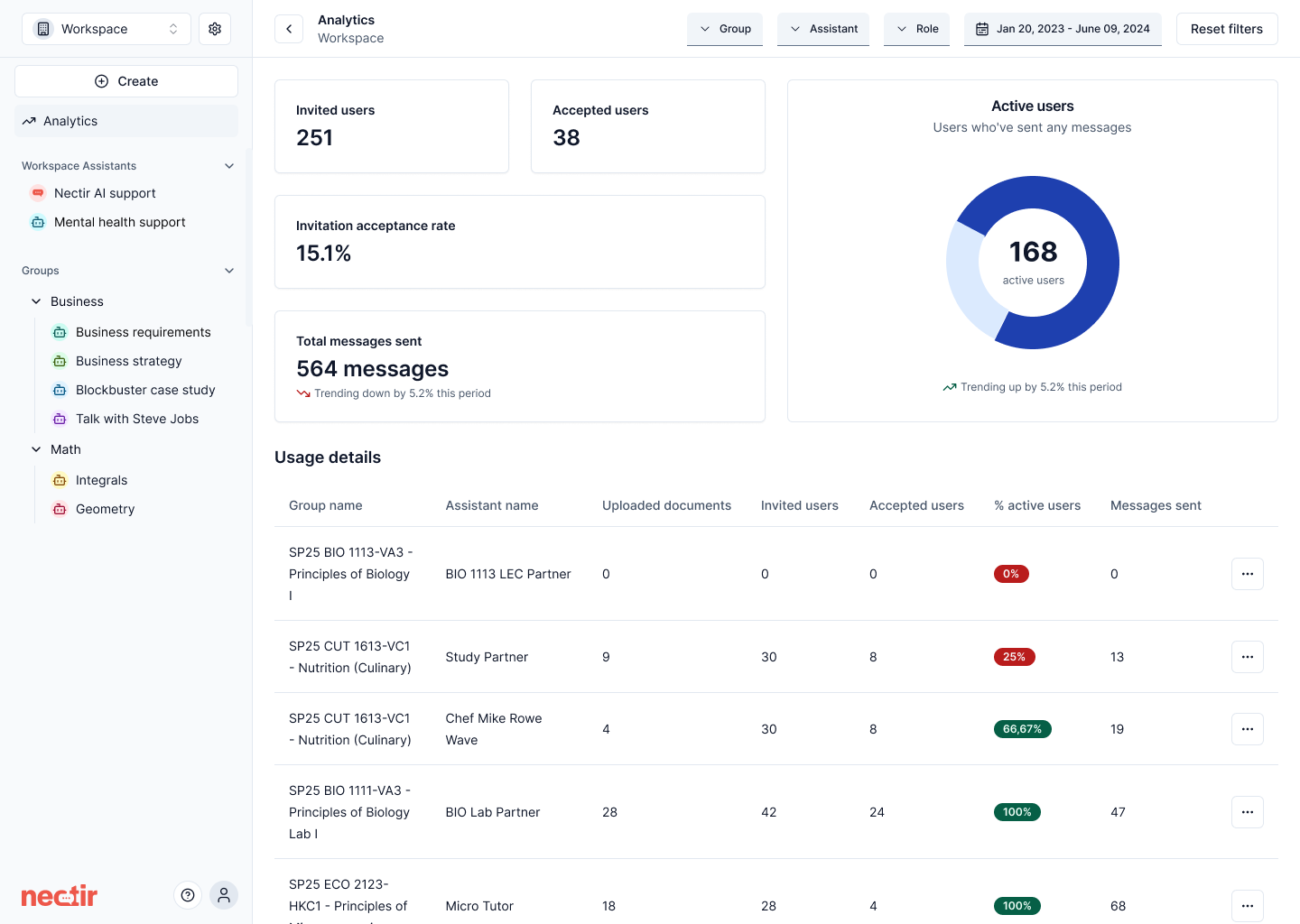 ## Gemini 2.5 Pro Model Support
Expanding our AI model offerings, we've added Google's Gemini 2.5 Pro to the available model options. This gives you even more flexibility in choosing the AI model that best fits your educational needs, alongside our existing GPT-4.1 and Claude Sonnet 4 options.
## Gemini 2.5 Pro Model Support
Expanding our AI model offerings, we've added Google's Gemini 2.5 Pro to the available model options. This gives you even more flexibility in choosing the AI model that best fits your educational needs, alongside our existing GPT-4.1 and Claude Sonnet 4 options.
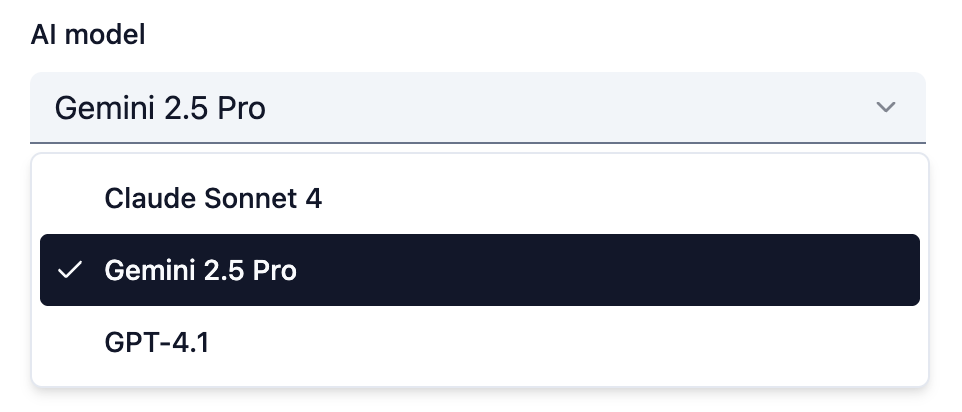 ## Native iOS Sharing for Conversations
iOS and iPadOS users can now share their conversation PDF exports using the native iOS share sheet. This feature makes it seamless for students to submit their Nectir AI conversations as assignments directly through apps like Canvas, improving the mobile experience for educational workflows.
***
* Updated disclaimer text in Assistant chat conversations for improved clarity
* Enhanced file upload component with multiple file support, better previews, and responsive design
* Removed user avatars from chat messages for a cleaner, more focused interface
* Made file upload cards fully keyboard-accessible and screen-reader friendly
* Fixed issue where pasting content from CSV files (particularly from Apple Numbers) would paste as an image instead of text, preventing further conversation
## PDF Export for Conversations
You can now export your chat conversations with Assistants as PDF files, providing a more readable and tamper-resistant format compared to CSV exports. This feature makes it easier to submit conversations to learning management systems and creates a cleaner, professional format for sharing AI interactions.
## Native iOS Sharing for Conversations
iOS and iPadOS users can now share their conversation PDF exports using the native iOS share sheet. This feature makes it seamless for students to submit their Nectir AI conversations as assignments directly through apps like Canvas, improving the mobile experience for educational workflows.
***
* Updated disclaimer text in Assistant chat conversations for improved clarity
* Enhanced file upload component with multiple file support, better previews, and responsive design
* Removed user avatars from chat messages for a cleaner, more focused interface
* Made file upload cards fully keyboard-accessible and screen-reader friendly
* Fixed issue where pasting content from CSV files (particularly from Apple Numbers) would paste as an image instead of text, preventing further conversation
## PDF Export for Conversations
You can now export your chat conversations with Assistants as PDF files, providing a more readable and tamper-resistant format compared to CSV exports. This feature makes it easier to submit conversations to learning management systems and creates a cleaner, professional format for sharing AI interactions.
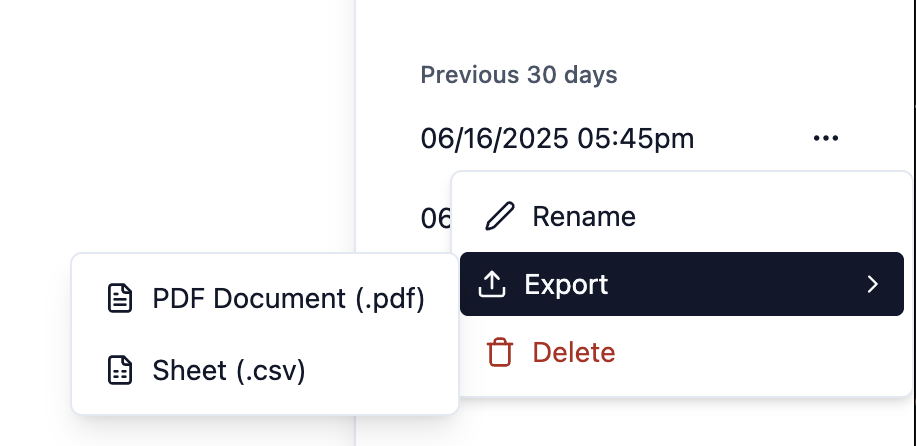 ## Enhanced Code File Support
We've expanded the types of files that can be uploaded to an Assistant's knowledge base to include code files. You can now train your Assistants with source code including `.py`, `.java`, `.c`, `.cpp`, `.h`, `.js`, `.html`, `.css`, `.sql`, and `.R` files, enabling better support for computer science and programming courses.
## Analytics Improvements
We've enhanced the Analytics dashboard with new export capabilities and smarter data visualization. You can now export analytics data from Group and Workspace level Assistants. The dashboard also features an improved default time range of 3 months and intelligent trendline displays that only appear when sufficient historical data exists, eliminating misleading percentage changes.
***
* Relocated knowledge scope selector from the Knowledge tab to the Prompt tab for better workflow organization
* Reorganized supported file type display in upload interface: Documents → Plaintext → Images → Audio → Video → Code
* Resolved component import error that was causing page rendering issues in development environment
* Corrected file format display from ".r" to ".R" for proper R language file recognition
## Document Upload in Chat
You can now upload PDF, DOCX, and TXT files directly in your chat conversations with Assistants. This allows for more dynamic interactions where you can ask questions about specific documents, get summaries, or have the Assistant analyze content without needing to add files to the Assistant's knowledge base.
***
* Added ability to rename training data files in the Assistant's knowledge base
* Fixed sidebar spacing issues with avatar icons and three-dot menus for improved visual consistency
* Corrected keyboard navigation highlight colors and border radius throughout the interface
* Resolved Assistant settings menu incorrectly showing for users without proper permissions
* Fixed regenerate response feature duplicating messages and causing feedback to be saved to wrong messages
## Group Nesting
You can now create nested Groups to organize your Assistants in hierarchical structures. This powerful feature enables you to create Groups inside other Groups, making it easier to manage complex organizational structures, departments, or multi-level course hierarchies. You can invite members at any Group level with permissions properly inherited throughout the hierarchy.
## Enhanced Code File Support
We've expanded the types of files that can be uploaded to an Assistant's knowledge base to include code files. You can now train your Assistants with source code including `.py`, `.java`, `.c`, `.cpp`, `.h`, `.js`, `.html`, `.css`, `.sql`, and `.R` files, enabling better support for computer science and programming courses.
## Analytics Improvements
We've enhanced the Analytics dashboard with new export capabilities and smarter data visualization. You can now export analytics data from Group and Workspace level Assistants. The dashboard also features an improved default time range of 3 months and intelligent trendline displays that only appear when sufficient historical data exists, eliminating misleading percentage changes.
***
* Relocated knowledge scope selector from the Knowledge tab to the Prompt tab for better workflow organization
* Reorganized supported file type display in upload interface: Documents → Plaintext → Images → Audio → Video → Code
* Resolved component import error that was causing page rendering issues in development environment
* Corrected file format display from ".r" to ".R" for proper R language file recognition
## Document Upload in Chat
You can now upload PDF, DOCX, and TXT files directly in your chat conversations with Assistants. This allows for more dynamic interactions where you can ask questions about specific documents, get summaries, or have the Assistant analyze content without needing to add files to the Assistant's knowledge base.
***
* Added ability to rename training data files in the Assistant's knowledge base
* Fixed sidebar spacing issues with avatar icons and three-dot menus for improved visual consistency
* Corrected keyboard navigation highlight colors and border radius throughout the interface
* Resolved Assistant settings menu incorrectly showing for users without proper permissions
* Fixed regenerate response feature duplicating messages and causing feedback to be saved to wrong messages
## Group Nesting
You can now create nested Groups to organize your Assistants in hierarchical structures. This powerful feature enables you to create Groups inside other Groups, making it easier to manage complex organizational structures, departments, or multi-level course hierarchies. You can invite members at any Group level with permissions properly inherited throughout the hierarchy.
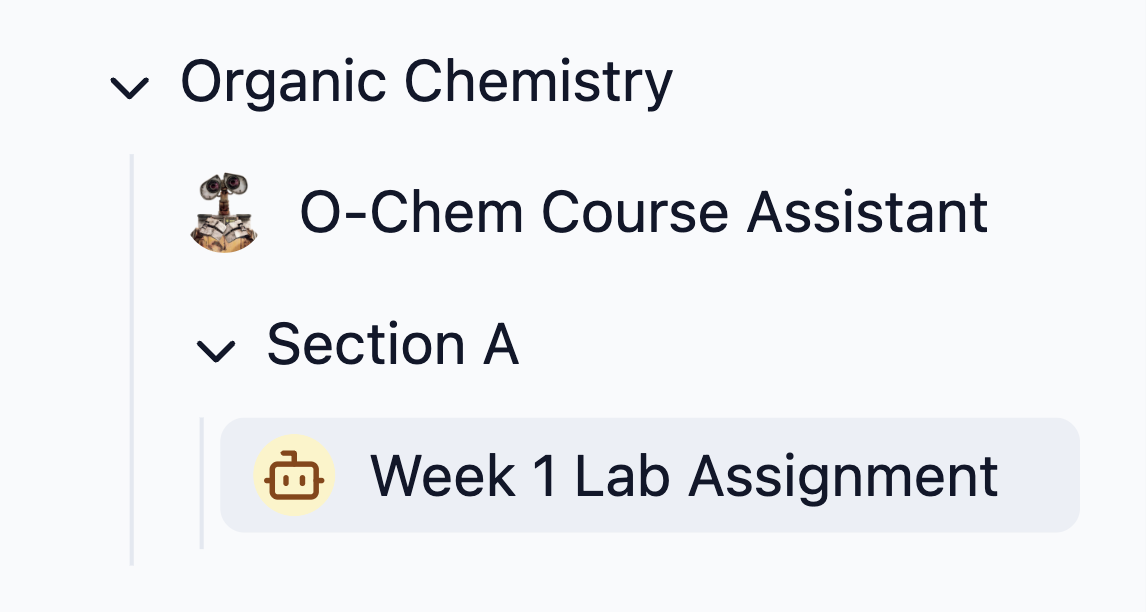 ## AI Model Updates
We've upgraded our AI models to the latest versions for improved performance and capabilities. All Assistants have been automatically migrated to GPT-4.1 (from GPT-4o) and Claude Sonnet 4 (from Claude Sonnet 3.5). These models will providing better reasoning, enhanced context understanding, and more accurate responses.
## AI Model Updates
We've upgraded our AI models to the latest versions for improved performance and capabilities. All Assistants have been automatically migrated to GPT-4.1 (from GPT-4o) and Claude Sonnet 4 (from Claude Sonnet 3.5). These models will providing better reasoning, enhanced context understanding, and more accurate responses.
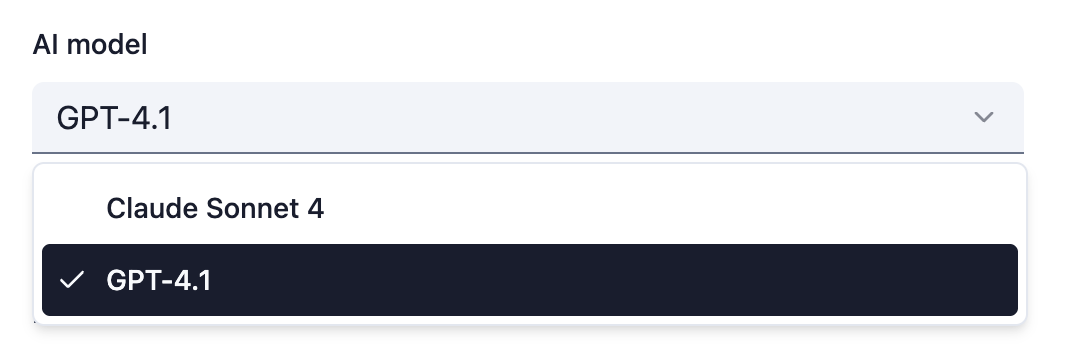 ## Temperature Control for AI Models
Assistant Owners now have fine-grained control over AI response creativity through customizable temperature settings via the Advanced tab. The AI model temperature allows you to adjust how creative or predicable the response is.
## Temperature Control for AI Models
Assistant Owners now have fine-grained control over AI response creativity through customizable temperature settings via the Advanced tab. The AI model temperature allows you to adjust how creative or predicable the response is.
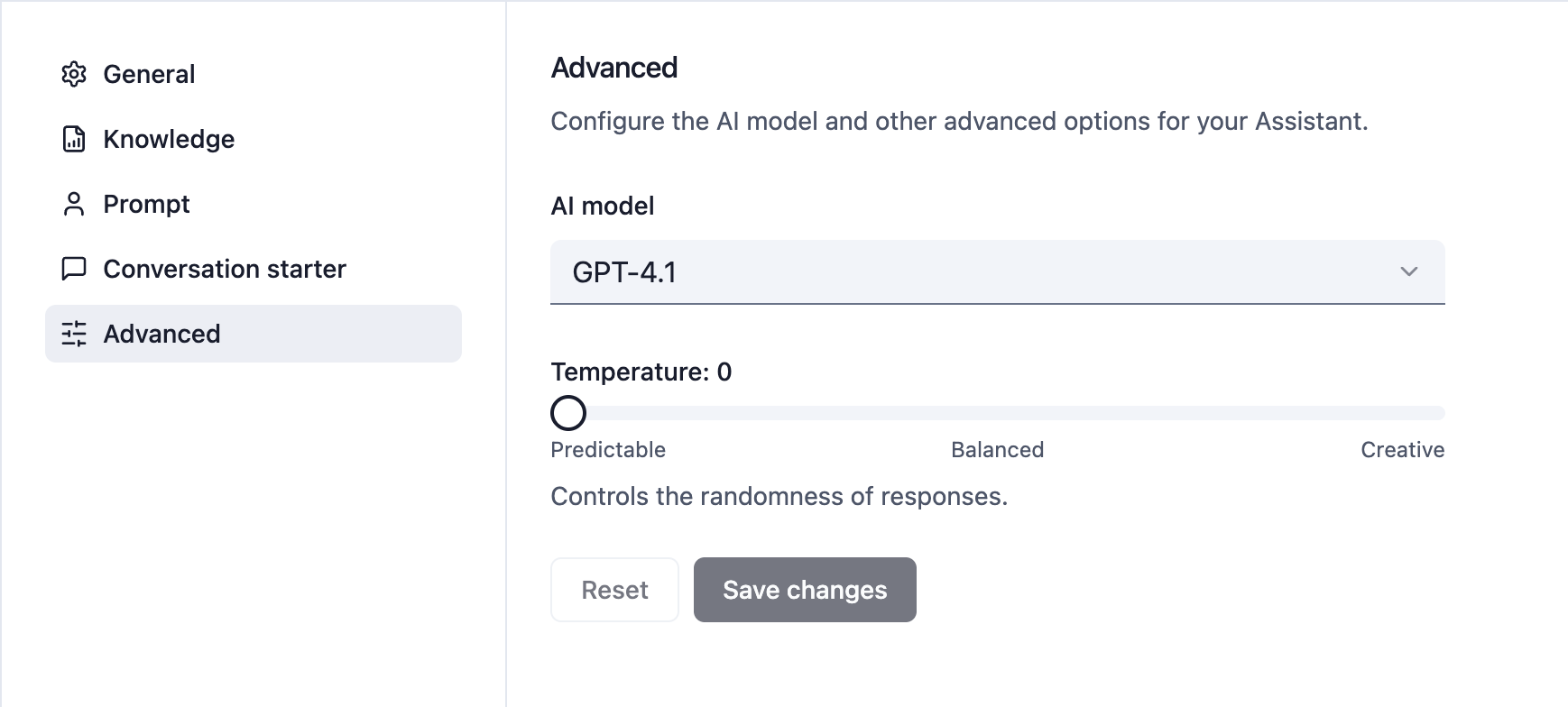 ***
* Improved key topics analysis with smarter consolidation that groups similar topics together, reducing hundreds of narrow categories into meaningful insights
* Updated Facilitator role permissions to properly restrict editing capabilities while maintaining view access to analytics and settings
* Fixed text capitalization inconsistencies throughout the platform for improved readability
* Removed "Import from LMS" option for Facilitators and properly restricted their access to view-only capabilities
## LMS role mapping
Workspace owners can now configure how LMS roles (like Instructor, Learner, Teaching Assistant) are mapped to Nectir AI roles when users are provisioned via LMS integration. This ensures users receive appropriate permissions based on their institutional roles.
***
* Improved key topics analysis with smarter consolidation that groups similar topics together, reducing hundreds of narrow categories into meaningful insights
* Updated Facilitator role permissions to properly restrict editing capabilities while maintaining view access to analytics and settings
* Fixed text capitalization inconsistencies throughout the platform for improved readability
* Removed "Import from LMS" option for Facilitators and properly restricted their access to view-only capabilities
## LMS role mapping
Workspace owners can now configure how LMS roles (like Instructor, Learner, Teaching Assistant) are mapped to Nectir AI roles when users are provisioned via LMS integration. This ensures users receive appropriate permissions based on their institutional roles.
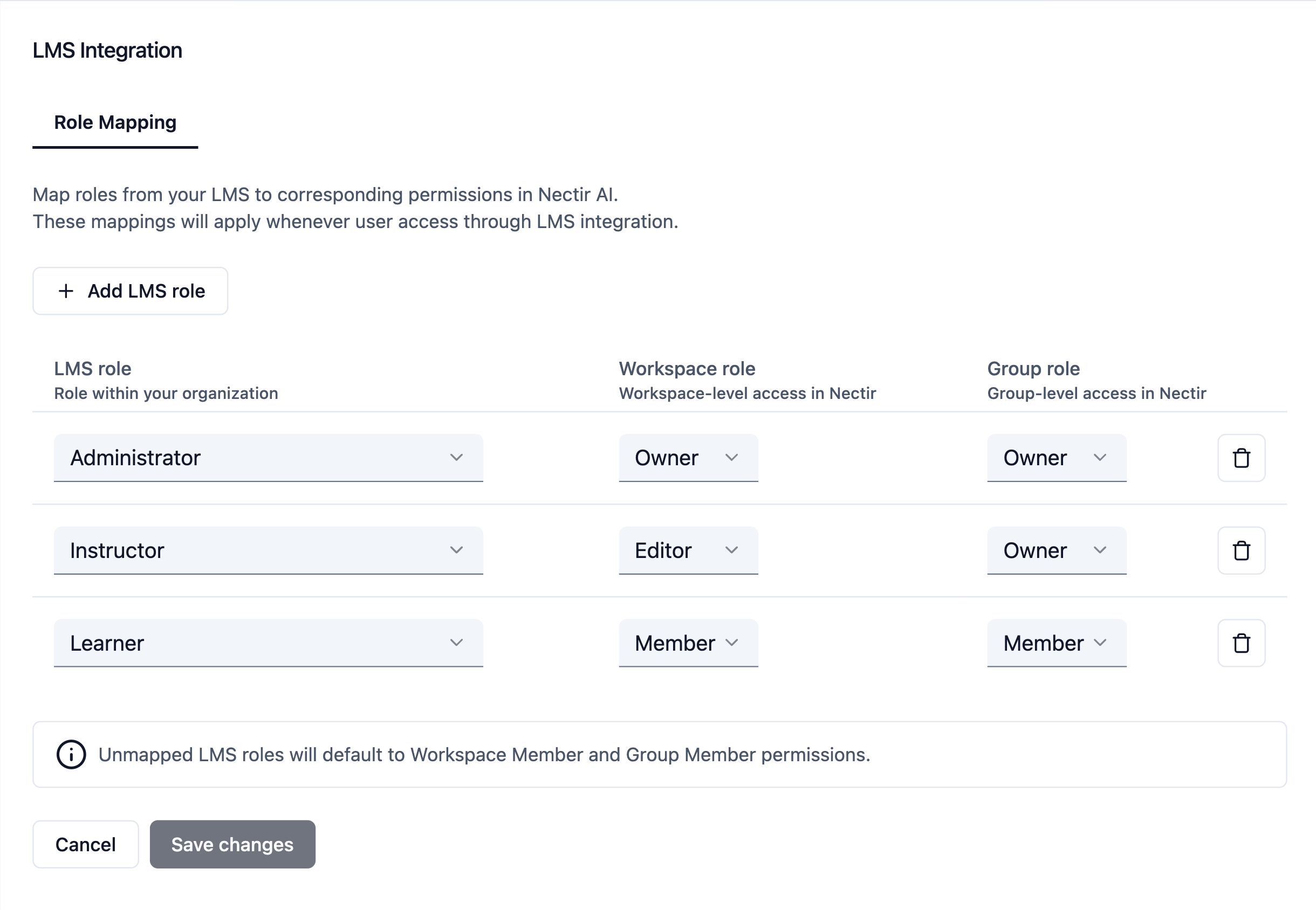 ## Duplicate Assistants
You can now duplicate Assistants, just like courses. When duplicating, all settings and training data will be copied to the new Assistant.
## Duplicate Assistants
You can now duplicate Assistants, just like courses. When duplicating, all settings and training data will be copied to the new Assistant.
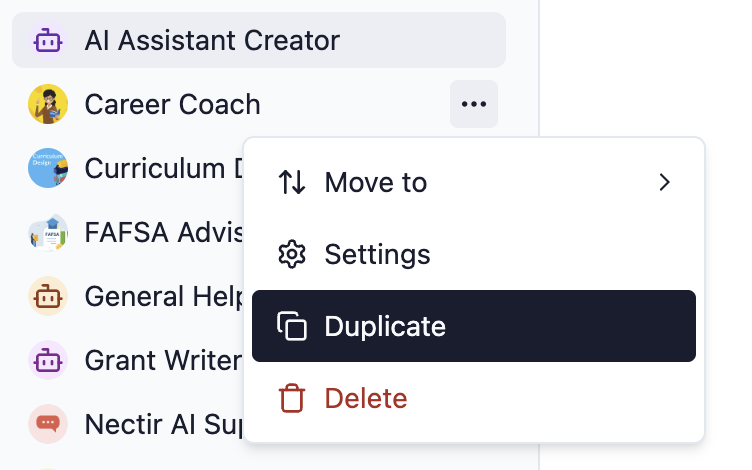 ## "Courses" are now "Groups"
We've updated the interface terminology from "Courses" to "Groups" to better reflect diverse educational use cases and simplify the organization of AI Assistants.
## Early access features
Introduced a new feature flag functionality that enables customers to opt into early access features. You can now access experimental and beta features by clicking on your profile icon and selecting **Early access features**.
* Redesigned Workspace invite email for improved user experience
* Redesigned Course invite email with enhanced visual design
* Redesigned "Continue with email" login email template
* Added help article links to "Import from LMS" flow for better user guidance
* Resolved security vulnerabilities CVE-2024-21538, CVE-2025-30218, and CVE-2025-26519
## Iframe support for LMS integration
LMS integration via LTI 1.3 now works with iframe embedding, allowing Nectir AI to be embedded directly within Canvas, Moodle, D2L, and Blackboard. Learn more by checking out our [blog post](https://www.nectir.io/blog/introducing-lms-embed-access-nectir-ai-assistants-right-within-your-lms-with-lti).
## "Courses" are now "Groups"
We've updated the interface terminology from "Courses" to "Groups" to better reflect diverse educational use cases and simplify the organization of AI Assistants.
## Early access features
Introduced a new feature flag functionality that enables customers to opt into early access features. You can now access experimental and beta features by clicking on your profile icon and selecting **Early access features**.
* Redesigned Workspace invite email for improved user experience
* Redesigned Course invite email with enhanced visual design
* Redesigned "Continue with email" login email template
* Added help article links to "Import from LMS" flow for better user guidance
* Resolved security vulnerabilities CVE-2024-21538, CVE-2025-30218, and CVE-2025-26519
## Iframe support for LMS integration
LMS integration via LTI 1.3 now works with iframe embedding, allowing Nectir AI to be embedded directly within Canvas, Moodle, D2L, and Blackboard. Learn more by checking out our [blog post](https://www.nectir.io/blog/introducing-lms-embed-access-nectir-ai-assistants-right-within-your-lms-with-lti).
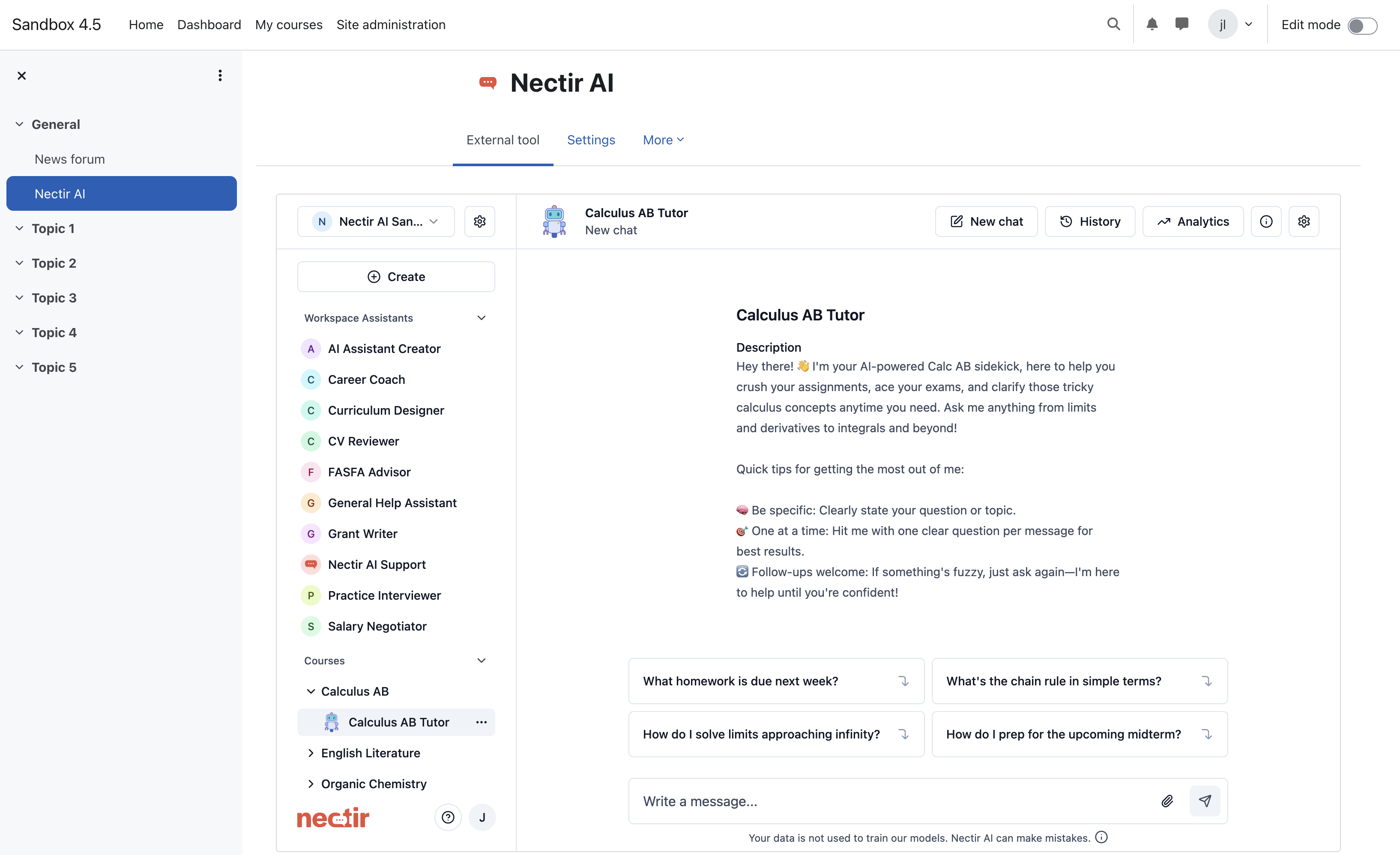 ## Link multiple LMS courses to a single Nectir AI course
You can now link multiple LMS courses to a single Nectir AI course. This is useful if you want to use the same Assistant across multiple LMS courses.
## Link multiple LMS courses to a single Nectir AI course
You can now link multiple LMS courses to a single Nectir AI course. This is useful if you want to use the same Assistant across multiple LMS courses.
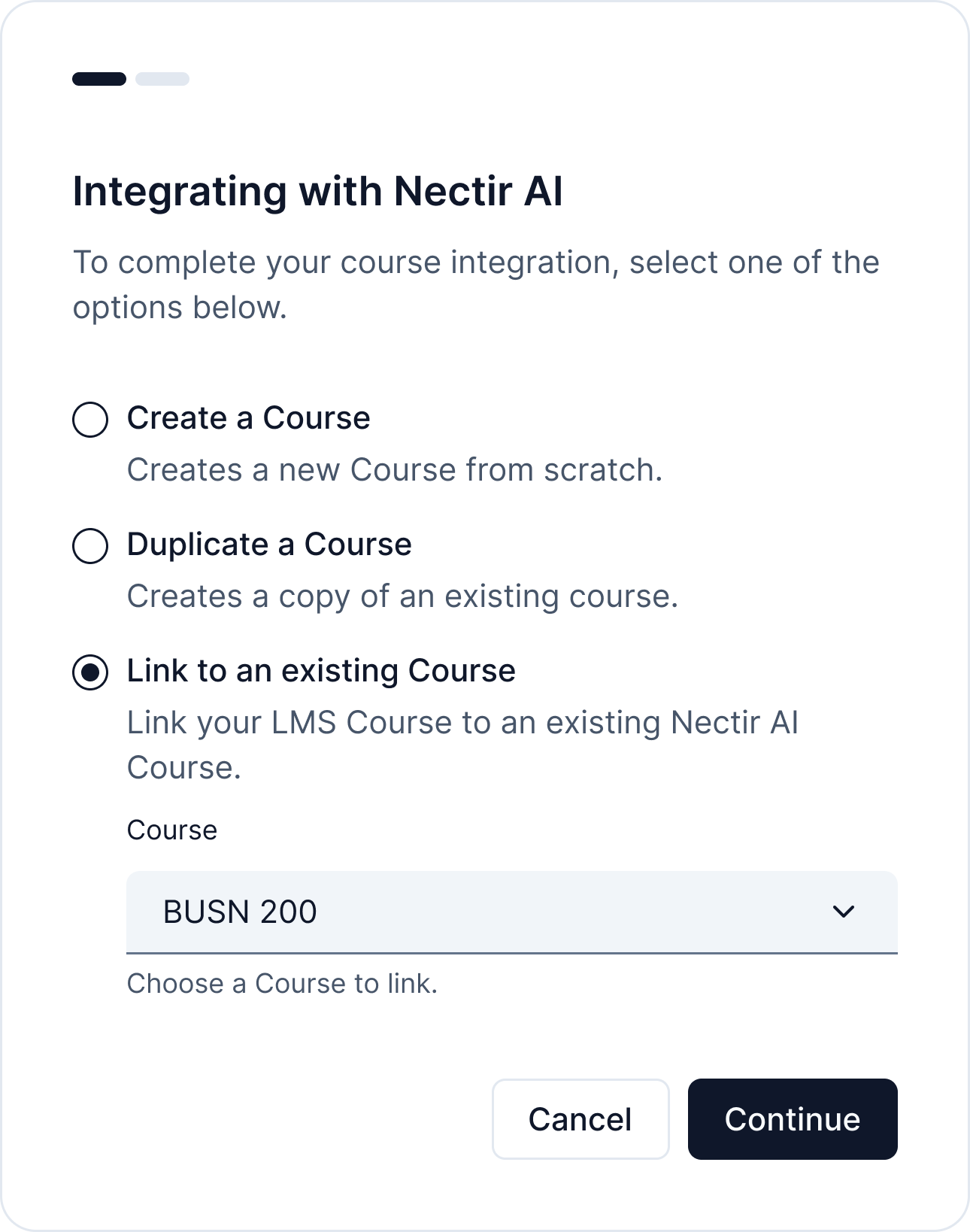 ***
* Redesigned LMS integration page: renamed from "Integrations" to "LMS Integration" and consolidated all integrations into a single table
* Added new columns (Status, LMS type) to the LMS integrations table
* Created default Nectir AI Assistant for all new Workspaces
* Users are now redirected to Intercom when contacting support
* Improved internal analytics implementation by removing unused SDKs
* Fixed issue when logging into LTI iframe where the page breaks
* Fixed type error when sorting a table
* Increased maximum file upload size from 100MB to 150MB for training files
* Modified LMS roster sync to exclude users with Observer role from receiving Workspace invitations
* Optimized invitation process to prevent sending redundant notifications to users already in the Workspace
## Assistant training enhancements
* **IMSCC support (limited rollout)**: Added ability to import and train on IMSCC files from learning management systems
* **Media file support**: Enabled uploading of audio and video files for Assistant training
* **Increased file size limit**: Maximum file size for training files increased from 25MB to 100MB
## Role improvements
* **Facilitator role update**: Facilitators can now view analytics dashboard and Course/Assistant settings, but cannot edit settings
***
* Fixed issue with duplicate messages being sent to AI
## AI model selection
Instructors can now choose between GPT-4o (default) and Claude 3.5 Sonnet v2 for their Assistants via the Advanced tab in Assistant settings. For a complete overview, check out our [blog post](https://www.nectir.io/blog/nectir-ai-is-now-supporting-claude-and-chatgpt-models).
* Fixed issue where Course owners couldn't duplicate their own courses. Now
they can duplicate their own Course regardless of their Workspace role
* Fixed issue where Course duplication option was not showing at LTI
integration first step
## Key topics analytics
We've enhanced our analytics capabilities with a new key topics feature that helps you understand what students are discussing with your Assistants. For a complete overview, check out our [blog post](https://www.nectir.io/blog/introducing-key-topics-unlocking-deeper-insights-into-student-ai-interactions-nectir-ai-assistants).
* **Topic analysis**: View the top topics discussed in conversations for specific Assistants
* **Sortable data**: Sort topics in ascending or descending order
* **Pagination**: Navigate through all topics with 5 rows per page
* **Filter options**: Apply role and date filters to refine topic analysis
***
* Redesigned LMS integration page: renamed from "Integrations" to "LMS Integration" and consolidated all integrations into a single table
* Added new columns (Status, LMS type) to the LMS integrations table
* Created default Nectir AI Assistant for all new Workspaces
* Users are now redirected to Intercom when contacting support
* Improved internal analytics implementation by removing unused SDKs
* Fixed issue when logging into LTI iframe where the page breaks
* Fixed type error when sorting a table
* Increased maximum file upload size from 100MB to 150MB for training files
* Modified LMS roster sync to exclude users with Observer role from receiving Workspace invitations
* Optimized invitation process to prevent sending redundant notifications to users already in the Workspace
## Assistant training enhancements
* **IMSCC support (limited rollout)**: Added ability to import and train on IMSCC files from learning management systems
* **Media file support**: Enabled uploading of audio and video files for Assistant training
* **Increased file size limit**: Maximum file size for training files increased from 25MB to 100MB
## Role improvements
* **Facilitator role update**: Facilitators can now view analytics dashboard and Course/Assistant settings, but cannot edit settings
***
* Fixed issue with duplicate messages being sent to AI
## AI model selection
Instructors can now choose between GPT-4o (default) and Claude 3.5 Sonnet v2 for their Assistants via the Advanced tab in Assistant settings. For a complete overview, check out our [blog post](https://www.nectir.io/blog/nectir-ai-is-now-supporting-claude-and-chatgpt-models).
* Fixed issue where Course owners couldn't duplicate their own courses. Now
they can duplicate their own Course regardless of their Workspace role
* Fixed issue where Course duplication option was not showing at LTI
integration first step
## Key topics analytics
We've enhanced our analytics capabilities with a new key topics feature that helps you understand what students are discussing with your Assistants. For a complete overview, check out our [blog post](https://www.nectir.io/blog/introducing-key-topics-unlocking-deeper-insights-into-student-ai-interactions-nectir-ai-assistants).
* **Topic analysis**: View the top topics discussed in conversations for specific Assistants
* **Sortable data**: Sort topics in ascending or descending order
* **Pagination**: Navigate through all topics with 5 rows per page
* **Filter options**: Apply role and date filters to refine topic analysis
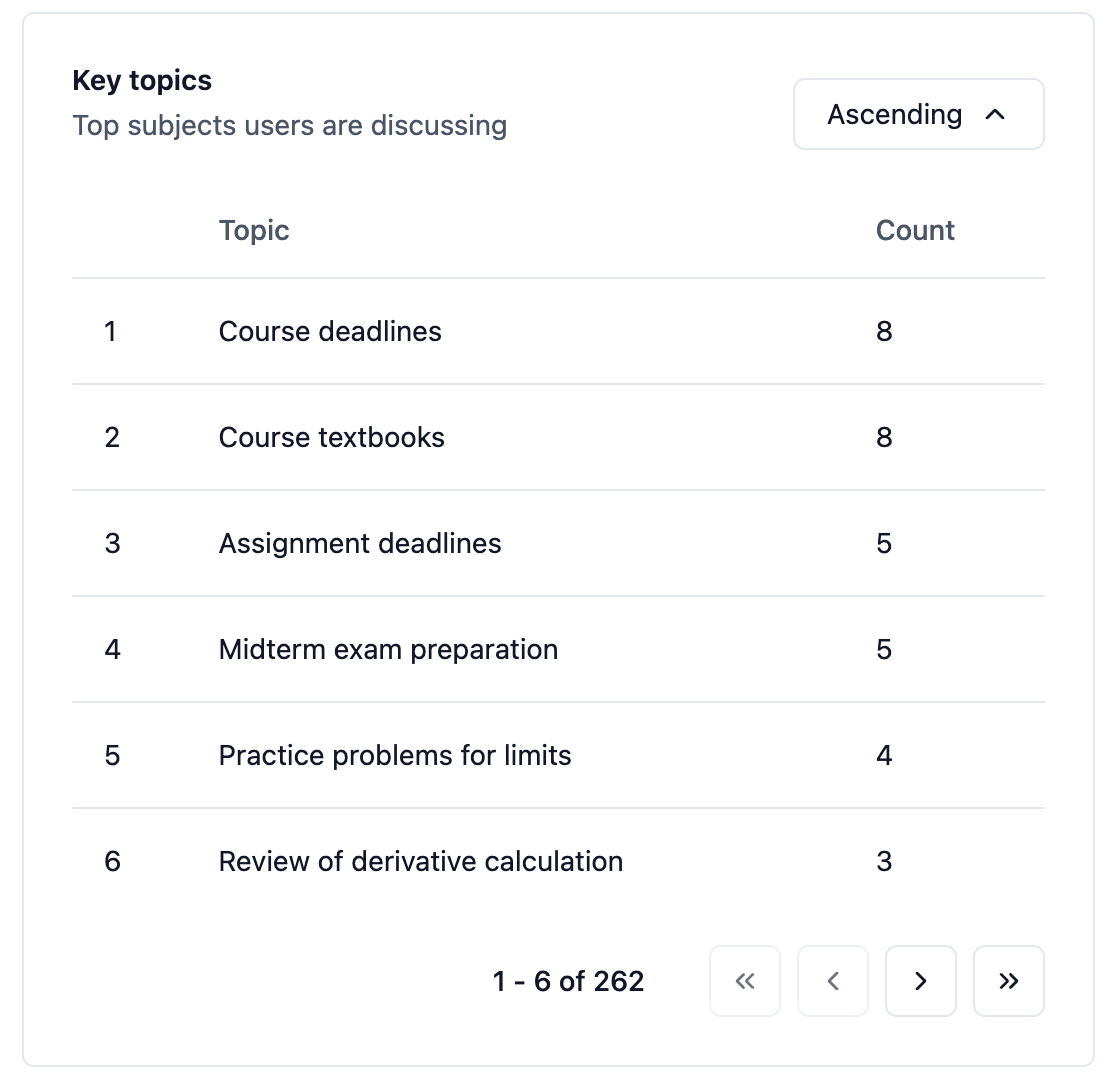 * Fixed issue where you could not copy or paste text in the chat input
## UI/UX improvements
* **Image handling improvements**: Added drag-and-drop and copy-paste functionality for images in chat
* **Course duplication via LTI**: Users can now duplicate Courses through LTI interface
* **Improved analytics dashboard filters**: Preselected all user roles by default and expanded time range to show data from Assistant creation to present day
* Added evaluation framework to the document training pipeline to enable
comparison of different solutions and methods
* Fixed issue when duplicating a Course with Assistants that have training
files—embeddings are now properly copied
## Trial experience improvements
* **Trial countdown**: Added card displaying the remaining time in free trial period
* **Trial management**: Implemented logic to restrict access to certain resources when free trial ends
* **Eligibility check**: Added account verification for free trial eligibility
***
* Added support for multiple LTI integrations with the same client ID
* Changed URLs to use IDs rather than slugs while maintaining backward compatibility
* Created basic structure and implemented first unitary tests
* Fixed issues with the Assistant options dialog
* Fixed stop button being disabled when generating responses
* Restricted chat uploads to only supported image formats
## LMS integration improvements
* **Course linking**: Added ability to link LTI courses to existing Nectir AI courses
***
* Rearranged sign up/in modal with sign up column moved to the right
* Upgraded PostHog AI library to better track LLM usage and calculate costs
* Fixed highlighting issue for same-named courses in the combo box
* Fixed CSV export when conversations contain the "#" character
* Fixed issue with linking LTI courses to the correct Workspace
* Fixed redirect to wrong Assistant in a different Workspace
* Fixed integration name display when linking a Course from LTI
* Fixed various UI typos
## Self-service improvements
* **Redesigned sign-in/up pages**: Enhanced user experience for account creation and login
* **Workspace invite redesign**: Improved process for inviting users to Workspaces
* **Trial workflow**: Added first screen for trial workflow - create Workspace
## System enhancements
* **Default sharing permissions**: Changed the default invite link access to "Anyone with the link" instead of "Restricted"
* **AI analytics**: Now storing metadata of messages sent to AI for improved analytics
***
* Upgraded numerous dependency libraries
* Standardized user email storage to always save in lowercase
* Fixed accessibility issues for the menu dialog
* Added automated testing to the document training pipeline in the CI/CD process
* Fixed issues causing .docx and .html files to fail during training
* Enhanced training notifications to appear to users even if they leave the training page
* Fixed dialog bug that prevented page interaction after dialogs were closed
* Fixed issue with retrieving user information after session expiration
* Fixed error when processing PPTX files in the training pipeline
* Implemented code improvements for the document training pipeline
## Free trial now available
We've launched a trial page so you can now sign up and try Nectir AI for free for 14 days. Check it out [here](https://ai.nectir.io/trial/signin).
***
* Refactored navigation within the Conversation Assistant page for better UI/UX
* Changed CSV delimiter to comma for exported conversations, improving compatibility
* Fixed issue of losing typed text when opening History/Information panels
* Fixed sidebar display in PWA format
* Improved management system for upgrading third-party libraries
## Progressive web app support
Nectir AI can now be downloaded and installed as an app on your mobile phone, providing a more native experience when using the platform on mobile devices.
## AI enhancements
* **Date awareness**: Added current date to AI prompt context (first Feature Flag implementation)
* **Transparency**: Introduced an AI awareness modal and footer note on the conversations page
***
* Enhanced test pipeline by adding more tests and aligning test environments with production
* Improved UX/UI for the delete course confirmation modal
* Added timestamp tracking for when users accept Workspace invites
* Fixed issue where Course owners who are not Workspace owners couldn't delete their own courses
## Course duplication
We've introduced a new feature that lets you effortlessly duplicate Courses, simplifying the process of copying all your Assistants along with their settings and training data across different sessions or terms.
***
* Enhanced logging for server-side operations
* Added more automated tests for platform stability
* Fixed page not found error for members on a Workspace without any Assistants
* Fixed AI message duplicating and non-responsive behavior when sending images
* Fixed losing message context when sending first message to an Assistant
* Fixed Campus AI message box rendering issues
* Fixed error when adding LTI tool via dynamic registration
* Fixed database transaction issues that could allow data errors
* Fixed various accessibility issues
* Fixed typos throughout the platform
## Nectir AI major release
We're excited to announce a big release with significant new features and improvements across the platform. For a complete overview, check out our [blog post](https://www.nectir.io/blog/nectir-ai-release-v1-0-0-empowering-educators-with-advanced-features).
## Analytics dashboard
Track and measure Assistant performance at both Workspace and Course levels with our new comprehensive analytics dashboard. Our new analytics dashboard provides real-time insights into AI assistant usage, helping you make informed decisions about your teaching strategies.
* Fixed issue where you could not copy or paste text in the chat input
## UI/UX improvements
* **Image handling improvements**: Added drag-and-drop and copy-paste functionality for images in chat
* **Course duplication via LTI**: Users can now duplicate Courses through LTI interface
* **Improved analytics dashboard filters**: Preselected all user roles by default and expanded time range to show data from Assistant creation to present day
* Added evaluation framework to the document training pipeline to enable
comparison of different solutions and methods
* Fixed issue when duplicating a Course with Assistants that have training
files—embeddings are now properly copied
## Trial experience improvements
* **Trial countdown**: Added card displaying the remaining time in free trial period
* **Trial management**: Implemented logic to restrict access to certain resources when free trial ends
* **Eligibility check**: Added account verification for free trial eligibility
***
* Added support for multiple LTI integrations with the same client ID
* Changed URLs to use IDs rather than slugs while maintaining backward compatibility
* Created basic structure and implemented first unitary tests
* Fixed issues with the Assistant options dialog
* Fixed stop button being disabled when generating responses
* Restricted chat uploads to only supported image formats
## LMS integration improvements
* **Course linking**: Added ability to link LTI courses to existing Nectir AI courses
***
* Rearranged sign up/in modal with sign up column moved to the right
* Upgraded PostHog AI library to better track LLM usage and calculate costs
* Fixed highlighting issue for same-named courses in the combo box
* Fixed CSV export when conversations contain the "#" character
* Fixed issue with linking LTI courses to the correct Workspace
* Fixed redirect to wrong Assistant in a different Workspace
* Fixed integration name display when linking a Course from LTI
* Fixed various UI typos
## Self-service improvements
* **Redesigned sign-in/up pages**: Enhanced user experience for account creation and login
* **Workspace invite redesign**: Improved process for inviting users to Workspaces
* **Trial workflow**: Added first screen for trial workflow - create Workspace
## System enhancements
* **Default sharing permissions**: Changed the default invite link access to "Anyone with the link" instead of "Restricted"
* **AI analytics**: Now storing metadata of messages sent to AI for improved analytics
***
* Upgraded numerous dependency libraries
* Standardized user email storage to always save in lowercase
* Fixed accessibility issues for the menu dialog
* Added automated testing to the document training pipeline in the CI/CD process
* Fixed issues causing .docx and .html files to fail during training
* Enhanced training notifications to appear to users even if they leave the training page
* Fixed dialog bug that prevented page interaction after dialogs were closed
* Fixed issue with retrieving user information after session expiration
* Fixed error when processing PPTX files in the training pipeline
* Implemented code improvements for the document training pipeline
## Free trial now available
We've launched a trial page so you can now sign up and try Nectir AI for free for 14 days. Check it out [here](https://ai.nectir.io/trial/signin).
***
* Refactored navigation within the Conversation Assistant page for better UI/UX
* Changed CSV delimiter to comma for exported conversations, improving compatibility
* Fixed issue of losing typed text when opening History/Information panels
* Fixed sidebar display in PWA format
* Improved management system for upgrading third-party libraries
## Progressive web app support
Nectir AI can now be downloaded and installed as an app on your mobile phone, providing a more native experience when using the platform on mobile devices.
## AI enhancements
* **Date awareness**: Added current date to AI prompt context (first Feature Flag implementation)
* **Transparency**: Introduced an AI awareness modal and footer note on the conversations page
***
* Enhanced test pipeline by adding more tests and aligning test environments with production
* Improved UX/UI for the delete course confirmation modal
* Added timestamp tracking for when users accept Workspace invites
* Fixed issue where Course owners who are not Workspace owners couldn't delete their own courses
## Course duplication
We've introduced a new feature that lets you effortlessly duplicate Courses, simplifying the process of copying all your Assistants along with their settings and training data across different sessions or terms.
***
* Enhanced logging for server-side operations
* Added more automated tests for platform stability
* Fixed page not found error for members on a Workspace without any Assistants
* Fixed AI message duplicating and non-responsive behavior when sending images
* Fixed losing message context when sending first message to an Assistant
* Fixed Campus AI message box rendering issues
* Fixed error when adding LTI tool via dynamic registration
* Fixed database transaction issues that could allow data errors
* Fixed various accessibility issues
* Fixed typos throughout the platform
## Nectir AI major release
We're excited to announce a big release with significant new features and improvements across the platform. For a complete overview, check out our [blog post](https://www.nectir.io/blog/nectir-ai-release-v1-0-0-empowering-educators-with-advanced-features).
## Analytics dashboard
Track and measure Assistant performance at both Workspace and Course levels with our new comprehensive analytics dashboard. Our new analytics dashboard provides real-time insights into AI assistant usage, helping you make informed decisions about your teaching strategies.
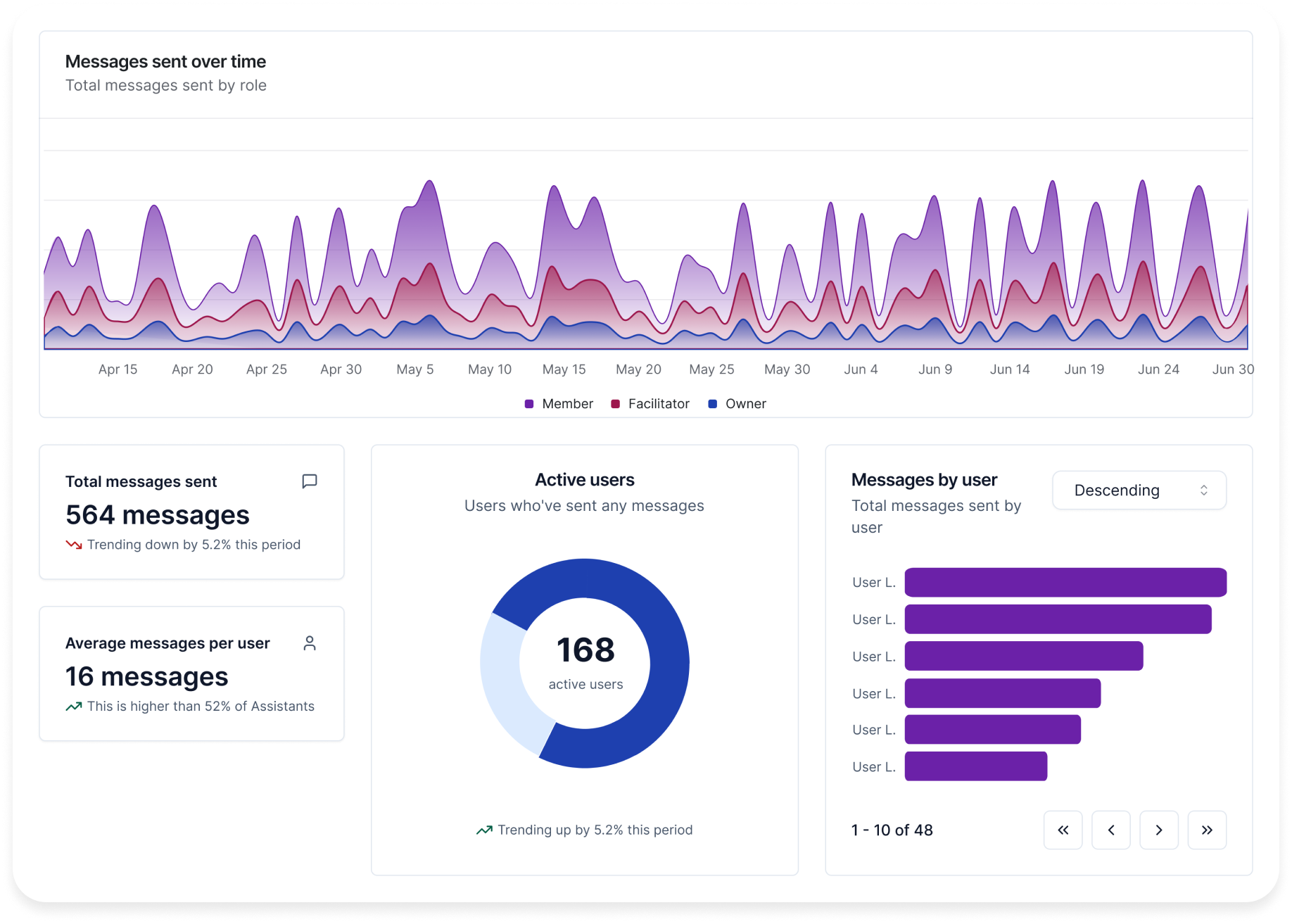 ## Improved LMS integration
* **LTI 1.3 roster sync**: Route multiple LTI course rosters to single Assistant
* **LTI 1.3 dynamic registration**: Streamline the LMS setup process with dynamic registration for Canvas, Moodle, and others
## Enhanced user experience for Assistants
* **Image support**: Upload and send images in conversations with any Assistant
* **Markdown support**: Text input in Assistant conversations is now formatted as markdown
* **Improved navigation**: Better navigability throughout Assistant pages
* **Training data download**: Added download button for Assistant's training files
## Security & administration
* **Email domain restriction**: New Workspace setting allow only specific email domains to join Workspaces
* **Security warnings**: Added warning when sharing public invite links
* **Infrastructure update**: Completed migration to new training documents service Azure Document Intelligence
* **Default settings**: Changed default Assistants knowledge to general knowledge
***
* Enhanced accessibility for multiple selection component
* Added automated unit tests for functionality and accessibility
* Resolved complex cache issue with invite links
* Fixed restriction on Assistants with the same name
* Fixed multiple Sentry errors related to semantic HTML and accessibility
## Improved LMS integration
* **LTI 1.3 roster sync**: Route multiple LTI course rosters to single Assistant
* **LTI 1.3 dynamic registration**: Streamline the LMS setup process with dynamic registration for Canvas, Moodle, and others
## Enhanced user experience for Assistants
* **Image support**: Upload and send images in conversations with any Assistant
* **Markdown support**: Text input in Assistant conversations is now formatted as markdown
* **Improved navigation**: Better navigability throughout Assistant pages
* **Training data download**: Added download button for Assistant's training files
## Security & administration
* **Email domain restriction**: New Workspace setting allow only specific email domains to join Workspaces
* **Security warnings**: Added warning when sharing public invite links
* **Infrastructure update**: Completed migration to new training documents service Azure Document Intelligence
* **Default settings**: Changed default Assistants knowledge to general knowledge
***
* Enhanced accessibility for multiple selection component
* Added automated unit tests for functionality and accessibility
* Resolved complex cache issue with invite links
* Fixed restriction on Assistants with the same name
* Fixed multiple Sentry errors related to semantic HTML and accessibility