> ## Documentation Index
> Fetch the complete documentation index at: https://support.nectir.io/llms.txt
> Use this file to discover all available pages before exploring further.
# Early Access Features
> Learn how to enable beta features in Nectir AI through your account settings.
Early Access Features allow you to try out new and experimental features in Nectir AI before they're available to everyone. These features are in beta and may have limited capabilities or occasional issues.
**Beta Features**: Early access features are experimental and may change or be removed. Use them at your own discretion and provide feedback to help improve the features.
## How to Enable Early Access Features
Click on your profile icon in the bottom left corner of the screen
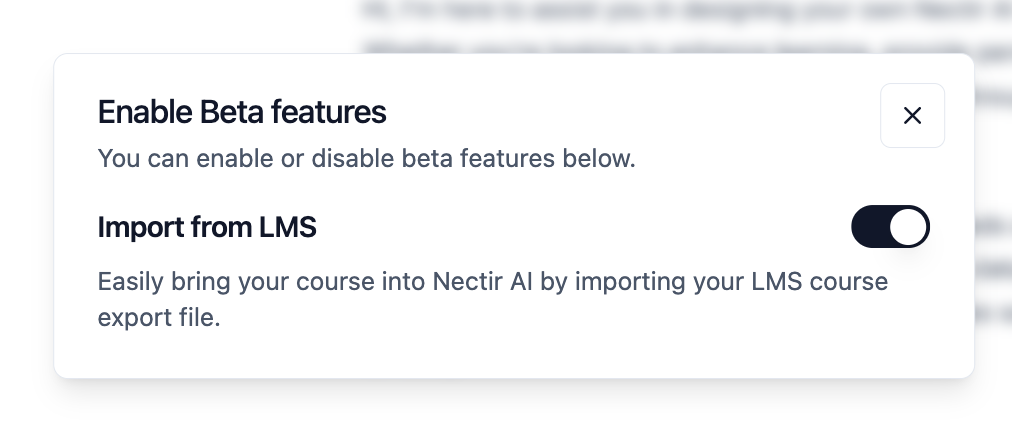
From the menu that appears, click on "Early Access Features"
Find the feature you want to enable and toggle it on
 Ready to get started? Learn how to create your first AI Assistant